

Keeping your home secure involves more than making sure the doors are locked before leaving. It also means knowing who has access, managing spare keys, and making sure trusted people can enter when needed. For households with busy schedules, these small responsibilities can become difficult to manage.
A smart door lock offers another way to control entry. Instead of depending only on traditional keys, many models let homeowners unlock a door using a keypad, fingerprint, smartphone, or access code. Some can also connect with other smart home devices, including home security cameras, to create a more organised approach to home monitoring. Before choosing one, it helps to understand how these locks work, what to consider during installation, and how to use their features safely.
Start by Understanding Who Needs Access
Every household has a different routine. Some homes only need access for a few family members, while others regularly welcome visitors, cleaners, or maintenance workers. Thinking about these needs is a useful first step when choosing a lock. For a small household, a keypad or fingerprint reader may be enough. Each person can use an approved method rather than carrying an extra key. In a larger household, individual access codes may make it easier to manage who can enter.
Temporary access is another feature worth considering. Certain models allow homeowners to create codes that work only during selected hours or for a limited period. This can be useful when someone needs access while you are away. Choose a system that makes access simple for trusted people without giving everyone the same permissions.
Explore the Different Ways to Unlock a Door
Smart locks are available with several access methods, and not every model offers the same combination. A keypad lets users enter a personal code. It can be convenient for family members who do not want to carry a key or use a phone every time they arrive. Fingerprint access uses a registered fingerprint to unlock the door. It can make entry quick, although performance may vary depending on the reader and the condition of the user’s finger.
App-based access allows the homeowner to manage the lock through a smartphone. Depending on the model, the app may support remote control, access history, or notifications. Some locks also retain a traditional key option. This can be helpful as a backup, especially if the battery runs out or an electronic feature becomes unavailable. Think about which methods suit your household rather than choosing a lock simply because it has the largest number of features.
Check Your Door Before Buying
A smart lock must fit your door and its existing locking mechanism. Even a well-reviewed product may not be suitable for every entrance. Measure the door thickness and check the type of lock already installed. Look at the space around the handle, the position of the deadbolt, and whether the door closes smoothly. These details can affect installation and everyday operation.
Also consider whether the lock requires a particular type of door preparation or additional accessories. Some models are designed to replace an existing lock, while others attach to part of the existing mechanism. Read the manufacturer’s compatibility guide before placing an order. When installation involves changing the door or adjusting its hardware, getting help from a professional may prevent problems later.
Make the Lock Part of a Wider Security Routine
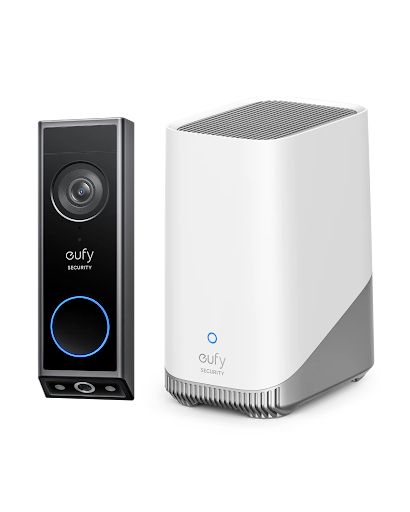
A smart lock controls entry, but it does not show you what is happening around your property. This is where home security cameras can provide useful support. For example, a camera near the entrance may help you see who approaches the door, while the lock manages access for approved household members. If your system supports compatible devices and integrations, you may be able to manage certain features through a shared app or smart home platform. However, compatibility should always be checked before purchasing. Devices do not automatically work together just because they are designed for home security.
A camera can also help provide context when you receive an activity notification. You may be able to check whether a family member has arrived or whether a visitor is waiting outside. Remember that camera footage should be handled responsibly, with views directed toward your own property wherever possible. Eufy offers smart home security products, so its available lock and camera options may be worth comparing when planning a connected setup. Check each product’s specific features and compatibility before making a decision.
Prepare for Batteries, Internet Problems, and Other Interruptions
Electronic locks need a reliable power source, so battery management should be part of your routine. Check the battery level through the available app or device indicator, and replace or recharge batteries according to the manufacturer’s instructions. It is equally important to understand how the lock behaves when the internet is unavailable. Some features, such as remote control or app notifications, may stop working without a connection. However, local methods like a keypad, fingerprint reader, or physical key may continue to work, depending on the model. Before relying on a smart lock every day, learn how to use its backup entry method. Just like home security cameras, smart locks should be maintained regularly to support reliable home protection. Keep any emergency key in a safe, accessible place rather than leaving it somewhere obvious outside the home.
Manage Access and Account Security Regularly
Convenient access should not mean losing control over who can enter. Review registered fingerprints, access codes, and shared accounts from time to time. Remove permissions when a visitor or service provider no longer needs them.
Protect the connected account with a strong, unique password. Enable extra login protection if available, and install official software updates when they are released. It is also useful to check the activity history occasionally, if your lock provides one. This can help you understand when the door was used and identify access permissions that may need updating.
Conclusion
A smart door lock can make home access easier to manage by offering alternatives to traditional keys. Features such as keypads, fingerprints, mobile apps, and temporary codes give households more flexibility, while compatible home security cameras can add visibility around the entrance. The right choice depends on your door, daily routine, preferred access methods, and backup needs. Take time to check compatibility, understand the power requirements, and review access permissions regularly. A carefully chosen and properly managed lock can become a practical part of your home’s overall security plan.
Frequently Asked Questions
Can a smart door lock work without an internet connection?
Some models can still be opened using a keypad, fingerprint, or physical key when the internet is unavailable. Remote app features may not work, so check the lock’s offline capabilities before buying.
Are smart door locks suitable for families?
Yes. Many models let homeowners register several users or create separate access codes. This can make it easier for family members to enter without sharing one physical key.
What happens when the battery in a smart lock runs low?
Most models provide a low-battery warning, although the type of warning varies. Replace or recharge the battery promptly and learn about the manufacturer’s backup entry method.
Can I connect a smart door lock with home security cameras?
Some products support connections through compatible apps or smart home platforms. Check the specific models and supported integrations because not all locks and cameras can communicate with each other.
Should I keep a physical key if I have a smart lock?
A physical backup key can be useful when electronic access is unavailable. Keep it somewhere secure and follow the manufacturer’s advice for emergency entry.
 Prime Star
 sk news