

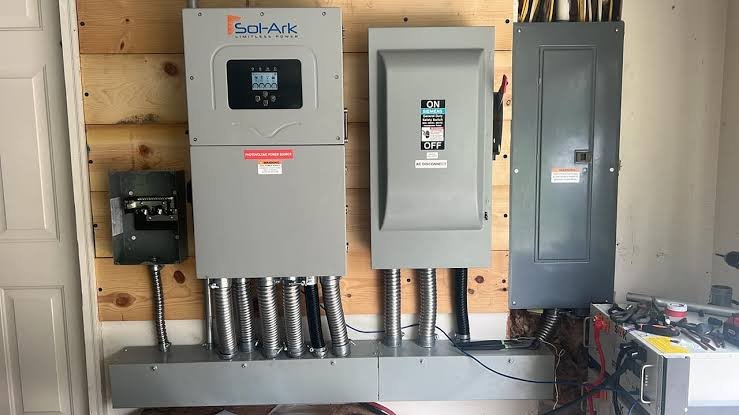
Sol-Ark inverter commissioning can occasionally involve fault codes, unexpected voltage readings, communication errors, or operating behavior that requires further review. A structured troubleshooting process helps installers verify wiring, equipment settings, battery communications, grid parameters, and system configuration without creating additional issues. Review these Sol-Ark inverter troubleshooting steps to identify common commissioning problems and prepare the system for safe, reliable operation.
Start with the Basics
Before troubleshooting software or configuration issues, verify the installation itself. Confirm that all the required disconnects and breakers are in the correct positions and that the inverter is getting the expected DC and AC voltages. Check the battery, solar panel inputs, grid connection, and critical load output.
If the inverter isn’t powering up, use a meter to verify voltage at the appropriate terminals instead of just assuming a breaker or disconnect is supplying power. Loose wires, incorrectly positioned connections, and other simple issues can all prevent normal startup.
Check Battery Communication
Battery communication problems are another common source of trouble during startup for a new inverter. If the inverter detects the battery but displays odd information, charging behavior, or battery faults, check the communication cable, connector, and the selected battery protocol. Depending on the communication connection used, you should also verify that the correct communication port and protocol are selected. A communication problem can sometimes look like a battery problem, so check the physical connection too before you replace any parts.
Check the Panels
If the inverter powers up but doesn’t show the expected solar production, check the solar panel voltage at the inverter. Check each string on its own if needed and compare the measured voltage with the expected voltage for the system. If you get an unexpected reading, this could be a sign of reversed polarity, an open circuit, a disconnected string, or a string configuration that doesn’t match the installation design. If multiple strings are connected, isolating them while you’re doing your troubleshooting can help identify whether the problem is limited to just one circuit.
Review Grid and Load Connections
Unexpected grid or load behavior means you need to carefully review your AC wiring and configuration. Verify that line, neutral, and ground connections are correct and that the measured voltage matches the system’s intended design. If the inverter shows a grid-related fault, compare the displayed voltage and frequency with your meter readings. Also confirm that the applicable grid settings and operating mode match your system design and any local requirements.
If you’re still having issues getting your Sol-Ark inverter to start up correctly, your distribution partner should offer you the option to call them directly and work with a representative who can walk you through additional troubleshooting tips.
 sk news
 Sky Bloom IT