

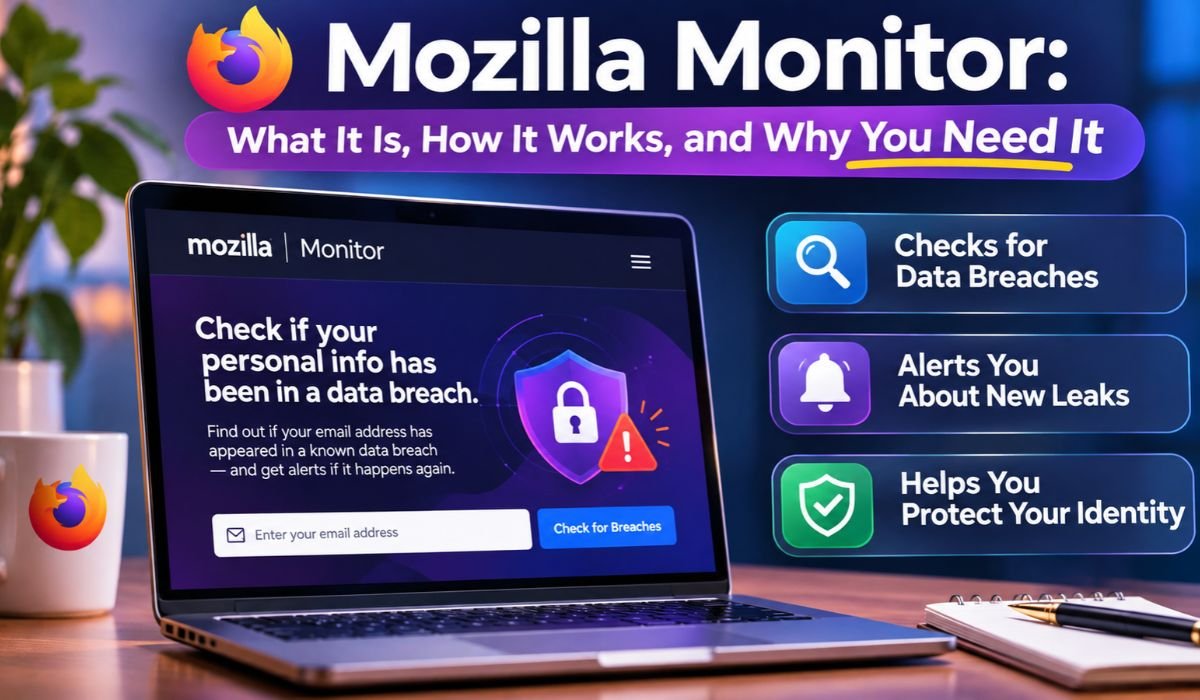
Most of us have signed up for dozens of websites over the years, from online stores and social media platforms to banking services and entertainment apps. But how often do we stop to think about what happens to the personal information we’ve shared with those companies? When a data breach occurs, sensitive information can fall into the wrong hands without us even knowing.
That’s where Mozilla Monitor comes in. Developed by the organization behind Firefox, this free cybersecurity service helps people discover whether their personal information has appeared in known data breaches. It also provides practical advice on what to do when sensitive information has been exposed.
In 2026, protecting your digital identity is more important than ever. Whether you’re concerned about compromised passwords, identity theft, or everyday online privacy, understanding how Mozilla Monitor works can help you make more informed security decisions.
Quick Bio Information About Mozilla Monitor
| Information | Details |
|---|---|
| Service Name | Mozilla Monitor |
| Former Name | Firefox Monitor |
| Developer | Mozilla |
| Launch Date | September 25, 2018 |
| Service Category | Cybersecurity and Online Privacy |
| Primary Purpose | Data Breach Detection |
| Pricing | Free |
| Database Partner | Have I Been Pwned |
| Email Monitoring Limit | Up to 20 Email Addresses |
| Account Requirement | Mozilla Account |
| Automatic Monitoring | Available |
| Breach Notifications | Available |
| Browser Compatibility | All Major Web Browsers |
| Security Dashboard | Available |
| Recovery Recommendations | Available |
| Password Exposure Detection | Based on Known Breach Records |
| Data Broker Removal | Discontinued |
| Mozilla Monitor Plus | Discontinued December 17, 2025 |
| Official Website | monitor.mozilla.org |
| Current Status | Active in 2026 |
What Is Mozilla Monitor?
Mozilla Monitor is a free Data Breach Monitoring service that helps internet users find out whether their email addresses have appeared in known data leaks. Originally introduced as Firefox Monitor, the service provides information about affected companies, security incidents, and the types of personal information that may have been compromised. It also offers guidance on protecting affected accounts. Unlike antivirus software, Mozilla Monitor doesn’t scan your devices for malware or stop harmful programs from running. Its role is quite different. By bringing known data exposures to your attention, it gives you an opportunity to respond before the situation becomes more serious. For anyone interested in Online Privacy Protection, it’s a practical place to start, even without technical experience.
The History of Mozilla Monitor
Mozilla launched Firefox Monitor on September 25, 2018, with a relatively straightforward goal: making information about data breaches accessible to ordinary internet users. At the time, many people had little understanding of how frequently their personal information could be exposed through online services. The platform gradually evolved as awareness of digital privacy grew. In February 2024, Mozilla introduced its updated Mozilla Monitor branding alongside Monitor Plus, a paid subscription that offered data broker scanning and personal information removal. However, that premium service officially closed on December 17, 2025. The free version remains available in 2026, with ongoing breach monitoring, security notifications, and support for multiple email addresses. This history is worth understanding, particularly because older articles may still describe features that are no longer offered.
How Does Mozilla Monitor Work?
Behind Mozilla Monitor is a well-established breach database maintained by Have I Been Pwned. When you register an email address, the service checks whether it appears in available records of known data breaches. Any matching results are displayed in your security dashboard. From that point onward, Mozilla Monitor continues checking verified email addresses and can notify you when relevant incidents are added to the database. Imagine discovering that a shopping website you last visited five years ago suffered a security breach. You might never hear about the incident otherwise, especially if you’ve stopped using the service. Mozilla Monitor helps bring such exposures to your attention. However, notifications depend on when breaches are discovered, verified, and added to the database, so they aren’t necessarily immediate.
Understanding the Mozilla Monitor Report
Finding out that your information has been exposed is one thing. Understanding what that exposure means is another. The Mozilla Monitor Report helps bridge that gap by presenting information about affected companies, available breach dates, and the categories of personal data involved. These details can help you decide which security problems need your attention first. An exposed email address, for example, may increase your chances of receiving phishing messages. A compromised password, on the other hand, calls for more immediate action. The dashboard also allows users to track recommended recovery steps. One important distinction is that marking a breach as resolved doesn’t erase the stolen information. It simply indicates that you’ve recorded the completion of the recommended protective measures.
Key Features of Mozilla Monitor
What makes Mozilla Monitor particularly appealing is how much it offers without charging a subscription fee. Users can monitor up to 20 email addresses through a single Mozilla account, making it convenient for people who maintain separate addresses for work, shopping, and personal communication. Automatic monitoring eliminates the need to search breach databases manually every few weeks. Instead, the service can notify you when newly identified incidents affect your registered information. Its dashboard presents breach results in an organized format, while recovery recommendations help explain what actions may be necessary. Users can also manage their notification preferences. Rather than overwhelming people with complicated technical information, Mozilla Monitor focuses on making security risks easier to understand and manage.
What Personal Information Can Mozilla Monitor Detect?
Although email addresses are central to Mozilla Monitor’s functionality, data breaches often expose much more than contact information. Depending on the records associated with an incident, the service may report exposed usernames, passwords, telephone numbers, home addresses, dates of birth, financial details, and government-issued identification numbers. The exact information varies considerably from one breach to another. It’s important to remember that Mozilla Monitor doesn’t independently search the internet for every personal detail belonging to you. Instead, it identifies known breaches associated with monitored email addresses. Reports generally describe categories of compromised information rather than displaying actual stolen passwords or complete financial records. Understanding this distinction helps users develop realistic expectations about what an Email Breach Checker can accomplish.
Understanding the Risks of Data Breaches
Not all data breaches carry the same consequences. Having your username exposed may cause relatively little immediate harm, while a stolen password could put several online accounts at risk. This becomes particularly dangerous when people reuse passwords across different websites. Cybercriminals can exploit previously leaked login details through a technique known as Credential Stuffing, attempting to gain access to other services with the same credentials. Exposed phone numbers, addresses, and dates of birth can also help criminals develop more convincing scams. Financial records and sensitive identification numbers may increase the risk of Identity Theft. When reviewing a breach report, concentrate first on incidents involving your primary email account, financial services, and sensitive personal information. The nature of the exposure matters more than simply counting how many breaches you’ve experienced.
How to Use Mozilla Monitor
You don’t need cybersecurity training to get started with Mozilla Monitor. Simply open your preferred web browser and visit monitor.mozilla.org directly. Create a Mozilla account or sign in to an existing one, then open your security dashboard to review available breach results. If you use several email addresses, you can add them through the email management settings and complete the verification process for each one. Once your results are available, review the affected accounts and follow the recommended security actions. It’s also worth checking your notification preferences so you don’t miss future alerts. According to Mozilla’s official guidance, monitoring continues automatically after setup. Despite its original connection with Firefox, the service works through other major browsers, meaning there’s no need to install Firefox specifically.
What to Do After Receiving a Mozilla Monitor Alert
Receiving a Data Breach Alert can be unsettling, but it doesn’t automatically mean someone has accessed your account. The first step is to understand what information was exposed. If a password was compromised, visit the affected company’s official website and change it. Any other accounts using that same password should receive unique replacements. Enabling Two-Factor Authentication or passkeys provides additional protection against unauthorized access. If you notice unusual account activity, review recent logins and sign out unfamiliar sessions. Financial exposures deserve particular attention, and contacting your bank directly is often necessary. In the United States, credit freezes and fraud alerts may provide further protection, while people in other countries should consult their relevant consumer protection authorities. Never share passwords or verification codes with someone claiming they can resolve a breach on your behalf.
Benefits of Using Mozilla Monitor
One of the biggest advantages of Mozilla Monitor is its ability to uncover problems that might otherwise go unnoticed. Over time, most internet users accumulate accounts on websites they rarely visit or have completely forgotten about. Yet those businesses may still hold personal information that remains valuable to criminals. Automatic Data Breach Alerts make keeping track of these exposures considerably easier. Consider someone who discovers that an old shopping account exposed a password they’re still using for their main email account. Replacing that password could reduce the risk of unauthorized access to a much more important service. Situations like this demonstrate the practical value of breach monitoring. Beyond identifying security incidents, Mozilla Monitor encourages stronger password habits and greater awareness of everyday online threats.
Is Mozilla Monitor Safe and Legitimate?
Questions about privacy are understandable when a service asks you to register your email address to check for data breaches. Mozilla Monitor is a legitimate platform operated by Mozilla, the organization responsible for Firefox. Its relationship with Have I Been Pwned provides access to established breach records. Mozilla’s published privacy notice explains that a hashed representation of an email address is used during breach checks with its database partner. Nevertheless, Mozilla processes account information as part of providing the service, making it worthwhile to review its privacy notice. Users should also remain alert to fraudulent messages impersonating trusted cybersecurity companies. If an unexpected email claims your information has been compromised, open Mozilla Monitor’s official website independently and check your dashboard rather than immediately clicking a link.
Is Mozilla Monitor Free in 2026?
Yes, the core Mozilla Monitor service remains free in 2026. Users can register up to 20 email addresses, receive breach notifications, review available exposure details, and access recovery recommendations without paying a subscription fee. However, anyone familiar with the previous Mozilla Monitor Plus service should be aware of an important change. The paid subscription, which included data broker scanning and removal, is no longer available. Data Breach Detection and personal information removal are fundamentally different services. One helps identify known exposures, while the other attempts to reduce the availability of personal information through particular sources. Mozilla Monitor cannot automatically erase leaked information from criminal databases or remove personal details from data broker websites. Users seeking those additional services will need to explore separate solutions.
Mozilla Monitor vs. Have I Been Pwned
Anyone researching online privacy tools will probably encounter both Mozilla Monitor and Have I Been Pwned. The two services are closely connected, although they provide somewhat different user experiences. Mozilla Monitor relies on breach records supplied by Have I Been Pwned while presenting the information through its own dashboard and guided recovery recommendations. Have I Been Pwned offers direct breach searches, notification services, and a separate Pwned Passwords tool that checks whether passwords have appeared in known breach records. For beginners, Mozilla Monitor’s centralized dashboard may make security information easier to manage. Have I Been Pwned also provides additional technical resources for users with more specific requirements. Both services are valuable, but neither can guarantee that every data breach will be identified.
Advantages and Limitations of Mozilla Monitor
Mozilla Monitor gets several important things right. It’s free, accessible, easy to understand, and capable of monitoring multiple email addresses automatically. These strengths make it a useful addition to everyday cybersecurity habits. Nevertheless, it’s equally important to recognize what the service cannot do. It doesn’t prevent companies from suffering security breaches, guarantee protection against identity theft, or detect every incident involving personal information. Some data breaches remain undiscovered for months or even years, while others may never become available to monitoring services. A dashboard showing no known breaches shouldn’t be treated as proof that your information is completely secure. Likewise, an older breach can still pose a threat if compromised passwords remain unchanged. Mozilla Monitor is best understood as an awareness and recovery tool rather than a complete cybersecurity solution.
Is Mozilla Monitor Worth Using?
For most internet users in 2026, Mozilla Monitor is worth considering. It provides useful information at no subscription cost and requires relatively little effort after the initial setup. Students, professionals, freelancers, online shoppers, and people managing multiple email accounts may find it especially helpful. However, the strongest approach to Online Privacy Protection combines monitoring with preventive security habits. A reputable Password Manager can help you create unique passwords, while passkeys provide an alternative to traditional password-based authentication where supported. Keeping software updated, deleting unnecessary accounts, and reviewing privacy settings are equally worthwhile practices. Don’t overlook older email addresses you still control, either. Forgotten accounts can continue holding sensitive information. Combining these precautions with breach monitoring creates a more dependable foundation for long-term digital security.
Final Thoughts
Protecting your personal information doesn’t have to involve complicated software or expensive subscriptions. Sometimes, knowing where your data has been exposed is the most useful starting point.
Mozilla Monitor provides an accessible way to identify known data breaches, understand potential risks, and take practical steps toward better online security. Its free monitoring features, straightforward dashboard, and recovery recommendations make it particularly appealing to everyday internet users.
Of course, awareness alone isn’t enough. The real value comes from changing compromised passwords, strengthening account security, recognizing suspicious messages, and responding appropriately when problems arise.
No cybersecurity tool can eliminate every threat. However, combining Mozilla Monitor with responsible online habits can make a meaningful difference in protecting your digital identity. In an increasingly connected world, that small investment of time is well worth making.
FAQs About Mozilla Monitor
What Is Mozilla Monitor Used For?
Mozilla Monitor helps users discover whether their registered email addresses have appeared in known data breaches. It provides information about affected websites, potentially exposed personal information, and recommended recovery actions. Its primary purpose is to improve cybersecurity awareness and help people respond to known data exposures.
Is Mozilla Monitor Completely Free?
Yes. Mozilla Monitor’s core Data Breach Monitoring service is free in 2026. Users can register up to 20 email addresses, receive automatic breach notifications, and access security recommendations without paying subscription fees.
Is Mozilla Monitor Safe and Trustworthy?
Mozilla Monitor is a legitimate cybersecurity service operated by Mozilla. It uses established breach records from Have I Been Pwned and email verification to support its monitoring features. Users should always access the official website and maintain strong security practices to protect their accounts.
Does Mozilla Monitor Scan the Dark Web?
Mozilla Monitor uses breach information supplied by Have I Been Pwned, which may include records obtained from dark web sources. However, the service doesn’t independently search every dark web website, criminal marketplace, or private database. Its coverage depends on available breach records.
What Happened to Mozilla Monitor Plus?
Mozilla officially discontinued Monitor Plus on December 17, 2025. The premium subscription previously offered data broker scanning and personal information removal. Although these features are no longer available through Mozilla Monitor, its free breach monitoring service continues operating.
Do I Need Firefox to Use Mozilla Monitor?
No, installing Firefox isn’t necessary. Mozilla Monitor operates as a web-based service and can be accessed through major browsers, including Google Chrome, Microsoft Edge, Safari, and Firefox. A Mozilla account provides access to its monitoring features.
Does a Mozilla Monitor Alert Mean I’ve Been Hacked?
Not necessarily. A notification means that your email address appears in known data breach records. It doesn’t automatically confirm unauthorized access to your personal accounts. Review the categories of compromised information and take appropriate precautions, particularly if passwords or financial details were exposed.
Can Mozilla Monitor Prevent Identity Theft?
Mozilla Monitor cannot directly prevent identity theft or guarantee complete protection against cybercrime. However, its breach notifications can help you recognize potential risks and respond appropriately. Changing compromised passwords, strengthening authentication, and monitoring financial activity can all help reduce the likelihood of further harm.
Learn more and explore exciting content on: Best Kids Tablets in 2026: Top Picks for Learning, Gaming, and Fun