

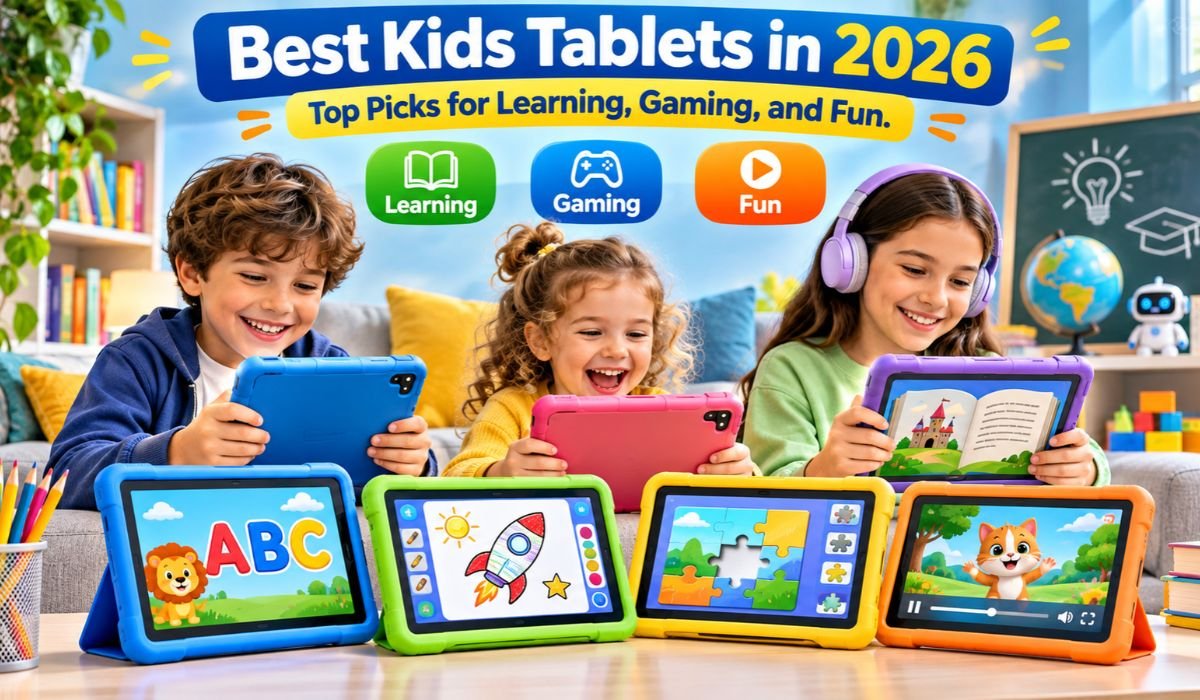
Buying a tablet for your child sounds simple enough until you start comparing all the available options. Some devices promise excellent gaming performance, others focus on education, and plenty claim to offer everything a growing child needs. But which ones are actually worth your money?
The Best Kids Tablets in 2026 offer more than a bright display and access to popular games. A good tablet should make learning enjoyable, encourage creativity, handle everyday tasks smoothly, and give parents meaningful control over their children’s online activities.
An inexpensive device might seem like a bargain, but slow performance, limited storage, and outdated software can quickly become frustrating. On the other hand, spending hundreds of dollars on premium hardware isn’t always necessary.
Whether you’re shopping for a young child who loves cartoons or a teenager who needs a reliable device for school, this guide brings together independent review findings, manufacturer specifications, and practical buying advice to help you find the right tablet.
Quick Information About Best Kids Tablets
| Category | Information |
|---|---|
| Best Overall Tablet | Apple iPad A16 |
| Best Discounted Android Tablet | Samsung Galaxy Tab A9+ |
| Best Newer Budget Android Option | Samsung Galaxy Tab A11+ |
| Best Tablet for Students | Apple iPad Air M4 |
| Best Tablet With Stylus Support | Lenovo Idea Tab Pro |
| Best Compact Tablet | Apple iPad mini A20 Pro |
| Best Premium Reading Tablet | Amazon Alexa Tablet 12 Pro |
| Best Affordable 5G Tablet | TCL Tab 10 NXTPAPER 5G |
| Best for Younger Children | Amazon Kids Tablet 8 |
| Recommended Screen Size | 8–11 Inches for Most Children |
| Recommended Android RAM | At Least 4GB |
| Preferred Internal Storage | 128GB or More |
| Preferred Battery Life | Around 8–10 Hours or More |
| Main Operating Systems | Android and iPadOS |
| Apple Parental Controls | Apple Screen Time |
| Android Parental Controls | Google Family Link |
| Amazon Parental Controls | Amazon Parent Dashboard |
| Essential Accessories | Protective Case and Screen Protector |
| Important Buying Factor | Ongoing Security Updates |
| Last Reviewed | November 2026 |
How We Selected the Best Kids Tablets
A tablet can look impressive on paper and still be a poor choice for a child. That’s why selecting the Best Tablets for Kids involves looking beyond processor speeds and attractive displays.
The recommendations in this guide draw on published professional reviews, manufacturer specifications, available software features, and the everyday needs of families. They are research-based recommendations rather than the results of our own hands-on product testing.
Particular attention has been given to performance, battery life, affordability, durability, educational applications, parental controls, and ongoing software support.
Age and intended use matter just as much. A five-year-old watching educational videos doesn’t need the same processing power as a teenager editing videos or creating digital artwork. By focusing on what children actually do with their tablets, parents can make better purchasing decisions without paying for unnecessary features.
Samsung Galaxy Tab A9+: Best Affordable Android Tablet
The Samsung Galaxy Tab A9+ has plenty to offer families looking for a capable Android Tablet without a premium price tag. Although newer models have arrived, it remains a worthwhile option when available at a competitive discount.
Its 11-inch display provides a comfortable amount of screen space for educational applications, videos, reading, and casual gaming. Under the hood, the Qualcomm Snapdragon 695 processor delivers sufficient performance for most everyday activities.
The tablet comes with either 64GB or 128GB of internal storage, depending on the configuration. Expandable storage is particularly useful for families who download movies before traveling or keep large collections of educational materials.
There’s one important consideration in 2026, however. The newer Samsung Galaxy Tab A11+ offers improved performance and deserves a close look before purchasing its predecessor.
If the price difference is small, the newer model may be the better long-term investment. Otherwise, a discounted Galaxy Tab A9+ remains a practical and affordable choice.
Apple iPad A16: Best Overall Tablet for Kids
Apple’s standard iPad has long occupied a comfortable middle ground between affordability and performance. The A16-powered model, introduced in 2025, continues that tradition and remains one of the Best Kids Tablets in 2026.
Its 11-inch Liquid Retina display looks sharp, while the A16 processor provides enough power for educational applications, video calls, games, and everyday multitasking. The generous 128GB starting storage is another welcome improvement for families.
Children can use the iPad to attend online classes, complete assignments, explore creative applications, and stay connected with relatives through FaceTime. Compatible Apple Pencil models also open up opportunities for drawing and handwriting practice.
Apple rates the battery for up to 10 hours of web browsing over Wi-Fi or video playback, although real-world results depend on usage.
The standard iPad doesn’t support Apple Intelligence, but that omission is unlikely to matter to most children. For families seeking a versatile device that can remain useful as their child grows, it’s an excellent starting point.
Apple iPad Air M4: Best for Students and Creators
Some children eventually need more than a tablet for watching videos and completing simple homework assignments. For older students with creative interests, the Apple iPad Air M4 offers significantly more room to grow.
Introduced in 2026, the tablet is available in 11-inch and 13-inch sizes. Its powerful M4 processor handles demanding applications, video editing, multitasking, and detailed creative projects comfortably.
Support for the Apple Pencil Pro makes the iPad Air particularly attractive to young artists. Students can sketch illustrations, annotate documents, take handwritten notes, and develop creative skills using compatible applications.
Still, it’s worth asking whether your child genuinely needs that extra performance. For basic educational games, reading, streaming, and ordinary schoolwork, the standard iPad is usually enough.
The iPad Air is most worthwhile when a student’s educational requirements or creative interests justify the additional investment. Otherwise, a more affordable device may provide better value.
Lenovo Idea Tab Pro: Best Tablet With a Stylus
For children who would rather draw a picture than type a document, the Lenovo Idea Tab Pro is a particularly interesting alternative.
The tablet features a generous 12.7-inch display with a sharp 3K resolution and a smooth 144Hz refresh rate. That combination provides a spacious canvas for digital illustrations, handwritten notes, educational activities, and multitasking.
Lenovo’s Tab Pen Plus adds another layer of versatility. Children can use it to practice handwriting, explore digital painting, annotate study materials, or work through mathematics exercises. Some configurations include the stylus, while others sell it separately, so it’s worth checking the package before ordering.
Expandable microSD storage is another useful feature, especially for students who regularly download large files and educational resources.
The larger screen does come with a trade-off. Younger children may find the tablet uncomfortable to hold for long periods. For older students, however, its extra workspace can make learning and creative activities considerably more enjoyable.
Apple iPad mini: Best Compact Tablet for Kids
Not every child wants to carry a large tablet around. Sometimes, a smaller device makes far more sense, particularly for families who travel frequently.
Apple’s redesigned 2026 iPad mini pairs an A20 Pro processor with an 8.5-inch OLED display. Despite its compact dimensions, it offers impressive performance for reading, mobile gaming, entertainment, and everyday applications.
Its smaller size makes it easier to hold during long journeys or while relaxing with a digital book. The device also carries an IP67 water and dust resistance rating under controlled testing conditions.
That doesn’t mean it’s completely waterproof. Water resistance can decrease over time, and a protective case remains a sensible investment.
The main drawbacks are its premium price and limited workspace. Children completing lengthy assignments may appreciate a larger display. However, for families who value portability and powerful performance in a compact package, the iPad mini is a compelling option.
Amazon Alexa Tablet 12 Pro: Best for Reading
Amazon’s tablet lineup took a different direction in October 2026 with the introduction of its redesigned Alexa Tablets. The move to Android with Google Play Store access significantly expanded the applications available on its mainstream models.
The Alexa Tablet 12 Pro features a spacious 12-inch display, with an optional Nanomatte finish designed to reduce reflections. This makes it an interesting choice for children who enjoy digital textbooks, comics, illustrated stories, and educational reading materials.
The Nanomatte edition launched at $549.99 in the United States, placing it firmly in premium tablet territory.
While the reading experience is appealing, the price may be difficult to justify for younger children. Parents should also take time to understand its Alexa+, microphone, screen-sharing, and privacy settings before allowing independent use.
If reading is your child’s primary interest, a less expensive tablet or dedicated e-reader could be a more economical choice. The Alexa Tablet 12 Pro is better suited to families who want a larger, more versatile entertainment and reading device.
TCL Tab 10 NXTPAPER 5G: Best Affordable 5G Tablet
The TCL Tab 10 NXTPAPER 5G takes a somewhat different approach from conventional tablets. Its matte, paper-like display is designed to reduce glare, making reading and everyday browsing more comfortable in suitable lighting conditions.
Inside, the tablet offers 6GB of RAM, 128GB of storage, expandable memory, and a 6,000mAh battery. These specifications provide enough flexibility for everyday educational applications, reading, and general entertainment.
Its standout feature is 5G connectivity. Families can access online resources while traveling or spending time away from home, provided they have a compatible mobile data plan.
There are a few compromises to consider. Independent review findings highlighted battery performance, outdoor visibility, and software support as areas of concern.
Because this is an older model, parents should confirm its remaining security support and carrier compatibility before purchasing. It’s an attractive option for mobile connectivity, but the ongoing cost of a data plan should also factor into the decision.
Best Kids Tablets by Age Group
Children’s technology needs change surprisingly quickly. A device that’s ideal for a preschooler may feel too restrictive just a few years later.
For children aged three to five, simplicity and durability are particularly important. A sturdy protective case, carefully selected applications, supervised activities, and straightforward controls can make their first tablet experience more manageable.
The 2026 Amazon Kids Tablet 8 is worth considering in this category. It features an 8.7-inch display and comes in versions designed for children aged three and older or six and older. These bundles include a protective case and one year of Amazon Kids+.
Children between six and twelve may benefit from the greater flexibility of a standard iPad or Samsung Galaxy Tablet. Teenagers, meanwhile, often appreciate larger storage capacities, keyboard compatibility, and stronger multitasking capabilities.
Of course, age is only a general guide. A child’s maturity, interests, school requirements, and ability to handle technology responsibly should ultimately determine which device is most appropriate.
Best Tablets for Learning, Gaming, and Creativity
The most suitable tablet depends largely on how your child plans to use it.
For Online Learning, the standard Apple iPad offers access to an extensive collection of educational applications. Samsung Galaxy Tablets are appealing alternatives, particularly for families who already rely on Google services.
Children interested in demanding mobile games may benefit from the additional processing power of the iPad Air M4. However, most casual games don’t require premium hardware.
Creative activities introduce another consideration. A tablet with a responsive stylus and sufficient screen space, such as the Lenovo Idea Tab Pro, can make drawing, handwriting, and digital note-taking more enjoyable.
Before purchasing any tablet for school, check with your child’s teachers or school administrators. Some learning platforms require particular browsers, applications, or operating systems.
Certain schools recommend Chromebook or Windows devices instead of tablets. Even the most powerful iPad won’t be the right purchase if it cannot support the tools a student needs for class.
Best Affordable Tablets for Kids in 2026
Providing your child with a useful digital learning device doesn’t have to mean stretching the family budget.
Tablets priced under $100 can handle basic activities, although limited storage, slower processors, and shorter software support periods are potential concerns.
The $100–$300 price range often provides a better balance between affordability and everyday performance. Seasonal sales can make this category especially attractive.
For example, PCMag’s November 20, 2026, buying guide listed the Amazon Kids Tablet 8 at $149, the Samsung Galaxy Tab A11+ at $199, and the standard Apple iPad at $379.
These were promotional prices from US retailers, not permanent or guaranteed current prices.
It’s also worth looking beyond the advertised price. A protective case, subscription renewals, mobile data, replacement accessories, and potential repairs can increase the total cost considerably.
Sometimes, spending a little more on a tablet with dependable software support and better hardware can save money over several years of use.
How to Choose the Best Tablet for Your Child
When comparing tablets, it’s easy to become distracted by complicated specifications. Fortunately, a few practical considerations can simplify the decision.
An eight-inch display with a resolution of at least 1280 × 800 pixels is a reasonable starting point for reading, videos, and basic educational activities. Larger screens are often more comfortable for school assignments and creative work.
For Android Tablets, 4GB of RAM is a sensible minimum, while 6GB or more can provide smoother multitasking. A storage capacity of 128GB gives children enough flexibility for applications, games, photos, and downloaded videos.
Battery life deserves equal attention. Manufacturer estimates offer a useful reference, but actual performance varies with brightness, connectivity, and application usage. Independent battery tests can provide additional insight.
Finally, consider durability, software updates, warranty coverage, repair availability, and the cost of replacement accessories. A tablet that performs well today should ideally remain secure and practical for several years.
Apple iPad vs. Android Tablets for Kids
The decision between an Apple iPad and an Android Tablet often comes down to what your family already uses and what your child needs.
Apple’s iPads offer dependable performance, a well-established selection of educational applications, and excellent accessory compatibility. Families who already own Apple devices may find the experience especially convenient.
Android Tablets, on the other hand, provide a broader selection of prices, screen sizes, and hardware configurations. Some models also offer expandable storage and multiple user profiles, which can be useful when several family members share a device.
Both platforms provide parental supervision tools through Apple Screen Time and Google Family Link. Available features can vary depending on the device, software version, and account configuration.
Neither platform wins every category. A budget-conscious family may prefer Android, while another household might value the consistency and application compatibility of an iPad. The best decision depends on your particular circumstances rather than brand loyalty.
Parental Controls and Online Safety
A tablet’s performance means very little if parents cannot manage how their children use it. That’s why Parental Controls deserve just as much attention as hardware specifications.
Apple Screen Time allows families to establish daily usage limits, schedule downtime, restrict applications, and filter certain types of content. Purchase approvals can also be configured through Apple’s family settings.
Google Family Link provides similar supervision features on compatible Android devices. Parents can approve applications, manage screen time, and establish restrictions across supported Google services. Its purchase approval features apply to transactions processed through Google Play’s billing system.
Amazon Kids Tablets provide additional management options through the Parent Dashboard, including content restrictions, usage limits, and educational goals.
Beyond these built-in tools, parents should review camera and microphone permissions, disable unnecessary location sharing, and prevent unauthorized purchases.
No parental control system offers complete protection. Regular supervision and open conversations about Online Safety, privacy, and responsible digital behavior remain essential.
Why Parents Should Avoid Outdated Toy Tablets
Colorful Toy Tablets can be tempting, particularly when they’re advertised at extremely low prices. Unfortunately, an appealing design doesn’t necessarily translate into a reliable digital learning experience.
Some older toy-style tablets rely on underpowered processors, outdated operating systems, and restricted application libraries. These limitations can make even simple activities frustrating.
Unsupported software introduces another concern because older devices may no longer receive important security updates.
Children can also outgrow highly restricted tablets rather quickly, leaving families with the additional expense of purchasing a replacement.
That doesn’t mean every child-focused tablet should be avoided. Modern devices designed specifically for children can provide valuable features when they receive regular updates and offer effective parental supervision.
Parents considering a refurbished mainstream tablet should check its battery condition, remaining software support, warranty coverage, and whether any previous account locks have been removed. A properly maintained secondhand device can sometimes offer better long-term value than a brand-new but poorly supported toy tablet.
Tablet Accessories and Healthy Screen Habits
Children drop things. Tablets are no exception, which is why a shock-absorbing protective case and a suitable screen protector are among the most useful accessories a parent can purchase.
Older students may also appreciate a compatible keyboard, stylus, tablet stand, or volume-limited headphones. The right accessories can transform a basic entertainment device into a more practical educational tool.
Before handing over a new tablet, take a few minutes to create a child account, install available software updates, activate parental restrictions, and download approved applications.
Developing healthy digital habits is equally important. The American Academy of Pediatrics encourages families to create a Family Media Plan that considers their children’s individual needs and circumstances.
Regular breaks, outdoor activities, sufficient sleep, and screen-free family time all contribute to a healthier balance.
Rather than focusing only on the number of hours spent using a tablet, parents should also consider what their children are doing with that time. Completing a creative project or attending an educational lesson is different from passively scrolling through entertainment content.
Final Thoughts
The Best Kids Tablets in 2026 aren’t necessarily the devices with the fastest processors, the largest displays, or the highest price tags. What matters most is how well a tablet fits into a child’s everyday life.
The Apple iPad A16 remains a versatile option for learning and entertainment, while the Samsung Galaxy Tab A11+ offers a newer, budget-friendly Android alternative. The Lenovo Idea Tab Pro and iPad Air M4 are attractive choices for creative students, and modern Amazon Kids Tablets provide age-appropriate features for younger children.
Before making a purchase, think about school requirements, online safety, durability, software support, and the overall cost of ownership. These practical considerations often matter more than flashy features.
Ultimately, a well-chosen tablet can become a valuable tool for discovery, education, creativity, and communication. When combined with thoughtful parental supervision and healthy screen habits, it can support a child’s development without becoming a distraction from the world around them.
FAQs About Best Kids Tablets
What Is the Best Kids Tablet in 2026?
The Apple iPad A16 is a strong overall choice for many families. Its reliable processor, 128GB starting storage, educational applications, and parental supervision features make it suitable for schoolwork, gaming, reading, and everyday entertainment.
What Is the Best Affordable Tablet for Kids?
The Samsung Galaxy Tab A11+ offers excellent everyday value for families seeking an affordable Android Tablet. The older Galaxy Tab A9+ is also worth considering when available at a significant discount, particularly for basic learning and entertainment.
What Is the Best Tablet for a Five-Year-Old?
The Amazon Kids Tablet 8 is a practical option because it includes a protective case, age-appropriate content, and built-in parental management features. However, younger children should still use tablets with appropriate adult supervision and carefully selected applications.
How Much Storage Does a Kids Tablet Need?
For most children, 128GB of internal storage provides a comfortable amount of space for games, educational applications, photos, and downloaded videos. A 64GB model may be sufficient for lighter use, especially if the device supports expandable storage.
Which Tablet Is Best for Schoolwork?
The standard Apple iPad is a versatile choice for school assignments, online classes, digital textbooks, and educational applications. Parents should first confirm that their child’s school supports iPadOS, its required applications, and the relevant learning platforms.
Can Kids Use Tablets Without Wi-Fi?
Yes. Children can access downloaded books, offline games, saved videos, and compatible educational applications without an internet connection. Some applications may still require occasional connectivity to verify subscriptions, synchronize progress, or download software updates.
Are Expensive Tablets Worth Buying for Children?
Premium tablets can be worthwhile for older students who regularly use demanding games, advanced educational software, or Digital Art applications. Most younger children, however, can comfortably enjoy learning and entertainment on a more affordable device.
How Can I Make My Child’s Tablet Safer?
Start by creating a supervised child account and activating the available Parental Controls. Restrict unauthorized purchases, install security updates, review application permissions, and establish sensible usage limits. Most importantly, maintain regular conversations with your child about privacy, online risks, and responsible digital behavior.
Learn more and explore exciting content on: Zettabyte: Transforming the Future of AI Data Centers and GPU Computing
 Prime Star