

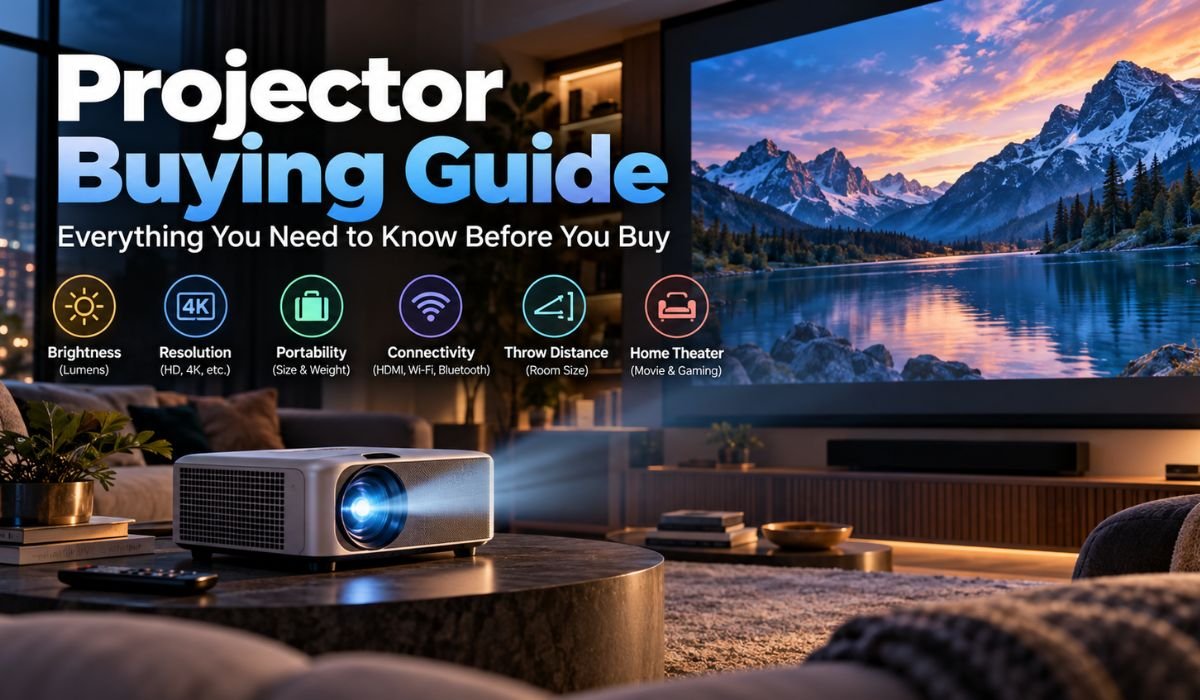
Shopping for a Projector can get complicated surprisingly quickly. At first, the goal may seem straightforward: find something that produces a big, sharp picture. Then terms such as Lumens, Contrast Ratio, Throw Distance, HDR, Input Lag, Pixel Shifting, and Laser Light Sources begin appearing on specification sheets.
The challenge is that impressive numbers don’t always translate into an impressive picture. Two Projectors with similar specifications can perform very differently once they’re placed in an actual room.
In 2026, buyers have more choices than ever. There are compact Mini Projectors for casual entertainment, bright Living Room models, low-latency Gaming Projectors, dedicated Home Theater systems, and Ultra Short Throw Projectors capable of producing a huge image while sitting close to the screen.
Finding the right Projector starts with understanding how you’ll use it. Your room, lighting, preferred screen size, content, placement options, and budget all matter. This Projector Buying Guide breaks down those factors in plain language, helping you separate useful specifications from marketing noise before spending your money.
Quick Projector Information
| Projector Detail | Helpful Information |
|---|---|
| Main Purpose | Movies, Gaming, Streaming, Presentations, And Large-Screen Viewing |
| Common Resolutions | 1080p And 4K |
| Main Imaging Technologies | DLP, 3LCD, And LCoS |
| Common Light Sources | Lamp, LED, And Laser |
| Brightness Measurement | ANSI Lumens Or ISO Lumens |
| Popular Home Screen Size | Around 100 Inches Or Larger |
| Home Entertainment Uses | Movies, Sports, Streaming, And Gaming |
| Portable Options | Mini And Battery-Powered Projectors |
| Small-Room Options | Short Throw And Ultra Short Throw |
| Important Picture Factors | Contrast, Brightness, Color, And Resolution |
| Gaming Considerations | Input Lag And Refresh Rate |
| Smart Features | Streaming Apps, Wi-Fi, And Casting |
| Installation Features | Zoom, Lens Shift, Focus, And Keystone |
| Common Video Connection | HDMI |
| HDR Support | Available On Many Modern Models |
| Audio Options | Built-In Speakers, Soundbar, Or AV System |
| Best Viewing Conditions | Depend On Brightness And Ambient Light |
| Essential Buying Check | Throw Distance And Desired Screen Size |
What Is A Projector And How Does It Work?
At its simplest, a Projector takes a video signal and turns it into a much larger image. It does this using a light source, an imaging system, and a lens, with the finished picture displayed on a Projection Screen or suitable wall.
Modern Projectors commonly rely on DLP, 3LCD, or LCoS-based imaging technologies. Illumination may come from a traditional replaceable lamp, LEDs, lasers, or other solid-state systems.
There’s an important difference between Projection and watching a conventional television. With most Projectors, you’re looking at light reflected from another surface rather than directly at a display panel. As a result, the room becomes part of the viewing system.
Ambient light, wall reflections, screen material, Projector position, image size, and even the colors used around the room can influence the final picture. A Projector that produces rich, cinematic images in a dark theater can look noticeably washed out when moved into a sunlit Living Room.
That’s why choosing a Projector should begin with the space where you’ll use it, not simply with the specification sheet.
Understanding The Main Types Of Projectors
Projectors may perform the same basic job, but they’re often designed with very different priorities.
A Home Theater Projector usually places greater emphasis on Contrast, black levels, accurate color, HDR handling, and overall cinematic quality. A Living Room Projector has a tougher battle with ambient light, so Brightness and everyday convenience often become more important.
Gaming Projectors shift the focus again. Low Input Lag and higher Refresh Rates can matter as much as image quality, particularly for fast-paced games. Business Projectors, meanwhile, are generally designed around readable text, useful Brightness, connectivity, and straightforward setup.
Portable and Mini Projectors favor flexibility. Many now include autofocus, automatic image adjustment, speakers, streaming software, and, in some cases, internal batteries. Their smaller bodies, however, can limit Brightness, cooling capacity, optics, and sound.
Then there are Short Throw and Ultra Short Throw Projectors, which solve one of Projection’s biggest practical challenges: space. These models can produce large images from much shorter distances.
Rather than searching for the “best Projector” in general, start by identifying which category fits the way you actually plan to watch.
Projector Resolution: 1080p Vs 4K
Resolution tells you how much visual detail a Projector can reproduce, but it’s only one part of image quality.
Full HD 1080p remains a sensible choice for many buyers. It can look excellent for streaming, casual Gaming, presentations, portable entertainment, and budget Home Theater installations. A well-focused 1080p Projector with good Contrast can be more enjoyable than a poorly designed model carrying a 4K label.
Still, 4K becomes increasingly attractive as screen size grows. On a large Home Theater image, particularly when viewers sit relatively close, the extra detail can produce a cleaner and more refined picture.
There’s also an important distinction between Native 4K and Pixel-Shifting Projectors. Many consumer 4K models use Pixel Shifting, rapidly repositioning pixels to create the level of detail expected from a 4K image. Native 4K imaging hardware is generally found farther up the price range.
That doesn’t mean Pixel Shifting should be dismissed. A well-engineered Pixel-Shift 4K Projector can look impressively sharp. Lens quality, focus uniformity, image processing, source quality, viewing distance, and screen size all influence how much detail you ultimately see.
Projector Brightness And Lumens
Few Projector specifications cause more confusion than Brightness.
Reputable manufacturers commonly express measurable light output using established standards such as ANSI Lumens or ISO Lumens. These measurements are far more useful for comparison than vague or proprietary claims that simply attach enormous numbers to the word “Lumens.”
Even standardized figures need context. There’s no single Brightness level that’s perfect for every Projector setup.
A dedicated Home Theater with controlled lighting can work well with less light output than a multipurpose Living Room. The required Brightness also increases as the projected image gets larger because the available light must cover a greater area.
Picture mode matters too. The setting that produces the highest measured Brightness isn’t necessarily the setting that gives you the most natural colors or the best overall picture. Some Projectors trade accuracy for additional output in their brightest modes.
For that reason, credible independent measurements taken in realistic picture modes can tell you more than the largest Brightness figure printed on the box.
Contrast, Black Levels And HDR
Brightness may attract attention in a showroom, but Contrast often determines whether a picture feels genuinely cinematic.
Strong Contrast helps bright objects stand out against darker backgrounds, while convincing black levels add depth to nighttime scenes and shadow-heavy films. Good shadow detail is equally important because dark areas should retain visible information instead of becoming either flat gray or featureless black.
Contrast Ratio figures need to be approached carefully. Native Contrast and Dynamic Contrast aren’t identical measurements, and testing methods aren’t always consistent between manufacturers. An enormous advertised Dynamic Contrast figure shouldn’t automatically be treated as evidence of superior picture quality.
HDR introduces another consideration. Many modern Projectors can receive HDR content, but supporting an HDR signal and displaying impressive HDR are two different things.
Projectors have different light-output characteristics from premium televisions, making effective tone mapping particularly important. A strong HDR experience depends on how well the Projector balances highlights, darker areas, available Brightness, Contrast, and color.
For movie lovers, those qualities should be judged together rather than in isolation.
DLP, 3LCD And LCoS Projectors
The imaging technology inside a Projector helps shape its picture, though no single system is automatically superior in every situation.
DLP Projectors use microscopic mirrors to form the image and appear across Home Entertainment, Gaming, portable, and Business categories. Single-chip DLP models can deliver sharp-looking pictures and strong motion performance. Some viewers, however, may notice brief flashes of red, green, and blue known as the Rainbow Effect.
3LCD Projectors use separate imaging panels for the red, green, and blue components of the picture. They don’t rely on the traditional color-wheel arrangement commonly associated with single-chip DLP designs.
LCoS technology is frequently found in higher-end Home Theater equipment and is known for producing smooth images and potentially strong Contrast performance.
Technology alone shouldn’t decide your purchase. A Projector’s optics, processing, calibration, light source, Contrast performance, and overall engineering can have a greater impact on the final experience than the imaging acronym listed on its box.
Laser, LED And Lamp Projectors
Light-source technology has changed considerably, giving buyers more options than the traditional replaceable Projector lamp.
Lamp-based Projectors remain capable of excellent image quality and can still represent good value. The main consideration is that lamps gradually lose Brightness and eventually need replacing.
LED systems use long-lasting solid-state illumination and are especially common in smaller Projectors. Their efficiency and compact nature make them a natural fit for Portable and Mini Projector designs.
Laser Projectors have become increasingly common in Home Theater, Living Room, and Ultra Short Throw categories. They offer fast startup, long light-source life, and freedom from routine lamp replacement.
Even so, the word “Laser” shouldn’t be treated as a guarantee of premium performance. A Laser Projector can still have mediocre Contrast, limited optics, distracting fan noise, or disappointing image processing.
Light-source technology matters, but it’s one part of a much larger system.
Throw Distance And Projector Placement
One of the smartest things you can do before buying a Projector is measure the room.
Throw Ratio describes the relationship between the distance from the Projector to the screen and the width of the image it creates. This determines whether a particular model can produce your preferred screen size from the space available.
A Standard Throw Projector generally sits farther from the screen. A Short Throw model can produce a large image from closer, while an Ultra Short Throw Projector is designed to sit very near the wall or Projection Screen.
Installation features can make placement easier. Optical zoom allows some flexibility in image size without physically moving the Projector, while Lens Shift can reposition the picture vertically or horizontally on compatible models without digitally reshaping it.
Keystone Correction works differently. It digitally adjusts image geometry when the Projector isn’t properly aligned with the screen. That’s convenient for temporary or portable setups, but heavy digital correction can reduce usable image detail.
For a permanent Home Theater, careful physical placement and optical adjustments are usually preferable.
Choosing The Right Projector Screen
It’s certainly possible to point a Projector at a wall and enjoy a movie. For casual viewing, that may be all you need. A dedicated Projection Screen, however, gives you a much more predictable surface.
Wall texture, paint color, uneven areas, and reflectivity can all influence perceived sharpness, color, and Contrast. A proper screen is specifically designed to control how projected light reaches the viewer.
One specification you’ll encounter is Screen Gain. In simple terms, Gain describes how a screen reflects light compared with a reference surface. A higher number isn’t automatically better. Viewing angles, image uniformity, Projector Brightness, and room layout all need to be considered.
Ambient Light Rejecting screens can improve performance in suitable Living Rooms by reducing the effect of unwanted light arriving from certain directions. They can’t, however, turn an ordinary Projector into a daylight display.
Ultra Short Throw Projectors also deserve special attention because their steep projection angle may work best with screens specifically designed for UST systems.
The screen isn’t merely an accessory. It’s an important part of the overall picture.
Choosing A Projector For Home Theater
If movies are your main priority, picture quality should take precedence over convenience features.
A strong Home Theater Projector should deliver convincing Contrast, detailed dark scenes, accurate colors, effective HDR processing, and low enough fan noise that quiet moments aren’t spoiled. Installation flexibility is also valuable because dedicated theaters often use large screens and permanent mounting positions.
Room design plays a major role here. A dark theater allows a Projector to show what it can really do because there’s less outside light competing with the image. Darker walls, ceilings, and furnishings can also help by reducing reflected light that might otherwise return to the screen and weaken perceived Contrast.
A Living Room calls for a slightly different approach. If you regularly watch sports, streaming shows, or movies with some lights on, additional Brightness may be more useful than chasing the deepest possible black level.
Smart Streaming, built-in speakers, autofocus, and convenient placement can also matter more in an everyday family room.
Before buying, ask yourself a simple question: will you normally watch in darkness or with some room lighting? The answer can change which Projector is right for you.
Choosing A Gaming Projector
A giant projected image can make Gaming spectacular, but Resolution isn’t the only specification gamers should check.
Input Lag is particularly important. It describes the delay between pressing a button or moving a control and seeing the corresponding action appear on screen. For casual games, a small amount of delay may not be particularly noticeable. Competitive and fast-paced games are much less forgiving.
Refresh Rate deserves attention as well. Higher supported rates can make motion look and feel smoother when your console or Gaming PC can supply matching frame rates.
Read the fine print carefully. Some Projectors support very high Refresh Rates at 1080p but offer lower maximum rates when running at 4K. Likewise, simply having an HDMI connection doesn’t mean every modern Gaming feature is available.
Dedicated Game Modes generally reduce unnecessary image processing to improve responsiveness. Before purchasing, confirm the exact combination of Resolution, Refresh Rate, HDR support, and Input Lag that applies to your intended Gaming setup.
Portable, Mini And Outdoor Projectors
Portable Projectors have become much more capable, making big-screen entertainment easier to move from room to room or take outside.
Convenience is their main attraction. Autofocus, automatic image adjustment, Wi-Fi, Bluetooth, Smart Streaming, built-in speakers, and batteries can turn a compact Projector into a largely self-contained entertainment system.
There are unavoidable compromises, though. A tiny enclosure leaves less room for large optics, powerful cooling, substantial speakers, and high-output illumination. That’s why inexpensive Mini Projectors can disappoint buyers who expect the Brightness of a full-size Living Room model.
Battery-powered Projectors may also operate differently when unplugged. Some reduce Brightness to extend runtime, so it’s worth checking performance in both mains-powered and battery modes.
Outdoor viewing introduces another challenge: sunlight. Even a capable consumer Projector is far more enjoyable once the sun has gone down. A stable screen, adequate sound, safe access to power, and a dark environment will make a dramatic difference.
And unless a manufacturer specifically states otherwise, don’t assume an ordinary Projector is weatherproof. Rain and electronics remain a bad combination.
Smart Features, Sound And Connectivity
Smart Projectors promise an appealing idea: switch on the device and start streaming without connecting another box.
In practice, Smart functionality varies. An operating system may include an app store while still lacking a particular streaming service or supporting it only with certain video features. App licensing, HDR compatibility, Resolution, and long-term software support can all differ between Projectors.
If Netflix, YouTube, Prime Video, or another service is essential to you, confirm compatibility with the exact model rather than assuming it’ll work.
Physical connections matter just as much. HDMI remains the standard choice for Gaming consoles, computers, Blu-ray players, and external streaming devices. Depending on the model, ARC or eARC can make it easier to send audio to compatible external equipment.
Built-in Projector speakers have improved, especially in Lifestyle and Portable models. They’re convenient for casual viewing, but a good Soundbar, powered speaker system, or dedicated Home Theater setup will usually provide a wider and more convincing soundstage.
Check your connectivity needs before installation. Discovering that you’re short of an input after mounting a Projector on the ceiling isn’t much fun.
Projector Price And Long-Term Ownership
The price displayed next to a Projector isn’t always the price of the finished system.
A permanent setup may require a Projection Screen, ceiling mount, longer HDMI cables, streaming player, speakers, Soundbar, AV receiver, blackout curtains, or even changes to the room itself. These costs can add up quickly.
Maintenance should also be part of the calculation. Traditional lamp-based models eventually require replacement lamps. LED and Laser Projectors remove that routine requirement through long-life solid-state illumination, although they still need proper ventilation and sensible care.
Software can matter over time too. Smart Projectors may receive firmware and app updates that improve compatibility, fix bugs, or add features, although update policies vary by manufacturer.
Instead of simply looking for the cheapest Projector, consider the total cost of ownership. Paying a little more for the correct Throw Ratio, adequate Brightness, useful optical adjustments, and the right connections may save both money and frustration later.
Common Projector Buying Mistakes
Projector marketing can make comparison unnecessarily difficult, and many disappointing purchases begin with taking every specification at face value.
Extremely high Brightness figures using undefined measurements deserve caution. So do enormous Dynamic Contrast claims and vague phrases such as “4K Supported.” A Projector that accepts a 4K signal isn’t necessarily displaying that signal at Native 4K Resolution.
Check exactly what the specification means. Look for recognized Brightness measurements, understand whether a 4K model uses Native 4K imaging or Pixel Shifting, and consult credible independent testing where available.
Placement is another common source of mistakes. Measure the room first, determine the desired image size, and make sure the Projector’s Throw Ratio can deliver it from the intended position.
Gamers should investigate Input Lag. Smart Projector buyers should confirm streaming compatibility. Home Theater users should consider fan noise, Contrast, black levels, lens flexibility, and screen requirements.
The simplest rule is also the most useful: buy for your actual room and viewing habits, not for the most impressive collection of numbers.
Projector Buying Checklist
Before spending money, picture the entire setup rather than the Projector sitting by itself.
Think about what you’ll watch most often. Movies, Gaming, sports, presentations, outdoor entertainment, and everyday streaming can all lead to different buying decisions. Measure your room and decide where the Projector and screen will go. Work out the image size you realistically want and how much ambient light will be present.
From there, compare Resolution, standardized Brightness, Contrast performance, Throw Ratio, inputs, and installation flexibility. Decide whether Lens Shift, optical zoom, high Refresh Rates, HDR, Smart apps, battery operation, or built-in speakers will genuinely improve your experience.
Then look at the total budget. The best results often come from balancing spending across the Projector, screen, audio system, and room rather than putting nearly everything into the Projector itself.
Final Thoughts
Buying a Projector in 2026 is less about chasing the biggest number on a specification sheet and more about finding the right balance.
For a dedicated Home Theater, Contrast, black levels, color accuracy, HDR handling, quiet operation, and installation flexibility deserve close attention. In a Living Room, higher Brightness and convenient Smart Features may matter more. Gamers should focus on Input Lag and Refresh Rate support, while anyone shopping for a Portable Projector should think carefully about size, battery life, speakers, and automatic setup features.
Whatever category you’re considering, measure the room before you buy. Check the Throw Distance, choose a realistic screen size, and think about how much ambient light the Projector will have to overcome. Pay attention to standardized specifications where they’re available, and don’t let oversized marketing numbers make the decision for you.
It’s also worth remembering that Projection is a system rather than a single product. The Projector itself matters enormously, but so do the screen, room lighting, placement, seating distance, source devices, and sound system.
Get those elements working together and the result can be something a conventional television struggles to replicate: a genuinely enormous image that changes the feeling of watching a film, following a game, or playing your favorite title.
That’s ultimately why Projectors remain so appealing. The technology may keep changing, but the attraction is remarkably simple — bringing the scale and atmosphere of a big-screen experience into your own space.
FAQs About Projectors
Is A Projector Better Than A TV?
It depends on what you value most. A Projector is difficult to beat when the goal is an extremely large, cinema-style picture. A TV is usually easier to install, performs better in bright rooms, and can deliver stronger HDR highlights. Room conditions, preferred screen size, budget, and viewing habits should guide the decision.
Is 1080p Good Enough For A Projector?
Yes. A quality 1080p Projector can still deliver an excellent picture for streaming, presentations, casual Gaming, and budget Home Theater use. Moving to 4K becomes more worthwhile as screen size increases or when you sit close enough to appreciate the extra detail.
Is A 4K Projector Worth Buying?
For large-screen movies and Gaming, 4K can be a worthwhile upgrade. Just remember that the 4K label doesn’t tell the whole story. Some models use Native 4K imaging hardware, while many consumer Projectors use Pixel Shifting. Contrast, optics, processing, and Brightness remain important.
How Many Lumens Should A Projector Have?
There’s no universal answer because the required Brightness depends on screen size, ambient light, screen material, room conditions, and intended use. A controlled Home Theater generally needs less output than a Living Room where the Projector has to compete with other light.
Can A Projector Work On A Normal Wall?
Yes, particularly for casual viewing. A smooth, neutral-colored wall will usually give the best results. For a permanent installation, a dedicated Projection Screen offers a more consistent surface and can help you get more predictable performance from the Projector.
Are Mini Projectors Worth Buying?
They can be, provided your expectations are realistic. Mini Projectors are particularly useful for bedrooms, travel, temporary setups, and occasional entertainment. Their compact size often means lower Brightness, smaller speakers, and less capable optics than larger models.
Are Projectors Good For Gaming?
Absolutely, as long as you choose the right model. Look for low Input Lag, a dedicated Game Mode, suitable Resolution, and support for the Refresh Rate you intend to use. A large projected image can make both console and PC Gaming remarkably immersive.
How Long Does A Projector Last?
Projector lifespan varies according to light-source technology, operating conditions, and usage. Lamp-based Projectors eventually need replacement lamps, while LED and Laser models use longer-lasting solid-state illumination. Keeping vents clear and providing proper airflow can help any Projector operate reliably for longer.
Learn more and explore exciting content on: WooFlix: Everything You Need to Know About the Movies and TV Shows App
 Wild Rise
  Sky News Agency