

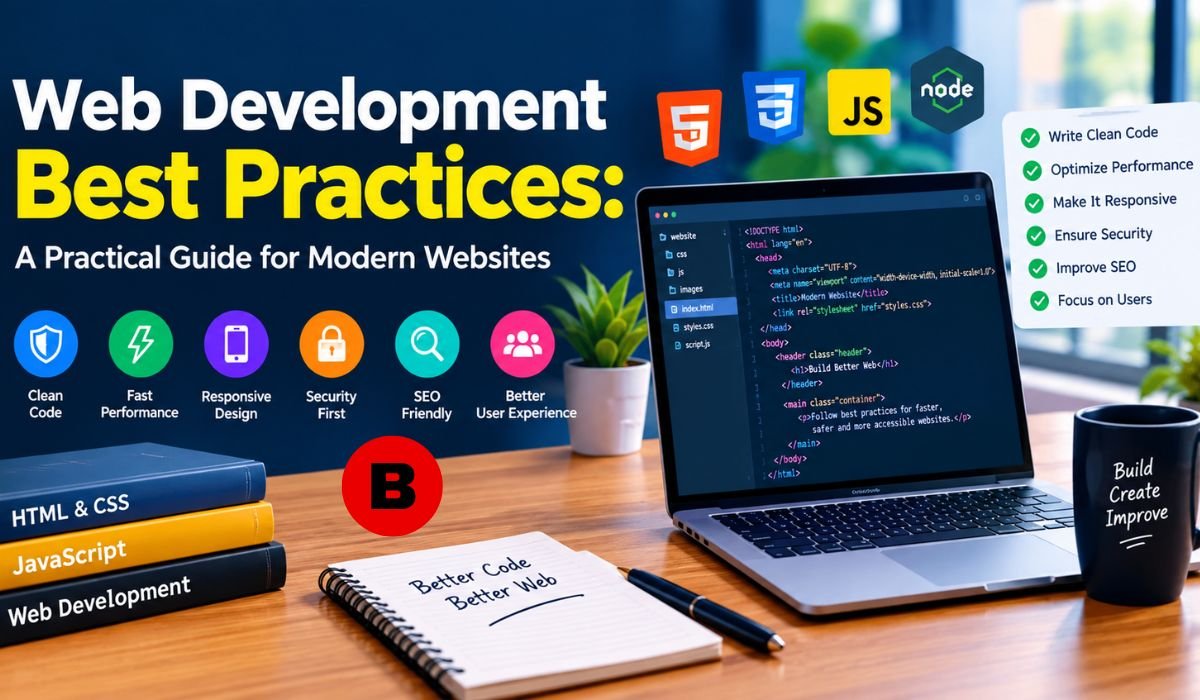
A modern website has to do much more than simply load in a browser. Visitors expect pages to respond quickly, work well on phones, remain accessible, protect their information, and provide a smooth experience from the first click to the final interaction. Developers also have to consider maintainability, security, search visibility, testing, deployment, and increasingly, AI-assisted coding.
That is why Web Development Best Practices should not be treated as a collection of isolated coding tips. They form a practical approach to building, testing, launching, and maintaining websites throughout their entire lifecycle.
The strongest approach is people-first. Google recommends creating helpful, reliable content for users rather than producing pages primarily to manipulate search rankings. It also encourages creators to demonstrate experience, expertise, authoritativeness, and trustworthiness through clear authorship, accurate information, original value, and transparent sourcing.
About This Guide
This guide focuses on practical standards that developers can apply to modern websites and web applications. Technical recommendations are grounded in established sources including Google Search Central, web.dev, and the World Wide Web Consortium (W3C). Because web technologies change quickly, developers should verify implementation details against current official documentation before adopting a framework, security configuration, or platform-specific feature.
Plan The Website Before Development
Good development starts before the first line of code. Begin by defining what the website needs to accomplish, who will use it, what content it will contain, and which technical requirements matter most.
Functional requirements might include registration, search, payments, publishing, or account management. Non-functional requirements cover qualities such as performance, security, accessibility, scalability, reliability, and maintainability.
This distinction matters because technical decisions should follow actual requirements. A small informational website does not necessarily need the same architecture as a large ecommerce platform or SaaS application.
Creating a sitemap, defining important user journeys, establishing accessibility expectations, and setting performance goals early can prevent expensive changes later. It also gives designers, developers, content teams, and stakeholders a shared understanding of what they are building.
Choose The Right Technology Stack
There is no universally best web development stack. TypeScript, JavaScript, React, Next.js, Node.js, PHP, Python, databases, APIs, and cloud platforms can all be appropriate depending on the project.
The better question is whether the chosen technology fits the team’s skills, project requirements, hosting environment, expected traffic, SEO needs, and long-term maintenance plans.
TypeScript can be particularly useful for larger JavaScript applications because static type checking catches many mistakes during development. Modern frameworks can simplify routing, rendering, and application structure, but popularity alone should not determine the choice.
A framework that works beautifully for one project may introduce unnecessary complexity into another. Good architecture is less about following trends and more about choosing technology the team can understand, test, secure, and maintain.
Write Clean And Maintainable Code
Readable code is easier to review, debug, test, and maintain. Developers should use meaningful names, consistent formatting, logical file organization, and clear boundaries between components and responsibilities.
TypeScript’s strict configuration can help detect incorrect values and mismatched interfaces before they reach production. Linting and formatting tools such as ESLint and Prettier can reinforce consistent standards across a team.
The DRY principle, or “Don’t Repeat Yourself,” is useful, but it should not be applied blindly. Removing every repeated line can result in complicated abstractions that are harder to understand than the original code. Sometimes straightforward duplication is safer than a premature shared utility.
The goal is not to make code clever. The goal is to make it understandable.
Follow Strong Git And Code Review Practices
Version control should be part of normal development. Short-lived branches, focused commits, meaningful commit messages, and pull requests make changes easier to understand and reverse.
Trunk-based development can reduce the problems created by branches that remain separate for long periods. Feature flags can also help teams release incomplete functionality safely without maintaining large, long-lived branches.
Code review provides another layer of protection. Automated tools can detect many technical problems, but they cannot always determine whether a feature actually satisfies the business requirement.
Changes involving authentication, payments, authorization, security controls, infrastructure, or deployment configuration deserve especially careful human review. A good review considers correctness, security, maintainability, accessibility, and the effect on users.
Build Accessibility Into The Website
Accessibility should be designed into a website rather than added immediately before launch. WCAG 2.2 is the current W3C Recommendation and provides technology-independent, testable success criteria for making web content more accessible. W3C encourages developers to use the most current WCAG version when developing or updating accessibility policies.
WCAG 2.2 includes newer criteria involving areas such as focus visibility, target size, dragging alternatives, consistent help, redundant entry, and accessible authentication.
In practical development, accessibility means using semantic HTML, meaningful headings, keyboard-accessible controls, visible focus states, properly labeled forms, useful error messages, appropriate contrast, and accessible names for interactive elements.
Automated tools such as axe can identify many common issues, but automated testing is not a substitute for human evaluation. W3C explicitly describes accessibility conformance as something that can involve both automated testing and human evaluation.
Improve Core Web Vitals And Performance
Performance is part of the user experience, not simply a number on an audit report. Google’s current Core Web Vitals focus on Largest Contentful Paint (LCP) for loading performance, Interaction to Next Paint (INP) for responsiveness, and Cumulative Layout Shift (CLS) for visual stability.
For good performance, Google recommends an LCP of 2.5 seconds or less, an INP of 200 milliseconds or less, and a CLS of 0.1 or less. These assessments are based on field data and are commonly evaluated at the 75th percentile, segmented between mobile and desktop.
INP is particularly important because it evaluates interaction responsiveness throughout a page visit rather than focusing only on the first interaction. Long JavaScript tasks, expensive event handlers, and excessive client-side work can all contribute to poor responsiveness.
Developers should also remember that good Core Web Vitals do not automatically make a website successful in Google Search. Google describes page experience more broadly, including factors such as secure delivery, mobile usability, intrusive interstitials, and the overall usability of the page.
Optimize JavaScript, Images, CSS And Fonts
Many performance problems come from sending the browser more work than it needs. Unnecessary JavaScript should be removed, large applications can benefit from code splitting, and expensive client-side work should be delayed when it is not required immediately.
Images deserve particular attention because they can account for a large portion of page weight. Developers should use appropriately sized images, modern formats where suitable, efficient compression, and reserved dimensions to reduce unexpected layout movement.
Fonts can also affect rendering. Limiting unnecessary font families and weights, choosing an appropriate loading strategy, and avoiding excessive font resources can improve the loading experience.
Third-party scripts should receive the same scrutiny. Analytics, advertising, chat tools, social embeds, and experimentation platforms can add network requests and JavaScript execution. A useful performance practice is to question every external script: does its value justify the cost to users?
Make Web Applications Secure
Security should be considered throughout development rather than added after the application is complete. The OWASP Top 10 remains a useful starting point for understanding major categories of web application risk.
Developers should pay close attention to authentication, authorization, input validation, output encoding, session management, access controls, secure error handling, and secret management.
Content Security Policy can provide another layer of browser-side protection. Depending on the application architecture, nonce-based or hash-based policies can be used to control which scripts are allowed to execute. CSP should be designed around the application’s actual resources rather than copied from a generic template.
HTTPS, secure cookies, appropriate security headers, dependency monitoring, and careful handling of environment variables also belong in the broader security strategy.
No individual security feature is enough on its own. Good security comes from multiple layers working together.
Manage Dependencies And Supply-Chain Risks
Modern applications often depend on dozens or even hundreds of direct and indirect packages. Every dependency introduces another piece of software that may require maintenance.
Teams should keep lockfiles under version control, remove packages they no longer need, monitor security advisories, and update dependencies according to a controlled process. Automated tools can help identify known vulnerabilities, but developers still need to evaluate whether an update is compatible and whether a dependency remains necessary.
Secrets deserve similar attention. API keys, passwords, access tokens, and private credentials should not be committed to source control. Secret scanning can help identify accidental exposure before it becomes a larger incident.
Supply-chain security is increasingly part of ordinary web development, not a concern reserved for large enterprises.
Create A Reliable Testing Strategy
Testing should provide confidence that important behavior continues to work after changes are made.
Unit tests are useful for individual functions and components. Integration tests examine how multiple parts interact, while end-to-end tests reproduce important user journeys in a browser. Tools such as Vitest and Playwright can support these different layers in JavaScript and TypeScript projects.
The objective should not be to maximize a coverage percentage at any cost. A high number can still hide weak tests. Critical workflows deserve strong coverage, particularly authentication, payments, account management, forms, search, and other functionality that directly affects users or revenue.
Accessibility and performance checks should also be incorporated into testing where practical. The earlier a problem is detected, the less expensive it usually is to fix.
Build An Effective CI/CD Pipeline
A reliable CI/CD pipeline turns development standards into repeatable checks. Depending on the project, a pipeline can run formatting checks, linting, type checking, automated tests, security scans, accessibility tests, and performance checks before code reaches production.
The important principle is that critical checks should be enforceable. If a security or accessibility test is considered essential but developers can merge code after ignoring a failure, it is not really a quality gate.
Build reproducibility also matters. Ideally, the artifact that passes the deployment pipeline should be the artifact that reaches production. This reduces the risk of testing one version while deploying another.
CI/CD is therefore not just about faster releases. It is about making the release process predictable, repeatable, and easier to trust.
Use AI Coding Tools Responsibly
AI coding assistants can speed up development, but faster code generation does not automatically mean better software.
Developers can use AI for tasks such as generating boilerplate, explaining unfamiliar code, drafting tests, suggesting refactoring approaches, and creating documentation. The output still needs to be evaluated by someone who understands the application.
This matters because AI-generated code can contain incorrect assumptions, security weaknesses, unnecessary dependencies, or subtle logic errors. Sensitive areas such as authentication, payments, authorization, infrastructure, and database migrations deserve especially careful review.
Google’s guidance does not treat AI-assisted production as inherently problematic. Its focus is on whether the resulting content is original, useful, reliable, and created for people rather than primarily to manipulate search rankings.
The same principle applies to AI-generated software: use the tool for productivity, but keep humans responsible for judgment.
Strengthen Technical SEO And AI Search Readiness
Technical SEO begins with making a website easy for search engines to discover, crawl, and understand. Important foundations include descriptive titles, useful page content, crawlable links, appropriate canonicalization, XML sitemaps where useful, sensible robots directives, semantic HTML, and structured data when it genuinely describes the page.
Google’s Search Essentials specifically recommends creating helpful, reliable, people-first content and using words that users would naturally search for in prominent and descriptive locations.
Structured data can help search engines understand eligible content, but adding schema does not guarantee enhanced search results. Developers should use the markup that accurately represents the visible page rather than adding structured data simply because it is available.
AI-powered search makes clarity even more valuable. Well-organized pages with descriptive headings, direct explanations, original information, and clear context are easier for both people and machines to understand. The goal should be useful content first, not writing solely to appear in an AI-generated answer.
Deploy, Monitor And Maintain The Website
A website is not finished when it goes live. Production introduces real devices, browsers, networks, traffic patterns, and user behaviors that are difficult to reproduce perfectly in development.
A dependable deployment process should include staging, secure environment configuration, release validation, and a practical rollback strategy. Important applications should also have appropriate backup and recovery procedures.
After deployment, monitoring can reveal errors, slow transactions, availability problems, and real-world performance issues. Field Core Web Vitals are particularly useful because laboratory testing and real-user experiences can differ substantially.
Maintenance should include security reviews, dependency updates, accessibility checks, performance improvements, technical SEO reviews, and removal of obsolete code. Treating maintenance as part of development keeps technical debt from quietly becoming a production problem.
Common Mistakes To Avoid
One common mistake is choosing technology because it is popular rather than because it solves the project’s actual problem. Another is treating accessibility as a final audit instead of a development requirement.
Teams can also create problems by relying exclusively on Lighthouse scores, ignoring real-user data, installing unnecessary dependencies, allowing long-lived branches to become difficult to merge, or treating code coverage as a complete measure of quality.
Security mistakes are particularly costly when teams commit secrets, ignore dependency warnings, or assume that one security header will protect an entire application.
AI introduces another potential weak point. Generated code should never bypass the same review and testing requirements applied to human-written code.
The common thread is simple: quality should be built into the process rather than inspected only at the end.
Web Development Best Practices Checklist
A strong modern website should begin with clearly defined requirements and an appropriate technology stack. The codebase should use consistent standards, version control, code review, and automated checks. Accessibility should follow an appropriate WCAG target, while performance should be evaluated through Core Web Vitals and real-user data.
Security should cover authentication, authorization, secrets, dependencies, browser protections, and secure deployment. Testing should protect critical workflows, while CI/CD should automate important quality gates. Technical SEO should make the site understandable to search engines without compromising the experience for users.
Finally, production monitoring, backups, maintenance, and periodic reviews should remain part of the development lifecycle.
Final Thoughts
The best Web Development Best Practices are not about using the newest framework or collecting the largest number of development tools. They are about building a dependable system in which good decisions are made early and reinforced throughout the project’s life.
A strong website should be fast without becoming fragile, accessible without treating compliance as an afterthought, secure without depending on one defensive mechanism, and maintainable without unnecessary complexity.
Modern tools can help. AI can accelerate development. Automated testing can catch regressions. CI/CD can enforce standards. Performance monitoring can reveal real-world problems. But none of these replaces informed human judgment.
The most useful approach is to connect everything: thoughtful planning leads to better architecture; clean architecture supports maintainable code; maintainable code is easier to test; automated testing strengthens deployment; accessibility and performance improve the user experience; security protects users; and monitoring provides the evidence needed to keep improving.
That is what makes Web Development Best Practices practical rather than theoretical: they turn good intentions into repeatable engineering habits.
FAQs About Web Development Best Practices
What Are The Most Important Web Development Best Practices?
The most important practices include careful planning, appropriate technology selection, maintainable code, accessibility, performance optimization, security, testing, reliable deployment, technical SEO, and ongoing monitoring. Their value comes from applying them throughout development rather than treating them as a final checklist.
Why Are Core Web Vitals Important?
Core Web Vitals measure three important aspects of user experience: loading performance through LCP, responsiveness through INP, and visual stability through CLS. Google recommends evaluating these metrics using field data, with the 75th percentile providing the standard threshold for assessing most users.
Is TypeScript Necessary For Web Development?
No. TypeScript is not mandatory, and smaller projects may work perfectly well with JavaScript. However, static typing can be especially valuable in larger applications because it helps developers detect certain classes of errors earlier and makes interfaces between different parts of a codebase clearer.
Why Is WCAG 2.2 Important?
WCAG 2.2 provides an internationally recognized framework for improving web accessibility. It includes testable criteria covering areas such as keyboard access, focus, target size, forms, and accessible authentication. W3C recommends using the current version when developing or updating accessibility policies.
Should AI Write Production Code?
AI can assist with production development, but generated code should still undergo human review, testing, type checking, and security analysis. AI is most useful when treated as a development assistant rather than an authority whose output can be accepted without verification.
What Should A CI/CD Pipeline Test?
A pipeline can test code formatting, linting, types, unit behavior, integration workflows, end-to-end journeys, dependencies, secrets, accessibility, and performance. The exact checks should reflect the project’s risks, but important failures should be capable of blocking unsafe or broken releases.
How Often Should A Website Be Audited?
There is no single schedule suitable for every website. Security and automated quality checks can run continuously, while broader accessibility, SEO, performance, and architecture reviews can be scheduled around major releases and organizational requirements. Significant changes should trigger additional review.
Are Web Development Best Practices The Same For Every Website?
No. A personal blog, ecommerce platform, government service, financial application, and SaaS product have different risks and requirements. The fundamental principles remain similar, but the amount of testing, security, performance engineering, monitoring, and infrastructure work should reflect the site’s complexity, users, and potential consequences of failure.
Learn more and explore exciting content on: Beyond the View: What Makes a Cabin Getaway Truly Memorable
 sk news
  Apex Apex