

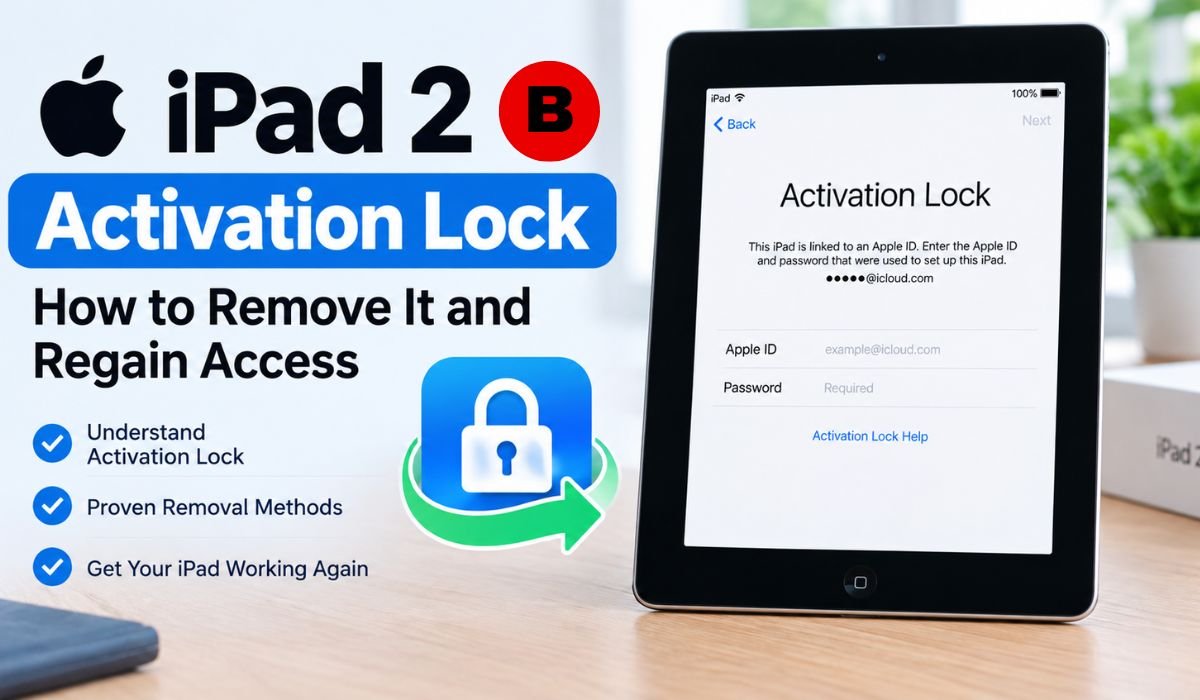
Introduction: Why Is Your iPad 2 Stuck on Activation Lock?
Few things are more frustrating than resetting an old iPad only to discover that you still can’t use it. You erase the device expecting a clean start, but instead you’re greeted by an iPad 2 Activation Lock screen asking for the Apple Account that was previously linked to it.
This situation is especially common with older iPads that haven’t been used for years or devices purchased second-hand. The problem can seem confusing because the iPad may have already been completely erased. However, Activation Lock and a factory reset are two different things.
Activation Lock is an Apple security feature designed to prevent a lost or stolen iPhone or iPad from being reactivated by someone else. It works with Find My and connects the device to the Apple Account associated with that service. During activation, the iPad communicates with Apple’s activation servers to determine whether the device is protected by Activation Lock.
For a legitimate owner, an Activation Lock screen doesn’t necessarily mean the iPad is permanently unusable. The right solution depends on the circumstances. You may simply need to sign in with your original Apple Account, recover a forgotten password, ask the previous owner to remove the device, or contact Apple if you have suitable proof of purchase.
Because the iPad 2 is an older device, it’s also important to separate genuine solutions from outdated or misleading “bypass” claims. Here’s what Activation Lock actually means, what you can do about it, and which approaches shouldn’t be mistaken for permanent removal.
Quick Bio Information About iPad 2 Activation Lock
| Fact | Information |
|---|---|
| Security Feature | Activation Lock |
| Apple Service | Find My |
| Account Name Today | Apple Account |
| Older Search Term | Apple ID |
| Common Search Term | iPad 2 iCloud Lock |
| Main Purpose | Prevent Unauthorized Reactivation |
| Activation Check | Apple’s Activation Servers |
| Factory Reset | Does Not Automatically Remove Activation Lock |
| Original Owner Solution | Sign In With The Associated Account |
| Forgotten Credentials | Recover The Apple Account |
| Used Device Solution | Previous Owner Removes The Device |
| Apple Support Option | Activation Lock Support Request |
| Proof Of Purchase | Required For Apple’s Support Request |
| DNS Workaround | Not A Permanent Removal Method |
| Jailbreaking | Not A Legitimate Activation Lock Removal Method |
| IMEI | Not A Universal Activation Lock Unlock Key |
| Best Used-Device Check | Complete Setup Before Paying |
| Safest Permanent Approach | Legitimate Account Or Ownership Verification |
What Is iPad 2 Activation Lock?
iPad 2 Activation Lock is part of Apple’s security system connected to Find My. When Find My is enabled, Activation Lock is automatically enabled as well. The device becomes associated with the Apple Account used with Find My, and the relevant account credentials are required when the device needs to be activated again.
The terminology can make things a little confusing. Many people still search for iPad 2 iCloud Lock, iCloud Activation Lock, or iPad Activation Lock, while Apple now uses the term Apple Account instead of “Apple ID.” These search terms generally point to the same underlying issue.
The important part is that Activation Lock isn’t simply another password stored on the iPad. Apple’s activation process checks the device against its servers. Apple’s security documentation explains that an iPad contacts an activation server and needs a valid activation certificate before Setup Assistant can continue.
That’s why restoring the iPad doesn’t automatically make the Activation Lock disappear.
Why Does The iPad 2 Show An Activation Lock Screen?
An iPad 2 can end up at the Activation Lock screen for several reasons, but the underlying issue is usually the same: Find My was enabled and the device remained connected to an Apple Account.
For some owners, the problem is simply a forgotten password. An iPad 2 can sit unused for years, and by the time its owner switches it back on, the account details may have been forgotten. Apple recommends trying to identify the associated Apple Account and recover access rather than attempting to circumvent Activation Lock.
Second-hand purchases are another common source of trouble. A previous owner may have erased the iPad before selling it but failed to remove it properly from their Apple Account. The new owner then reaches the setup process and is asked for credentials belonging to someone else.
Apple’s guidance for used devices is clear: buyers shouldn’t take ownership of an iPhone or iPad that remains linked to the previous owner’s account. If setup requests the former owner’s Apple Account, the device is still associated with that account.
Understanding why the lock appeared is useful because the solution changes depending on whether the account belongs to you or to someone who previously owned the iPad.
Does Factory Reset Remove iPad 2 Activation Lock?
No. A factory reset and Activation Lock deal with different aspects of the device.
When you erase an iPad, information stored locally is removed. That includes personal settings, applications, photos, and other user data. But erasing the device doesn’t automatically clear an Activation Lock association. Apple explains that Activation Lock can remain enabled after an iPad has been erased because the activation process still checks Apple’s servers.
That means repeatedly resetting an iPad 2 isn’t going to solve the underlying problem. If the device remains linked to another Apple Account, Apple’s activation process can continue asking for that account’s credentials.
So, if you’re searching for How To Remove iPad 2 Activation Lock After A Factory Reset, remember that the reset itself isn’t the answer. The account association needs to be resolved through the appropriate ownership or account-recovery process.
Can You Remove iPad 2 Activation Lock?
Yes, but there’s an important qualification: there isn’t a universal method that legitimately removes Activation Lock from every iPad regardless of ownership.
If the iPad belongs to you, the most straightforward route is to sign in with the Apple Account originally associated with the device. If you’ve forgotten the password, recovering that account is generally the best next step.
A second-hand iPad presents a different situation. If the device is still connected to the previous owner’s account, that person should remove it from their account. Apple provides instructions for owners who no longer have the physical device to remove it remotely through Find My or iCloud.com.
There’s also an official support route for legitimate owners who can’t access the associated account. Apple provides an Activation Lock support request for cases where the user has proof of purchase documentation. However, submitting a request doesn’t guarantee approval; Apple reviews the circumstances and documentation.
That distinction matters. A website claiming it can generate a universal code or instantly unlock any iPad isn’t offering the same thing as Apple’s official process.
Method 1: Sign In With The Original Apple Account
If the iPad 2 belongs to you, start with the Apple Account that was associated with the device.
Connect the iPad to a reliable Wi-Fi network and follow the activation instructions displayed on the screen. When prompted, enter the account information originally used to set up the device. If you’re unsure which account is associated with it, Apple recommends trying email addresses or phone numbers that you’ve previously used with Apple services.
If you know the account but can’t remember the password, don’t keep guessing. Recover the password through Apple’s official account-recovery process. Once you’ve regained access, return to the iPad and complete activation.
For an original owner, this remains the cleanest way to resolve an iPad 2 Activation Lock because it addresses the account association directly rather than attempting to work around it.
Forgot Your Apple Account Password? Here’s What To Do
A forgotten password doesn’t necessarily mean you need an iPad 2 Activation Lock Bypass.
Start by working out which Apple Account is associated with the iPad. Apple says users can try the email addresses or phone numbers they regularly use with Apple services when they’re unsure which account belongs to them.
Once you’ve identified the account, use Apple’s password-reset or account-recovery options. Recovering the original account is preferable because it restores your control over the account and the device relationship.
If you’re the legitimate owner but can’t recover the account, Apple’s Activation Lock support process may also be worth considering when you have appropriate proof of purchase documentation.
The main point is simple: don’t assume that forgetting a password means you need to bypass Apple’s security.
Method 2: Ask The Previous Owner To Remove The iPad
If you bought the iPad 2 second-hand and it asks for someone else’s Apple Account, you’ll need the previous owner to take action.
Apple allows an owner who no longer has the device to remove it remotely using Find My. Through iCloud.com, the owner can sign in, select the device, erase it when necessary, and then choose Remove This Device. Once Activation Lock has been removed, another person can activate the iPad and connect it to their own Apple Account.
For a second-hand iPad, this is usually the most straightforward solution because the person who originally enabled Find My is the person who can legitimately remove the association.
If the seller refuses to help, can’t be contacted, or tells you that an unknown website will unlock the device later, be cautious. If possible, returning the device or requesting a refund is safer than spending additional money on an uncertain service.
How To Avoid Buying An Activation-Locked iPad 2
The easiest Activation Lock problem to solve is the one you never buy in the first place.
When purchasing a used iPad 2, ask the seller to erase the device properly and allow you to begin setup yourself. If the setup process asks for the previous owner’s Apple Account, the iPad is still linked to that account.
Apple advises buyers not to take ownership of a used iPhone or iPad until it has been erased and removed from the previous owner’s account. A device that’s ready for a new owner should allow the setup process to continue without requesting the former owner’s credentials.
This check is particularly important with an older iPad 2. The low price of a used device may look attractive, but a cheap iPad isn’t much of a bargain if you can’t activate it.
Method 3: Contact Apple Support For Help
If you’re the legitimate owner but can’t access the Apple Account associated with the iPad, Apple’s official support process is another option.
Apple currently offers an Activation Lock support request for people who need help removing the lock and have proof of purchase documentation.
It’s worth emphasizing that this isn’t an automatic unlock service. Apple reviews the request and the documentation provided, so there is no guarantee that every request will be approved.
This also explains why claims that Apple will unlock any iPad simply because someone has its serial number or IMEI should be treated carefully. Apple’s current support process specifically refers to proof of purchase documentation for an Activation Lock support request.
If you’re going through this route, use Apple’s official support channels rather than paying an unrelated website that claims to act on Apple’s behalf.
What Documents May Be Needed To Prove Ownership?
Proof of purchase becomes particularly important when the original Apple Account can’t be recovered.
A genuine receipt or invoice can help establish that the device was legitimately purchased. Apple specifically identifies proof of purchase documentation as a requirement for its Activation Lock support request.
The exact information required can vary depending on the circumstances and region. For that reason, it’s better not to assume that a particular receipt format automatically guarantees approval.
If you still have the original purchase documentation for an older iPad, keep it. It can be useful when dealing with ownership questions years after the original purchase.
Can DNS Bypass Remove iPad 2 Activation Lock?
Older guides sometimes recommend DNS-based workarounds for Activation Lock. These methods are particularly common in articles written for older Apple hardware.
The key issue is that a DNS workaround isn’t the same as removing the underlying Activation Lock. Even if an old workaround happens to provide limited access in a particular situation, it doesn’t transfer the device to a new Apple Account or clear its original ownership association.
That’s why a 2026 guide shouldn’t present DNS as a permanent iPad 2 Activation Lock Removal method. Anyone who wants an iPad that can be activated and used normally should focus on account recovery, removal by the previous owner, or Apple’s official support process.
In other words, bypass and removal shouldn’t be used interchangeably.
Does Jailbreaking Remove iPad 2 Activation Lock?
Jailbreaking and Activation Lock solve two completely different problems.
Jailbreaking involves modifying the software environment of an Apple device. Activation Lock, meanwhile, is tied to Apple’s activation process and server-side verification. Apple’s security documentation explains that an iPad communicates with an activation server and requires a valid activation certificate before Setup Assistant can proceed.
Because of this, jailbreaking shouldn’t be described as a guaranteed way to remove an iPad 2 iCloud Lock.
Even if a device can be modified, that doesn’t mean its association with the original Apple Account has been legitimately cleared. Readers should therefore be skeptical of claims that jailbreaking alone can permanently remove Activation Lock.
Can An IMEI Or Serial Number Unlock iPad 2 Activation Lock?
You may come across websites claiming that an iPad can be unlocked simply by submitting its IMEI or serial number. That sounds convenient, but readers should be careful with such claims.
An IMEI or serial number identifies a device. It doesn’t, by itself, establish ownership or give someone permission to remove another person’s Apple Account association.
There is no universal Apple-approved code that lets anyone remove Activation Lock from an iPad simply by entering its serial number or IMEI. A legitimate solution is based on the associated Apple Account, removal by the previous owner, or Apple’s ownership-verification process.
If a website promises instant or guaranteed Activation Lock removal without asking for any proof of ownership, treat that as a warning sign rather than a shortcut.
Do Third-Party Activation Lock Tools Work On iPad 2?
Third-party unlocking software requires extra caution when you’re dealing with an older device such as the iPad 2.
A program advertised for newer iPhones or iPads won’t necessarily support the iPad 2. Hardware generation, operating-system support, and the exact activation process can all affect compatibility.
There’s another important question to ask before paying for any software: what does the company actually mean by “bypass”? A temporary workaround isn’t the same as permanently removing Activation Lock and preparing the iPad for normal use under another Apple Account.
For legitimate owners, Apple’s account recovery and official support options should be considered first. If a third-party product claims to support the iPad 2, verify the exact model compatibility and understand what the software can and can’t do before spending money.
Activation Lock Removal Vs. Activation Lock Bypass
The difference between Removal and Bypass is one of the most important things to understand when researching this subject.
Activation Lock Removal means the device is no longer tied to the previous owner’s Apple Account and can be activated by another legitimate user. Apple’s own instructions explain that removing Activation Lock allows another person to activate the device and connect it to their Apple Account.
A Bypass is something different. It may attempt to get around part of the normal activation experience without clearing the underlying account relationship. Depending on the method, access can be limited, temporary, or unreliable.
So, if you’re searching for a permanent iPad 2 Activation Lock Solution, genuine removal is the outcome that matters.
Which iPad 2 Activation Lock Solution Should You Try First?
The best solution depends on who controls the Apple Account linked to the iPad.
If the iPad is yours and you know the account credentials, sign in and complete activation. If you’ve forgotten the password, begin with account recovery.
If you bought the iPad second-hand and setup asks for the previous owner’s information, contact the seller and ask them to remove the device from their account. Apple specifically advises against taking ownership of a used device while it remains linked to the previous owner’s account.
If you’re the legitimate owner but can’t recover the account, Apple’s Activation Lock support request may be appropriate if you have proof of purchase documentation.
That makes the decision fairly straightforward. Start with the official ownership route before spending money on an iPad 2 Activation Lock Bypass.
Common Mistakes To Avoid
One of the most common mistakes is repeatedly resetting the iPad. Since a factory reset doesn’t automatically remove Activation Lock, doing it again won’t resolve an account association that’s still active.
Another mistake is buying a second-hand iPad on the assumption that the Activation Lock can always be fixed later. Apple’s guidance specifically tells buyers not to take ownership of a used iPhone or iPad while it remains connected to the previous owner’s account.
It’s also risky to pay for services advertising universal unlock codes, guaranteed IMEI removal, or instant Activation Lock removal without verifying ownership. The word “bypass” can sometimes make a temporary workaround sound like a permanent solution when it isn’t.
Finally, don’t assume software designed for a newer Apple device will work with an iPad 2. Always check the exact model and compatibility before purchasing an unlocking product.
Final Thoughts: The Safest Way To Regain Access
An iPad 2 Activation Lock can be confusing, particularly when you’ve already erased the device and expected that to solve everything. The key is understanding that erasing an iPad and removing Activation Lock aren’t the same process.
If you’re the original owner, start by recovering and signing in to the Apple Account associated with the device. If the iPad came from someone else, ask the previous owner to remove it from their account. And if you’re the legitimate owner but can’t regain access to the account, Apple’s Activation Lock support process may be worth pursuing when you have valid proof of purchase documentation.
The bigger lesson is that Activation Lock isn’t simply a forgotten passcode. It’s an anti-theft security feature connected to Find My and Apple’s activation infrastructure. Apple designed it specifically to make it difficult for someone else to reactivate a protected device.
That’s why universal unlock codes, questionable IMEI services, jailbreaking claims, and temporary bypasses deserve caution. None should automatically be treated as equivalent to permanently removing the original account association.
If you’re buying a used iPad 2, prevention is even better than troubleshooting. Make sure the seller has erased the device and removed it from their account before you complete the purchase. Ideally, you should be able to begin setup without being asked for the previous owner’s Apple Account.
Ultimately, the safest way to Remove iPad 2 Activation Lock And Regain Access is to resolve the underlying ownership association rather than trying to work around it. For most legitimate owners, the original Apple Account, the previous owner, or Apple’s official support process provides the clearest path to getting the device activated properly.
FAQs About iPad 2 Activation Lock
Can I Remove iPad 2 Activation Lock Without The Apple Account?
A legitimate permanent solution generally requires the associated account holder to remove the device or an Apple-supported ownership-verification process. If the account isn’t yours, contacting the previous owner is normally the appropriate first step. Apple also provides an Activation Lock support request when proof of purchase documentation is available.
Does Resetting An iPad 2 Remove Activation Lock?
No. Erasing the iPad removes locally stored information, but Activation Lock can remain enabled because the device still has to pass Apple’s activation process.
Can The Previous Owner Remove Activation Lock Remotely?
Yes. Apple allows the previous owner to use Find My or iCloud.com to remove the device from their account. Once the necessary removal process has been completed, another person can activate the iPad using their own Apple Account.
Can Apple Remove Activation Lock?
Apple provides an Activation Lock support request for people who need help and have proof of purchase documentation. However, submitting a request doesn’t mean the lock will automatically be removed. Apple reviews the request and supporting documentation.
Does Jailbreaking Remove iPad 2 Activation Lock?
Jailbreaking shouldn’t be treated as a guaranteed Activation Lock removal method. Activation Lock is enforced through Apple’s activation process and server-side verification, so modifying the device doesn’t legitimately transfer its account association.
Can An IMEI Number Unlock An iPad 2?
An IMEI identifies a device, but it isn’t a universal Activation Lock removal key. Be cautious about websites that promise guaranteed removal simply because you provide an IMEI or serial number.
Is DNS Bypass A Permanent Solution?
No. DNS-based methods shouldn’t be confused with legitimate Activation Lock removal. Even if an older workaround provides limited access, it doesn’t establish new ownership or reliably clear the original account association.
What Should I Do If I Bought A Locked iPad 2?
Contact the seller and ask them to remove the iPad from their Apple Account. If they can’t or won’t do that, consider returning the device rather than paying for an uncertain bypass. Apple advises buyers not to take ownership of a used iPhone or iPad while it remains linked to the previous owner’s account.
Learn more and explore exciting content on: Alexis Maas: Age, Early Life, Marriage to Johnny Carson, and Life Today
 sk news
  Apex Apex