

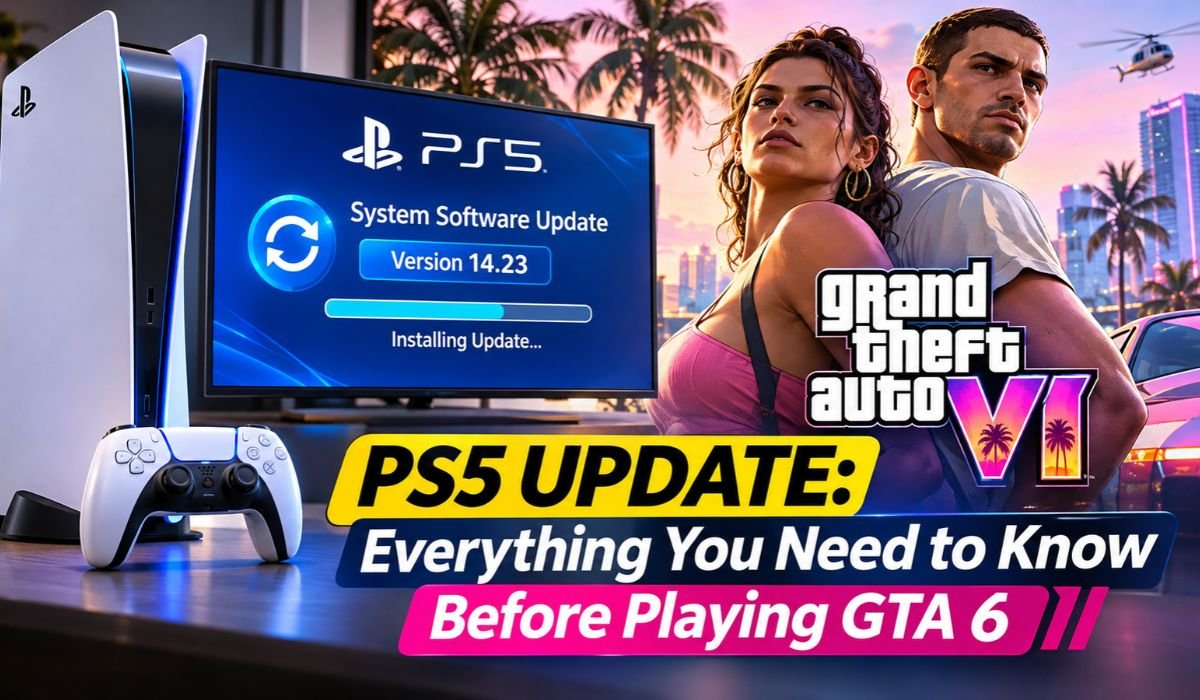
The arrival of Grand Theft Auto VI has put millions of PlayStation players in preparation mode. There’s plenty to be excited about, from Rockstar Games’ return to Vice City to the wider state of Leonida, but PS5 owners also have a few practical things to sort out before they start playing.
One of the biggest questions involves the latest PS5 Update. Recent reports have claimed that PS5 firmware 14.23 may be required to launch GTA 6. That claim has attracted attention, but the specific requirement shouldn’t be treated as confirmed unless it appears in official information from Sony or Rockstar Games.
Even without that specific requirement, keeping your PS5 system software current is a sensible move. Firmware updates help maintain security, compatibility, and overall console reliability. With a major game like GTA 6, the last thing most players want is to spend launch time troubleshooting a preventable software problem.
Here’s what PS5 owners need to know about system updates, firmware, GTA 6 pre-loading, storage, common update problems, and preparing their consoles for the game.
Quick PS5 Information
| Feature | Details |
|---|---|
| Console | PlayStation 5 |
| Manufacturer | Sony Interactive Entertainment |
| Original Release | November 2020 |
| Processor | Custom AMD Zen 2 CPU |
| Graphics | Custom AMD RDNA 2 GPU on Standard PS5 |
| Original PS5 RAM | 16 GB GDDR6 |
| Original PS5 Storage | 825 GB SSD |
| Controller | DualSense Wireless Controller |
| Supported Resolution | Up to 4K Gaming, Depending on the Game |
| High Refresh Rate | Up to 120 Hz in Supported Games |
| System Software | PlayStation 5 Firmware |
| Firmware Mentioned in Reports | 14.23 |
| GTA 6 Developer | Rockstar Games |
| GTA 6 Publisher | Rockstar Games |
| Confirmed GTA 6 Release | November 19, 2026 |
| Supported GTA 6 Platforms | PS5 and Xbox Series X/S |
| PS5 Pre-Load Date | November 10, 2026 |
| Reported GTA 6 Download Size | Up to 212 GB |
| Update Installation | PS5 System Settings |
| Official Information | PlayStation Support and Rockstar Games |
What Is the Latest PS5 Update?
A PS5 Update is system software released by Sony Interactive Entertainment to maintain and improve the PlayStation 5. It works differently from a game patch. While a game update changes one particular title, PS5 firmware affects the console’s underlying software.
Sony regularly updates that software for several reasons. Some releases introduce visible features or changes to the user experience, while others concentrate on security, stability, compatibility, or bug fixes. As a result, players won’t necessarily notice a major difference after every installation.
Recent coverage surrounding GTA 6 has drawn attention to PS5 firmware version 26.07-14.23.00. Reports have described it as a security-focused release and linked it to the game’s launch preparations.
Players should be careful with the second part of that claim. The existence of an update and a game’s requirement for that update aren’t necessarily the same thing. Unless Sony or Rockstar specifically states that a particular firmware version is mandatory for GTA 6, it’s better to describe that connection as reported rather than confirmed.
For most PS5 owners, the practical advice remains simple: check the console itself for the latest officially available system software and install legitimate Sony updates when required.
Is a PS5 Update Required Before Playing GTA 6?
This is the question many GTA 6 players really want answered.
Reports have claimed that PS5 firmware 14.23 must be installed before GTA 6 will launch. According to those reports, having the game pre-loaded won’t replace the separate requirement to update the console’s system software.
There is an important distinction to make, though. The specific claim that firmware 14.23 is mandatory needs direct confirmation from official Sony or Rockstar documentation before it should be presented as established fact.
What we do know is that PlayStation games can depend on minimum system software versions. If a game needs features or system components introduced in newer firmware, the PS5 can require the console to be updated before the software runs.
That means players don’t need to guess. Before starting GTA 6, open the PS5 settings and check whether a system update is available. If the console displays an official update requirement when you attempt to launch the game, follow that prompt.
It’s a much safer approach than relying on social media posts, screenshots without context, or speculative reports.
Understanding PS5 Firmware 14.23 and Its Features
Firmware sits behind much of what happens when you use a PS5. It helps the operating system communicate with the console’s hardware and manages important functions involving storage, networking, controllers, security, and game execution.
The firmware 14.23 release discussed in recent reports has been described as including security fixes. That’s significant, even if players don’t notice an obvious change after installing it.
Security patches can close vulnerabilities and strengthen protections within the system software. They’re part of the routine maintenance required for a modern internet-connected console.
What they don’t necessarily do is make games look or run better.
It’s tempting to see a new firmware release shortly before a major game and assume that it improves frame rates, graphics, or loading times. Unless Sony documents those changes or reliable testing demonstrates them, such conclusions would be premature.
For everyday users, the safest policy is straightforward: install official PS5 firmware through the console or Sony’s approved update process and avoid unofficial firmware downloads.
Why Keeping Your PS5 Updated Matters for GTA 6
A modern console game doesn’t operate independently of the system around it. It relies on the console’s operating software to communicate with storage, graphics hardware, controllers, network services, and other components.
That’s why keeping a PS5 System Software Update current matters.
An outdated console can sometimes encounter compatibility warnings, unavailable features, or problems connecting to online services. Newer firmware may also contain fixes for bugs that have little to do with a specific game but still affect the wider PlayStation experience.
For a release as significant as GTA 6, checking for an update before you plan to play is an easy precaution.
It’s equally important to understand that updating the console doesn’t automatically update the game. PS5 system software and GTA 6 game files are maintained separately, so players may need both a firmware update and a game patch.
That distinction becomes especially important when pre-loading enters the picture.
How to Check Your Current PS5 Firmware Version
You don’t need any special software to find out which firmware your PS5 is running.
From the PS5 home screen, open Settings, select System, go to System Software, and then open Console Information. The console will display its installed system software version.
If you regularly leave automatic updates enabled, there’s a good chance the latest firmware has already been downloaded or installed. Checking the version yourself still takes only a moment and removes any uncertainty.
If the PS5 reports that a newer system update is available, you can start the installation directly from the console.
This is also a more reliable method than comparing your version against numbers circulating on unofficial websites. The update service built into the PS5 is designed to tell you whether newer official software is available for your system.
How to Download and Install the Latest PS5 Update
For most players, updating a PlayStation 5 is a simple process.
Open Settings, choose System, select System Software, and then open System Software Update and Settings. If an update is available, choose the option to update the system software and follow the instructions shown on the screen.
The PS5 will download the required files and complete the installation. A restart may be necessary during the process.
Don’t disconnect the console from power while system software is being installed. Interrupting an operating-system update can cause problems that are considerably more inconvenient than waiting a few extra minutes for installation to finish.
Sony also provides a USB-based update method for situations in which the console can’t update normally over the internet. That process requires downloading Sony’s official system software file on a computer and placing it on a compatible USB drive using the correct folder structure.
If you need this method, follow PlayStation’s instructions exactly. More importantly, obtain system software only from Sony’s official PlayStation resources. Firmware files from unknown third-party websites aren’t worth the risk.
How to Enable Automatic PS5 Updates
Automatic updates are one of the easiest ways to avoid discovering outdated system software just when you want to play.
On your PS5, open Settings, select System, go to System Software, and then choose System Software Update and Settings. From there, you can enable automatic downloading and installation of update files.
Rest mode can make this process even more convenient when the console is configured to stay connected to the internet.
With the appropriate settings enabled, your PS5 can handle some maintenance while you’re away instead of waiting until you sit down to play.
Keep in mind that game updates have their own settings. System firmware and individual game patches aren’t identical, so players preparing for GTA 6 should check both.
That small amount of preparation could save considerable time when everyone is eager to start playing.
GTA 6 Pre-Loading vs. PS5 System Software Updates
It’s easy to confuse these two processes because both involve downloading data, but they serve completely different purposes.
GTA 6 pre-loading places the game’s files on your console before release. A PS5 firmware update, on the other hand, updates the software that operates the PlayStation 5 itself.
Rockstar Games has confirmed that GTA 6 digital pre-loading on PS5 began on November 10, 2026. The company has also indicated that the download may require up to 212 GB, depending on the device.
That’s a substantial amount of storage, particularly for owners of an original PS5 with an 825 GB SSD, where the entire advertised capacity isn’t available for game installations.
Players should therefore check free storage before beginning the download rather than assuming there’s enough room.
More importantly, a completed GTA 6 pre-load doesn’t automatically mean your PS5 is completely prepared. System software and game updates remain separate. Before launch, check both the game installation and your console firmware.
What Happens If You Don’t Update Your PS5?
There isn’t one universal answer because the consequences depend on what a particular firmware release changes and what software you’re trying to use.
An older PS5 firmware version may continue running some installed games without difficulty. Other games or PlayStation services may require newer system software and display an update prompt before allowing you to continue.
The same principle applies to GTA 6.
If the game or console presents an official requirement for newer system software, players will need to complete that update before proceeding. That’s different from assuming in advance that a particular reported firmware number is mandatory.
One concern players sometimes have is whether updating will delete their games or saves. A normal PS5 system software update is designed to preserve existing games and saved data.
A factory reset or complete system software reinstallation is another matter. Those recovery procedures can remove data, so players should understand exactly which option they’re selecting before performing advanced troubleshooting.
Common PS5 Update Problems and How to Fix Them
Even a routine PS5 Firmware Update can occasionally run into trouble. Downloads can stop, installations can fail, and unstable internet connections can cause interruptions.
If an update fails to download, check the Downloads/Uploads area in the PS5 control center. Review any error information displayed by the console and try the download again.
Restarting the PS5 and checking your network connection can also resolve temporary problems.
If repeated attempts fail, Sony provides official troubleshooting guidance and a USB update method. Using the USB option can be particularly useful when the console can’t complete an online update normally.
Be cautious with more drastic solutions. A factory reset or complete system software reinstallation shouldn’t be the first response to an ordinary download failure because those procedures may remove data.
When basic troubleshooting doesn’t solve the problem, PlayStation Support is a better next step than experimenting with unofficial fixes.
Will the PS5 Update Improve GTA 6 Performance?
This is where expectations need to remain realistic.
A new PS5 firmware version doesn’t automatically mean GTA 6 will suddenly gain higher frame rates, sharper graphics, or shorter loading times. System software can influence overall console functionality, but game performance depends heavily on the way Rockstar has developed and optimized GTA 6 for PlayStation hardware.
The standard PS5 already combines a custom AMD processor and graphics architecture with a high-speed SSD. The PS5 Pro adds further graphics capabilities, but hardware differences and firmware changes shouldn’t be treated as the same thing.
If Rockstar or Sony announces specific GTA 6 enhancements for particular PS5 hardware, those claims can be assessed separately.
Until then, players should be cautious about reports suggesting that firmware 14.23 provides a major GTA 6 performance boost. A security or compatibility update isn’t automatically a performance patch.
Is the PS5 Update Connected to Security or Jailbreak Concerns?
The timing of firmware 14.23 has also generated discussion within the PlayStation community.
Some reports have linked the update to claims involving security research or vulnerabilities associated with earlier PS5 firmware. The speculation is understandable when a security update appears close to a major game launch, but timing alone doesn’t establish a connection.
There is currently no confirmed evidence in the information reviewed here showing that Sony released firmware 14.23 specifically because of a GTA 6-related jailbreak or exploit.
Sony regularly issues security updates as part of maintaining the PlayStation platform. Closing vulnerabilities protects system integrity and can help secure online services, even when players don’t see any obvious new features.
For regular PS5 owners, the practical takeaway is much simpler than the speculation: use Sony’s official system software and treat claims about hidden motives or specific exploits cautiously unless reliable evidence supports them.
How to Prepare Your PS5 Before Playing GTA 6
The best preparation isn’t complicated. A few checks before playing can reduce the chances of spending your first GTA 6 session staring at download screens.
Begin with your PS5 system software. Open the settings and confirm that the console is running the latest official version available to it.
Next, check storage. Rockstar has indicated that the GTA 6 pre-load can require up to 212 GB depending on the device, so players with crowded SSDs may need to free space.
Your internet connection matters as well. Large game downloads and launch-period patches can take time, especially on slower connections. Completing them before you intend to play is far more convenient than discovering them at the last minute.
Check the game’s installation status, look for available updates, and make sure your DualSense controller is charged and working correctly. PS5 controller software can also receive updates, so don’t ignore an official controller update prompt.
Rockstar has confirmed November 19, 2026, as the GTA 6 release date for PS5 and Xbox Series X/S, with release timing listed as midnight local time.
Getting these basic tasks out of the way beforehand means there’s less standing between you and Leonida when you’re ready to play.
Where to Find Official PS5 and GTA 6 Updates
GTA 6 attracts enormous attention, which also means rumors can spread remarkably quickly.
For PS5 System Software information, PlayStation Support should be your first stop. Sony publishes update instructions, troubleshooting guidance, and official firmware information there.
For GTA 6 itself, Rockstar Games is the primary authority. Its official GTA 6 pages provide confirmed information about the game, including announcements and release details.
This matters particularly when a story claims that a specific update is “mandatory.” Look for the original statement rather than relying solely on headlines or social media summaries.
Check when the information was published, whether the source links to Sony or Rockstar, and whether an article clearly distinguishes confirmed facts from speculation.
That extra minute of verification can prevent a lot of confusion.
Final Thoughts
GTA 6 is the kind of release that players have been waiting years to experience, so spending a few minutes preparing your PS5 makes sense.
The discussion surrounding firmware 14.23 is a useful reminder that downloading a game isn’t always the final step. Your console’s system software, available storage, game patches, controller software, and network connection can all play a part in getting everything ready.
At the same time, players should be careful not to turn reports into facts. Claims that firmware 14.23 is specifically mandatory for GTA 6 should be supported by official Sony or Rockstar documentation before they’re presented as confirmed.
What players can do right now is straightforward: keep their PS5 updated with official software, check available storage, finish the GTA 6 installation, review any pending game updates, and pay attention to legitimate prompts from the console.
Rockstar has confirmed GTA 6 for November 19, 2026, on PlayStation 5 and Xbox Series X/S. For PlayStation owners preparing to explore Vice City and the wider state of Leonida, having the console ready ahead of time could make the difference between playing immediately and spending launch time dealing with updates.
And when information changes—as it often does around a major game release—the safest sources remain Sony’s official PlayStation support channels and Rockstar Games itself.
Frequently Asked Questions About the PS5 Update
Do I Need the Latest PS5 Update to Play GTA 6?
Keeping your PS5 on the latest official system software is recommended, particularly before installing or launching a major new game. Reports have specifically mentioned firmware 14.23 in connection with GTA 6, but that exact mandatory requirement should be verified through official Sony or Rockstar information. If your PS5 displays an update requirement when launching the game, follow the console’s official prompt.
How Do I Check My PS5 Firmware Version?
Open Settings, select System, go to System Software, and choose Console Information. Your PS5 will display its current system software version. You can then use the console’s update settings to check whether newer official firmware is available.
Can I Play GTA 6 Without Updating My PS5?
It depends on the minimum system software required by the game. If your existing firmware meets the requirement, an additional update may not be necessary. If the console displays a mandatory system update prompt, however, you’ll need to install the required software before continuing.
How Long Does a PS5 System Update Take?
There’s no single installation time that applies to every update. The duration depends on the update size, your internet connection, network conditions, and the installation process. Keeping the PS5 connected to a stable network can reduce the chance of interruptions.
Will Updating My PS5 Delete My Games?
A normal PS5 system software update is intended to preserve installed games and saved data. A factory reset or complete system software reinstallation is different and may erase information. Read any warning displayed by the console carefully before using recovery options.
Can I Update My PS5 Without Internet Access?
Yes, although you’ll still need another internet-connected device to obtain the official update file. Sony provides a method that allows users to download PS5 system software on a computer, place it on a correctly prepared USB drive, and install it on the console. Follow Sony’s official instructions rather than third-party firmware guides.
Does GTA 6 Support PS5 Pro?
GTA 6 is confirmed for the PlayStation 5 platform. The PS5 Pro is part of the PS5 hardware family, but claims about specific PS5 Pro graphics or performance enhancements should be based on official technical information from Rockstar or Sony.
How Much Storage Does GTA 6 Need on PS5?
Rockstar has indicated that the GTA 6 pre-load may require up to 212 GB, depending on the device. Players should leave additional free space where possible because future game updates can require more storage after the initial installation.
Learn more and explore exciting content on: CMA Awards 2026: Winners, Performances, and Biggest Highlights
 ENGR NEWSWIRE