

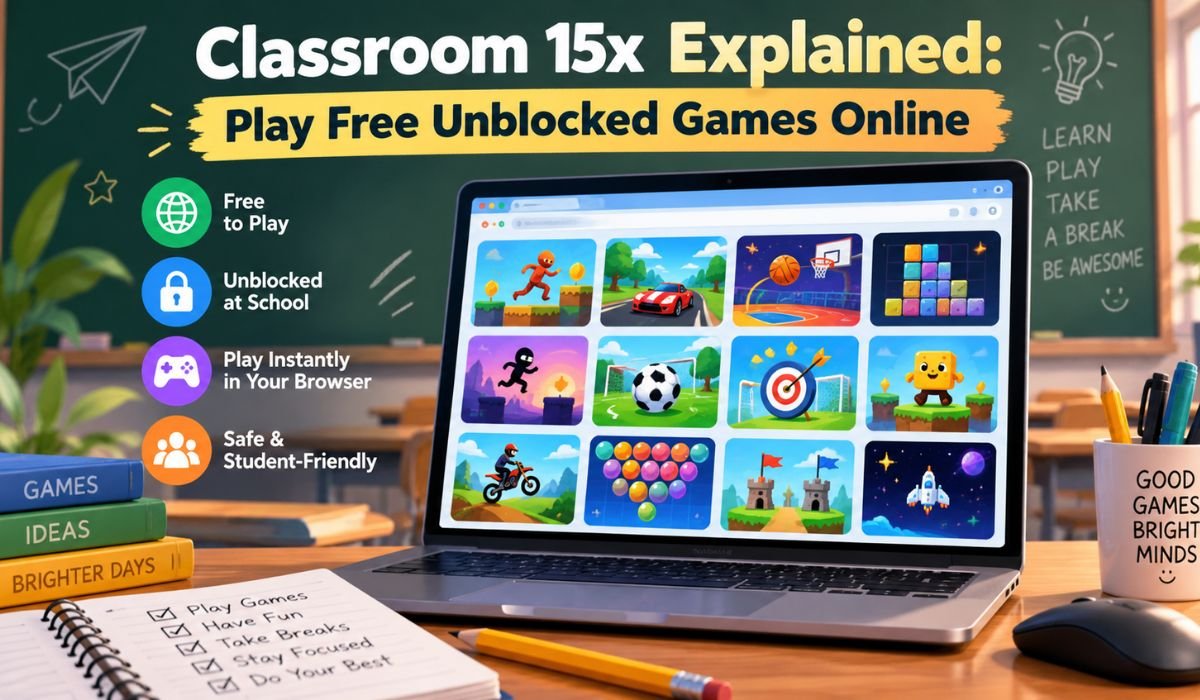
Browser gaming has come a long way. Playing a quick racing game, solving a puzzle, or jumping into an arcade challenge no longer necessarily means downloading a large program or setting up a complicated account. Many games now work directly inside a modern browser, making casual gaming easier to access across a range of devices.
That convenience helps explain the interest surrounding Classroom 15x, a name associated with websites that collect free browser games in one place. Depending on the version of the site being visited, players may encounter familiar titles such as Space Waves, Moto X3M, Run 3, 1v1.LOL, Retro Bowl, and other casual or skill-based games.
There is, however, an important distinction to understand. Classroom 15x doesn’t appear to identify one clearly established platform across every website carrying the name. Similar branding can appear on different domains, GitHub Pages projects, and other hosted pages, and those sites may not necessarily share the same operator, game library, or policies.
That difference matters. It can affect which games are available, how advertisements are handled, whether a site works on a particular network, and what privacy or security practices apply. This guide takes a closer look at what Classroom 15x generally means in 2026, how browser gaming works, which types of games players may find, and what to consider before using a site with this name.
What Is Classroom 15x?
Classroom 15x generally refers to browser-based gaming websites that organize free online games into a convenient directory. Rather than installing a separate application for every game, visitors can browse available titles, select one, and launch supported games through a web browser.
The attraction is easy to understand. A single game directory can bring together arcade titles, racing challenges, sports games, puzzles, platformers, action games, driving experiences, multiplayer titles, and casual games. Players don’t have to search the web from scratch every time they want something different.
Some Classroom 15x pages are also described using the phrase unblocked games. This wording is especially common around browser games associated with Chromebooks and school environments. Still, it shouldn’t be interpreted as a promise that the website will work on every network.
Schools, workplaces, libraries, and other organizations can restrict gaming websites according to their own policies. A browser game that works perfectly at home might therefore be inaccessible on a managed device or institutional connection.
There’s another point worth keeping in mind. Because multiple pages can use the Classroom 15x name or similar branding, their game selections, advertisements, ownership details, technical setup, and privacy practices may differ. It’s better to evaluate the exact website you’re visiting rather than assuming every Classroom 15x page belongs to the same service.
Classroom 15x Quick Information
The table below provides a practical overview of characteristics commonly associated with Classroom 15x gaming pages. Individual websites and games may differ.
| Information | Details |
|---|---|
| Name | Classroom 15x |
| General Type | Browser Game Directory |
| Main Purpose | Online Gaming |
| Typical Access | Browser-Based |
| Common Pricing Model | Free Access |
| Common Categories | Arcade, Racing, Sports, Puzzle |
| Other Categories | Action, Driving, Casual, Multiplayer |
| Popular Example | Space Waves |
| Racing Example | Moto X3M |
| Action Example | 1v1.LOL |
| Platform Example | Run 3 |
| Puzzle Example | 2048 |
| Typical Controls | Keyboard, Mouse, Or Touch |
| Separate Installation | Usually Not Required |
| Account | Often Not Required |
| Chromebook Support | Depends On Game And Network |
| Mobile Support | Varies By Game |
| Internet Connection | Usually Required |
| School Access | Depends On Network Policy |
| Important Consideration | Multiple Sites Use Similar Branding |
How Classroom 15x Works
Most Classroom 15x game directories use a familiar browser-gaming format. A visitor opens the site, looks through the available titles, chooses a game, and waits for the necessary resources to load.
Behind that seemingly simple process are modern web technologies that have transformed online gaming. Many browser games rely on HTML5, JavaScript, Canvas, and WebGL to handle animation, graphics, audio, and player interaction. As a result, today’s browser games can offer much richer experiences than the simple web games many people remember from earlier internet eras.
This transition has also reduced dependence on older plug-ins such as Adobe Flash, which is no longer supported in modern browsers.
Even so, games don’t all load in exactly the same way. A lightweight puzzle may start almost immediately, while a more demanding action or multiplayer title could require additional resources and a stronger internet connection. Some games may be hosted directly, while others can rely on embedded or externally hosted content.
Account requirements vary as well. Classroom 15x-style directories often allow visitors to browse without registration, but a specific multiplayer game or third-party service could have its own account system. For that reason, the requirements of the individual game matter just as much as those of the directory itself.
What Makes Classroom 15x Appealing?
Convenience sits at the heart of the Classroom 15x concept. Instead of searching separately for racing games, puzzles, sports titles, or arcade challenges, players can browse a collection from one location and move between genres relatively quickly.
That variety is particularly useful for casual players. Someone might start with a motorcycle game, switch to a puzzle after a few rounds, and finish with a sports or platform title. There’s no need to commit to one genre or spend time installing multiple applications.
Browser access can also make getting started easier. When a game is properly designed for the web, the player can often begin without installing a conventional desktop application.
Of course, convenience doesn’t guarantee a perfect experience. Loading performance, advertisements, control quality, mobile support, and the overall standard of individual games can vary significantly.
It’s more accurate, then, to view Classroom 15x as a convenient route to discovering browser games rather than as a guarantee that every title will provide the same level of quality.
Popular Classroom 15x Games
The exact game library depends on the Classroom 15x site being used, and catalogs can change over time. Even so, several recognizable browser games are commonly associated with Classroom 15x pages and similar gaming directories.
Space Waves
Space Waves is built around a simple idea that becomes increasingly demanding: guide a moving object through tight spaces and avoid obstacles.
Success depends heavily on timing and controlled movement. As stages become more difficult, even small mistakes can end an attempt. The ability to restart quickly is part of the appeal, particularly for players who enjoy improving through repeated practice.
Its short attempts also make Space Waves well suited to casual gaming sessions.
Retro Bowl
Retro Bowl combines retro-inspired American football with team management and strategic decision-making. That combination gives the game more depth than a straightforward sports challenge.
Players aren’t simply focused on what happens during a play. Management decisions surrounding the team contribute to the overall experience, making Retro Bowl appealing to people who enjoy both sports and strategy.
The title is frequently associated with browser game directories. Its availability should still be checked on the particular Classroom 15x site being visited, since catalogs aren’t necessarily identical.
1v1.LOL
1v1.LOL offers a noticeably different style of play. It combines shooting, movement, and building mechanics in a competitive environment where quick reactions can make a significant difference.
Players need to think about positioning as well as accuracy. Building mechanics add another layer, requiring users to balance attacking with defensive movement.
Because competitive online gameplay can depend more heavily on network conditions, performance may vary according to the player’s connection and the version being accessed.
Moto X3M
Moto X3M turns motorcycle riding into a fast obstacle challenge. Tracks contain ramps, jumps, traps, and other hazards that reward both confidence and careful control.
Going as fast as possible isn’t always the best strategy. Players also need to judge jumps, manage the motorcycle in the air, and respond quickly when the course changes.
Repeating levels to improve performance is a major part of its replay value.
Run 3
Run 3 places its platforming action inside unusual space-themed tunnels. Players run, jump, and move through environments containing gaps and increasingly difficult obstacles.
The controls are relatively approachable, but later challenges require much more accurate timing. That gradual increase in difficulty has helped make Run 3 a familiar name among browser gaming fans.
Other Games
Depending on the Classroom 15x directory, visitors may also encounter Fireboy And Watergirl, Basketball Legends, Geometry Dash-style titles, Cookie Clicker, 2048, Drift Boss, Little Alchemy, and other browser games.
The key phrase here is depending on the directory. Game catalogs can be updated, and a title available today may be moved or removed later. Any list of Classroom 15x games is therefore better treated as a snapshot than a permanent catalog.
Classroom 15x Game Categories
A large game directory becomes much easier to explore when titles are grouped by genre. Classroom 15x-style collections typically cover several familiar categories, each offering a different pace and style of play.
Arcade games tend to prioritize quick action, straightforward controls, and replayability. They’re often easy to understand within a few moments, although mastering them can take considerably longer. Games built around jumping, dodging, timing, or surviving increasingly difficult stages fit naturally into this category.
Racing and driving games offer more variety than the label might suggest. Some are about reaching the finish line as quickly as possible, while others emphasize motorcycle stunts, drifting, parking, or navigating difficult roads. A game such as Moto X3M rewards a different set of skills from a precision driving title.
Sports games can cover basketball, soccer, baseball, and American football. Some recreate direct competition, while others blend sporting action with management or strategic decisions.
Puzzle games offer a change of pace. Rather than relying primarily on quick reactions, titles such as 2048 and Little Alchemy encourage players to experiment, recognize patterns, and think through their next move.
Action and multiplayer games generally demand faster reactions and more complicated controls. Casual, idle, and clicker games take a more relaxed approach, often using simple mechanics and gradual progression.
This variety is one of the main reasons browser game directories can appeal to a broad audience.
How To Play Classroom 15x Games
Getting started is usually straightforward. After opening a Classroom 15x directory, browse the available games and choose a title that looks interesting. Give the page enough time to load before interacting with the game.
It’s worth checking the controls before beginning. Desktop browser games commonly use arrow keys, WASD, the spacebar, mouse clicks, or a combination of keyboard and mouse inputs.
A racing game, for example, may use directional keys for acceleration and movement. A puzzle game might need nothing more than mouse clicks or simple taps.
Touch controls are less predictable. Some modern browser games have responsive interfaces designed specifically for phones and tablets. Others were created with physical keyboards in mind and may be frustrating to use on a touchscreen.
Saved progress is another detail players sometimes overlook. Certain games store progress locally in the browser. Others use their own online saving systems or require an account. Clearing cookies or browser storage could therefore remove local progress in some titles.
If performance is poor, try using an updated browser and closing unnecessary tabs before assuming the game itself is faulty.
What Does “Unblocked Games” Mean?
The phrase unblocked games appears frequently around Classroom 15x, but its meaning can easily be overstated.
In ordinary use, the term generally describes online games that are accessible through a particular internet connection. It isn’t a technical certification, nor does it mean a game is guaranteed to work on every school, office, or public network.
Organizations can use web filtering systems to restrict access to gaming websites. Those filters may operate at the network level or through controls placed directly on managed devices.
This explains why the same Classroom 15x website might load normally on a home laptop but remain inaccessible on a school Chromebook.
There’s also an important difference between technical accessibility and permission. Just because a gaming page loads doesn’t necessarily mean its use is allowed under a school’s or workplace’s internet policy.
Players should respect the rules attached to their device and network rather than attempting to bypass security or administrative controls.
Classroom 15x GitHub Explained
The relationship between Classroom 15x and GitHub deserves a closer look because search results can create the impression that every page with the same name is part of one project.
Public GitHub repositories and GitHub Pages projects using the Classroom 15x name exist. GitHub Pages itself is a hosting service that allows developers to publish websites using files stored in repositories. It’s commonly used for static sites, project pages, demonstrations, and lightweight browser-based applications.
That makes GitHub Pages technically suitable for certain browser gaming projects.
However, discovering a repository or GitHub Pages site called Classroom 15x doesn’t establish ownership of every other website using the same name.
A custom domain, GitHub Pages project, and another hosted page can all display similar branding while being operated separately.
For users, the practical takeaway is straightforward: look at the full website address, not simply the page title or logo. Similar branding shouldn’t be treated as proof of common ownership or official status.
Classroom 15x On Chromebook And Mobile
Chromebooks are designed around browser-based computing, so many lightweight web games can technically work well on them. If a game uses modern web standards and doesn’t depend on unsupported software, ChromeOS can often handle it.
Technical compatibility, however, doesn’t guarantee access.
School-managed Chromebooks may include website filtering, administrator policies, disabled features, or other restrictions. A game can therefore be completely compatible with Chrome while remaining unavailable on a particular device.
Mobile compatibility is even more dependent on the individual game.
Some browser games scale naturally to smaller screens and include touch controls. Those titles may work comfortably on Android phones, iPhones, and tablets. Games built primarily around keyboard commands can be much harder to use on mobile devices.
Screen size also affects playability. Fast platformers, racing titles, and competitive games requiring precise movements are often more comfortable on a laptop or desktop monitor.
Rather than assuming the whole Classroom 15x catalog is mobile-friendly, it’s more useful to judge compatibility one game at a time.
Is Classroom 15x Safe?
Giving every website that uses the Classroom 15x name a single safety rating wouldn’t be responsible. Similar branding doesn’t necessarily mean the sites share the same owner, advertising partners, privacy practices, or security standards.
Browser-based access alone isn’t evidence that a website is safe.
Advertisements, redirects, embedded games, external resources, browser permissions, and data collection practices all influence the level of risk. That’s why users should pay attention to the exact site they’re visiting.
Unexpected download prompts deserve particular caution. A game designed to run in the browser shouldn’t normally require an unfamiliar executable program simply to begin playing. The same principle applies to unknown browser extensions.
Permission requests should make sense as well. Think carefully before allowing an unfamiliar gaming website to access notifications, a camera, microphone, or location data when those permissions aren’t clearly necessary.
Sensitive information deserves even greater protection. School passwords, primary account credentials, payment information, and other private details shouldn’t be entered into unfamiliar gaming pages without a legitimate reason and confidence in the site’s identity.
Parents and guardians should also assess individual games rather than relying on words such as “classroom” in the website name. A game directory can include family-friendly puzzles alongside shooting, horror, or mature-themed content.
Benefits And Limitations Of Classroom 15x
The appeal of browser gaming is largely practical. It can reduce installation requirements and give players quick access to different styles of entertainment.
Someone can move from a puzzle to a racing game, then try a sports or platform title without installing several separate desktop applications. For casual players, that flexibility is valuable.
Many browser games are also built around short rounds or easily understood objectives. That makes them suitable for people who want entertainment without committing to a lengthy gaming session.
At the same time, the browser format has limitations.
Performance depends on several factors, including the device, browser, internet connection, and technical demands of the game. A title with complex graphics or online multiplayer features may perform poorly on older hardware.
Advertisements can also affect the experience. Since different directories may rely on different advertising or external game providers, interruptions aren’t necessarily consistent from one Classroom 15x site to another.
Progress saving can be unreliable as well. If a game stores information locally, clearing browser data could remove saved progress. Other games may use their own accounts or online storage.
Then there’s availability. Browser game libraries change. Developers update games, hosting arrangements shift, and individual titles may disappear.
Recognizing these limitations helps set realistic expectations without taking away from the convenience that makes browser gaming attractive in the first place.
Why Classroom 15x Games May Not Work
When a Classroom 15x game fails to start, the cause isn’t always the website itself. Browser gaming depends on several systems working together, so troubleshooting is easier when you narrow down the problem.
First, check whether other websites load normally. If they don’t, the internet connection may be the issue.
If everything else works, refresh the game page and give it another chance to load. Temporary server problems or incomplete resources can occasionally produce blank or frozen screens.
An updated browser can also make a difference. Modern web games may rely on technologies that older browser versions don’t support properly.
If the game loads but the keyboard appears unresponsive, click inside the game area. Browser windows sometimes need to give the game focus before keyboard inputs are recognized.
Mobile users should confirm that the title actually supports touchscreen controls. A game designed around WASD keys won’t automatically become touch-friendly just because its page opens on a phone.
Performance problems may improve after closing unused browser tabs or other demanding applications.
If the entire Classroom 15x website is inaccessible only on a managed school or workplace network, filtering or administrative restrictions may be responsible.
Whatever the cause, avoid installing unknown software or browser extensions that claim they can “unlock,” repair, or accelerate the game. Introducing unfamiliar software can create a much bigger problem than a game that won’t load.
How To Identify The Right Classroom 15x Site
Because several websites can use similar Classroom 15x branding, identifying the exact site you’re visiting is more important than it might initially seem.
Start with the full domain shown in the browser’s address bar. A custom domain, a GitHub Pages address, and a separately hosted page remain distinct websites even if their designs and names look similar.
Next, consider how transparent the site is about itself. Useful signals can include understandable contact details, a privacy policy, terms of use, and clear information about how the website operates.
None of these elements alone proves that a site is trustworthy, but their absence can leave visitors with fewer ways to understand who is responsible for the platform.
Watch what happens when you select a game, too. Unexpected redirects, aggressive pop-ups, requests for unnecessary extensions, or login pages asking for unrelated credentials should prompt caution.
Recognizable game names aren’t proof of an official partnership either. A website displaying Retro Bowl, Moto X3M, or another popular title isn’t automatically owned, sponsored, or endorsed by that game’s developer.
Ultimately, every Classroom 15x site should be evaluated on its own behavior and transparency rather than on the familiarity of its name.
Classroom 15x Alternatives And Better Browser Gaming
Classroom 15x exists within a much larger world of browser gaming. Established online gaming platforms also offer extensive catalogs spanning arcade, sports, racing, action, puzzle, multiplayer, and casual genres.
Which platform works best depends on what a player values most. Some people want the largest possible game library. Others care more about simple navigation, mobile compatibility, content moderation, or fewer advertising interruptions.
Whatever site you choose, a few habits can make browser gaming smoother and safer.
Using an up-to-date browser helps ensure compatibility with current web standards. A stable internet connection reduces loading interruptions, while choosing games designed for your device can prevent frustrating control problems.
It’s also worth taking regular breaks during longer sessions. Fast-paced games can demand sustained concentration, and extended screen time can become tiring.
Above all, terms such as “free,” “unblocked,” and “school-friendly” should be treated as descriptions or marketing language rather than guarantees of safety, suitability, or official approval.
Final Thoughts
Classroom 15x is best understood as a name associated with browser gaming directories rather than a single clearly identifiable service covering every search result.
Its popularity makes sense. Browser games offer an easy way to explore racing, sports, puzzles, platformers, arcade challenges, action titles, and casual entertainment without installing a separate application for every game. Familiar names such as Space Waves, Moto X3M, Run 3, 1v1.LOL, and Retro Bowl also give players plenty of recognizable options to look for.
Convenience, though, shouldn’t replace basic caution.
Similar Classroom 15x names don’t guarantee common ownership, identical game catalogs, the same privacy standards, or equal levels of safety. A site that works on one device or network may not work on another, and a game that runs well on a laptop may be poorly suited to a phone.
For anyone exploring Classroom 15x in 2026, the best approach is straightforward: pay attention to the full website address, keep your browser current, avoid suspicious downloads and unnecessary permissions, respect the rules of managed networks, and choose games appropriate for your device and age.
Seen in that context, Classroom 15x represents the broader appeal of modern browser gaming: quick access, plenty of variety, and very little setup. Understanding its limitations makes that convenience easier to enjoy without confusing accessibility with guaranteed safety or official status.
FAQs About Classroom 15x
What Is Classroom 15x?
Classroom 15x generally refers to browser gaming websites that collect free online games in one place. Multiple websites can use the name or similar branding, so their operators, game libraries, advertisements, and policies may differ. It’s therefore important to check the exact site being visited.
Is Classroom 15x Free?
Classroom 15x pages are commonly presented as free browser gaming directories. Players may be able to access games without an upfront payment, although individual websites can contain advertising and third-party games may have their own optional purchases, accounts, or monetization features.
Does Classroom 15x Require Downloads?
Many games associated with Classroom 15x are designed to run directly inside a modern browser, meaning a separate desktop application isn’t normally required. The browser still downloads the temporary resources necessary to display and run the game. Unexpected requests to install unfamiliar programs or extensions should be treated cautiously.
Is Classroom 15x Really Unblocked?
Not necessarily on every network. “Unblocked” generally describes a game’s accessibility in a particular environment rather than guaranteeing universal access. Schools, workplaces, libraries, and other managed networks can restrict gaming websites according to their own policies.
Can Classroom 15x Work On A Chromebook?
Many modern browser games can technically run on Chromebooks because ChromeOS is built around web applications. Actual access and performance depend on the individual game, browser, device specifications, administrator settings, and network restrictions.
What Games Are Available On Classroom 15x?
The selection varies between websites and can change over time. Games associated with Classroom 15x pages include Space Waves, Retro Bowl, 1v1.LOL, Run 3, Moto X3M, 2048, and other arcade, racing, sports, puzzle, platform, and action titles. Players should check the current directory for actual availability.
What Is Classroom 15x GitHub?
Public GitHub projects use the Classroom 15x name, and GitHub Pages can be used to host browser-based websites. However, finding a Classroom 15x repository doesn’t establish that every similarly named website belongs to the same operator. The full website address and project details should be checked separately.
Is Classroom 15x Safe To Use?
Safety depends on the specific website being visited, its advertising practices, embedded content, external resources, privacy policies, and individual games. Users should check the full domain, avoid suspicious downloads and unnecessary permissions, protect sensitive account information, and review individual games for age-appropriate content.
Learn more and explore exciting content on: Context Match Explained: Meaning, Benefits, and Best Practices