

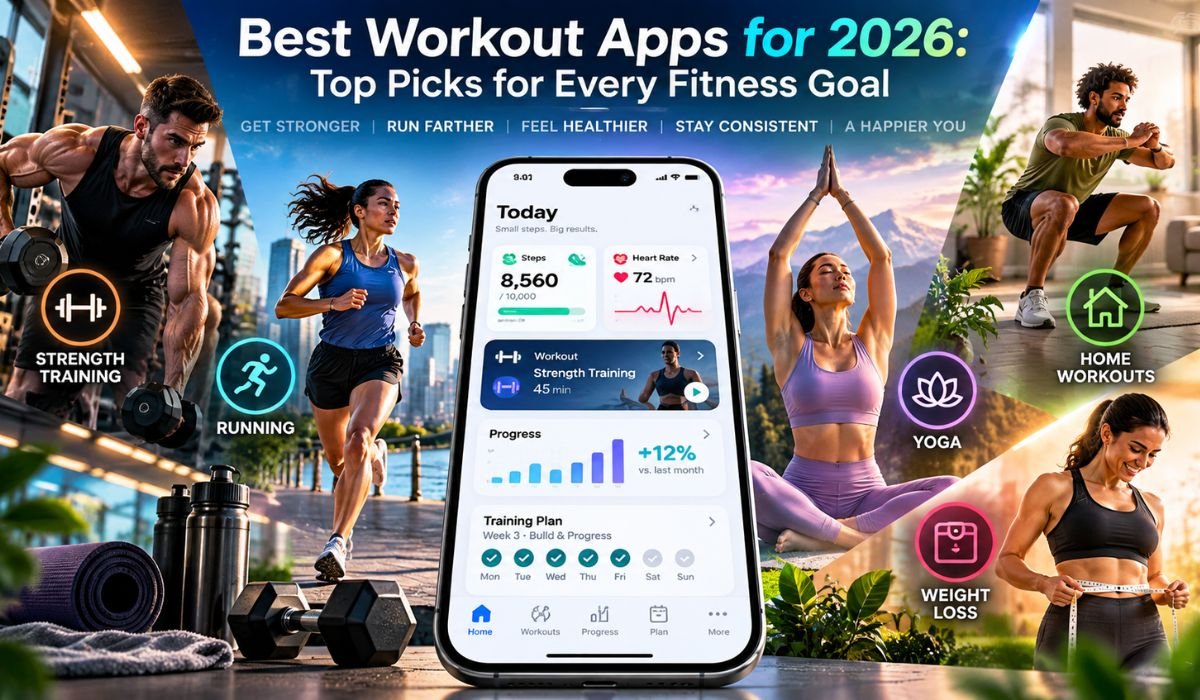
Starting a workout is often the easy part. Figuring out what to do, how often to do it, and how to keep going when motivation dips can be much harder. That’s where the Best Workout Apps earn their place. The right app can take much of the guesswork out of exercise by providing guided sessions, structured training plans, exercise demonstrations, progress tracking, and, in some cases, access to personal coaching.
By 2026, fitness apps have moved well beyond simple libraries of workout videos. Some are designed around strength training or home exercise, while others specialize in running, cycling, Pilates, flexibility, or instructor-led classes. More personalized platforms can build programs around an individual’s schedule and goals, and some services connect closely with smartwatches and other fitness technology.
Among the better-known choices are Nike Training Club, Apple Fitness+, Future, Peloton, Aaptiv, Blogilates, Strava, StretchIt, SHRED, and FitOn. They don’t all try to do the same thing, which is important. Instead of looking for one app that supposedly beats everything else, it makes more sense to find the service that best matches your goals, experience, available equipment, budget, and preferred way of exercising.
Quick Bio Information
| Quick Fact | Information |
|---|---|
| Focus | Best Workout Apps |
| Guide Year | 2026 |
| Strong All-Around Option | Nike Training Club |
| Best Fit For Apple Ecosystem | Apple Fitness+ |
| Personalized Coaching Option | Future |
| Instructor-Led Training Option | Peloton |
| Audio-Focused Option | Aaptiv |
| Pilates-Focused Option | Blogilates |
| Running And Cycling Option | Strava |
| Flexibility-Focused Option | StretchIt |
| Strength-Focused Option | SHRED |
| Variety-Focused Option | FitOn |
| Common Workout Styles | Strength, Cardio, HIIT, Yoga, Pilates And Mobility |
| Training Locations | Home, Gym And Outdoors |
| Free Access | Available With Selected Apps |
| Personalization | Varies By Service And Plan |
| Wearable Integration | Available With Many Services |
| Suitable Fitness Levels | Beginner Through Experienced |
| Main Benefit | Convenient, Structured Exercise Guidance |
How We Evaluate The Best Workout Apps
A workout app shouldn’t earn a recommendation simply because it has thousands of classes. Quantity can be useful, but the overall experience matters much more. Good fitness apps should be straightforward to navigate, explain exercises clearly, offer enough variety to prevent routines from becoming stale, and make equipment requirements easy to understand before a workout begins.
Value matters too, although that doesn’t always mean choosing the cheapest option. A free app with excellent guided workouts could be more useful to a casual exerciser than an expensive coaching platform. On the other hand, someone who repeatedly struggles with accountability may get more value from paying for individualized support.
Training level, personalization, workout selection, progress tracking, privacy settings, wearable compatibility, and suitability for home, gym, or outdoor exercise all deserve consideration. Subscription prices and features can also change over time, so current details should always be checked before committing to a long-term membership.
How Workout Apps Work
At their simplest, workout apps turn a phone, tablet, smartwatch, or connected display into a portable fitness guide. What happens after that depends heavily on the service. One app might provide follow-along videos, while another offers audio coaching, training calendars, workout logs, reminders, performance data, or personalized programs.
The differences are more important than they initially appear. A large class library works well for someone who likes deciding what to do each day. A structured training program is more useful for a person who wants a clear path from one workout to the next. Strava leans heavily toward recording and analyzing activities, for example, while Future is centered on individualized coaching.
That’s why choosing the Best Workout App begins with understanding what you need it to do. A long list of features means very little if most of them don’t support your actual fitness goals.
Nike Training Club For Overall Fitness
Nike Training Club stands out as a strong all-around option, particularly for people who want quality guided exercise without immediately taking on another paid fitness subscription. Its workout library covers several areas, including strength, mobility, yoga, conditioning, and bodyweight exercise.
Versatility is one of its biggest strengths. You might use the app for a quick bodyweight session at home during a busy week, then switch to a more structured strength workout when you have additional time or equipment. That flexibility can make it easier to keep exercising when your schedule changes.
It’s also approachable enough for people who are relatively new to structured workouts. More experienced athletes who want detailed performance analysis, highly specialized strength programming, or extensive personalization may eventually prefer a dedicated training platform. For general fitness, however, Nike Training Club remains an appealing place to start.
Apple Fitness+ For Guided Training
Apple Fitness+ takes a polished, instructor-led approach to exercise and is especially attractive to people already invested in Apple’s ecosystem. The service includes categories such as strength, HIIT, yoga, Pilates, cycling, rowing, treadmill training, dance, core workouts, and meditation.
The range of workout lengths makes it easier to fit exercise around real life. A short session can work on a busy morning, while longer workouts provide more room when time allows. Custom Plans can bring additional structure by organizing workouts around preferred activities and schedules.
Device integration is another important part of the experience. Compatible Apple hardware can bring workout information and fitness metrics together in a more connected way.
That strength can also be a limitation. Someone who doesn’t regularly use supported Apple devices may not get the same value from the ecosystem and could find a more platform-neutral fitness app easier to live with.
Future For Personalized Coaching
Future belongs in a slightly different category from most traditional workout apps. Instead of asking users to browse a large library and decide what to do, the service places personal coaching at the center of the experience.
Training can be shaped around factors such as goals, schedule, available equipment, experience, and progress. That becomes particularly useful when life gets in the way. Rather than abandoning a program because circumstances change, the training plan can be adjusted.
For people who already know they should exercise but struggle with accountability or programming, that human element can be valuable.
The obvious tradeoff is cost. Personalized coaching naturally sits in a different price range from a free workout library or standard digital membership. Future therefore makes more sense when individualized guidance is something you genuinely want. If all you need is a collection of reliable exercise videos, a less expensive platform may be more practical.
Peloton And Aaptiv For Guided Workouts
Peloton may be closely associated with connected exercise bikes and treadmills, but its fitness experience extends well beyond those machines. The digital platform includes instructor-led strength sessions, yoga, Pilates, stretching, meditation, outdoor workouts, and other forms of exercise.
For many users, the instructors are the real attraction. An engaging coach can make an ordinary workout feel more like attending a class, which may help people who find exercising alone monotonous. Owning Peloton equipment can deepen the experience, but not every digital workout requires the company’s hardware.
Aaptiv approaches guidance differently. Its audio-led format is useful when watching a screen would be awkward or distracting. Running and walking are obvious examples, though audio guidance can also work during familiar gym exercises.
The distinction is worth considering. Video is valuable when you need to see how a movement should look. Audio becomes convenient once you’re comfortable with the exercise and would rather concentrate on moving than watching a display.
Strava For Runners And Cyclists
Strava is one of the Best Workout Apps for people whose fitness routine takes them outside. Rather than building its identity primarily around follow-along classes, the platform is particularly useful for recording and understanding activities such as running and cycling.
Distance, pace, routes, activity history, and other performance information can help users see how their training changes over time. Clubs, challenges, shared activities, and other community features add a social dimension for people who find motivation in exercising alongside others, even virtually.
That social side makes privacy settings especially important. Outdoor workout records can contain location information, potentially revealing where an activity starts, finishes, or regularly takes place. Strava offers controls for activity visibility and other privacy choices, but users need to review them rather than assuming the default setup matches their preferences.
For outdoor athletes, privacy controls should be treated as an essential feature, not an afterthought.
StretchIt And Blogilates For Flexibility And Pilates
Fitness progress isn’t always measured by how much weight you can lift or how quickly you can run. For some people, better mobility, flexibility, and controlled movement are equally important goals.
StretchIt focuses on flexibility and mobility training, with programs intended for different abilities and objectives. A structured approach can be helpful because flexibility usually improves through patient, repeated practice rather than occasional aggressive stretching.
Blogilates takes another home-friendly route, with a strong emphasis on Pilates-inspired and bodyweight-based exercise. That can appeal to people who prefer guided movement but don’t want their routine to depend on a room full of equipment.
Expectations matter with both approaches. Flexibility and movement skills develop differently from person to person. Training history, consistency, recovery, previous injuries, and natural mobility can all influence progress. Forcing a range of motion simply to reach a target faster isn’t a sensible substitute for gradual improvement.
SHRED For Strength And Muscle Building
Strength training benefits from structure. Performing whatever exercises happen to look interesting on a given day may be enjoyable, but it isn’t necessarily the best way to measure progress over time.
SHRED is oriented toward home and gym workouts and can suit users who want resistance training to play a central role in their fitness routine. As with any strength-focused app, the most useful features are those that help users understand exercises, organize sessions, and train consistently.
Progression is central to effective strength training. As the body adapts, workouts need to remain appropriately challenging. Depending on the program, that might involve changes in resistance, repetitions, volume, exercise difficulty, or another training variable.
Recovery belongs in the same conversation. Doing more isn’t automatically better. Beginners generally benefit from mastering movement patterns and developing a manageable routine before pushing intensity, while more experienced lifters may place greater importance on tracking and systematic progression.
Best Workout Apps For Home And Gym Training
Where you normally exercise can quickly narrow down your options. Someone training in a small apartment has different requirements from a person with access to a fully equipped gym.
For home exercise, equipment information should be easy to find. Some sessions require nothing more than enough floor space to move comfortably, while others call for a mat, resistance bands, dumbbells, or additional equipment. Discovering halfway through a workout that you’re missing something essential is an unnecessary frustration.
Gym users are more likely to value routines designed around free weights, resistance machines, cable systems, or other equipment. Exercise demonstrations, workout history, and structured strength programs can also become more important in this setting.
Before paying for an app, explore the actual workouts whenever possible. A service can be excellent in general and still be wrong for you if most of its programs rely on equipment you don’t have.
Best Workout Apps For Beginners
Beginners don’t need the hardest workout available. They need one they can understand, complete safely, recover from, and return to.
Clear demonstrations should therefore be near the top of the checklist. Manageable workout lengths, sensible progression, and exercise modifications can also make the first few weeks far less intimidating.
Broad platforms such as Nike Training Club and Apple Fitness+ can work well for newer exercisers because they provide guided content across different workout styles and ability levels. More specialized services may become useful later, once someone knows whether they prefer strength training, running, Pilates, flexibility work, or another type of exercise.
People returning after months or years away should take a similar approach. Previous experience can help, but it doesn’t mean the body is immediately ready for the same workload it once handled. Gradual progression is usually the more sustainable route.
Workout Apps For Weight Management
Weight management is one of the most common reasons people start looking for the Best Workout Apps, but it’s also an area where marketing claims can easily become unrealistic.
A fitness app can make regular activity easier to plan, track, and repeat. What it cannot do is guarantee a particular change on the scale. Body weight is influenced by food intake, physical activity, sleep, everyday movement, health circumstances, and individual differences.
Exercise still matters even when weight changes slowly. Walking, cycling, resistance training, running, and home workouts can improve fitness and support a more active lifestyle. Strength training can also be valuable for maintaining or developing muscle.
The better approach is to choose an app that helps make activity sustainable rather than one built around dramatic transformation promises. A routine that fits comfortably into everyday life is more useful than an extreme program that lasts only a few days.
Free Vs Paid Workout Apps
Paying for a fitness app doesn’t automatically make it better. For someone who simply needs reliable guided workouts, a free service may provide everything necessary.
Nike Training Club is particularly attractive in this respect because it offers substantial workout content without the standard subscription model found on many competing services. Other platforms use a freemium approach, providing basic features at no cost while reserving advanced analysis, additional programs, or other tools for subscribers.
Premium services become more interesting when their paid features address a specific need. Personal coaching may improve accountability. Detailed analytics can matter to performance-focused athletes. A large class library may be valuable to someone who becomes bored easily.
Before buying a full year, consider using a monthly membership or legitimate free trial where available. It’s also worth checking renewal conditions and cancellation terms. Saving money on an annual subscription isn’t much of a bargain if you stop using the app after several weeks.
Smartwatches, Tracking And Privacy
Wearable technology can make workout apps more informative. Depending on the app and device, users may be able to view heart rate, pace, distance, workout duration, activity history, and other fitness information without manually recording everything.
That doesn’t mean every available metric needs to become part of your routine. Data is most useful when it helps answer a question or make a training decision. Collecting dozens of numbers simply because a watch can measure them can make exercise feel more complicated than necessary.
Privacy deserves the same level of attention as performance tracking. Fitness platforms may handle location, activity, device, or health-related information depending on which features are enabled.
Before connecting multiple services, review app permissions, account visibility, health-data access, route-sharing settings, and linked accounts. Outdoor athletes should be especially careful about publicly sharing routes that could reveal frequently visited locations.
Workout Apps Vs Personal Trainers
Workout apps and personal trainers overlap in some areas, but they aren’t interchangeable.
An app is convenient. It’s available at home, in a hotel, outdoors, or at the gym, often for far less than regular one-to-one training. Good apps can demonstrate exercises, organize programs, track sessions, and remove much of the planning involved in staying active.
What most apps can’t do is stand beside you and watch how you move. A qualified trainer can provide immediate feedback, adapt exercises on the spot, and build a program around individual needs in a way that a general workout library cannot.
Remote coaching platforms such as Future sit somewhere between these two models by combining app-based training with human guidance.
People dealing with injuries, substantial physical limitations, or medical concerns should also recognize the limits of general fitness software. Depending on the circumstances, advice from an appropriate healthcare professional or qualified exercise specialist may be more suitable.
How To Choose The Best Workout App
Start with your goal rather than the app store rankings.
If you mainly run or cycle outdoors, Strava’s activity-focused tools may be more useful than hundreds of studio classes. If you want guided home workouts, Nike Training Club or FitOn may make more sense. Apple Fitness+ can be attractive to people already using compatible Apple devices, while Future is aimed at users who place a higher value on accountability and individualized coaching. StretchIt serves a more specific flexibility audience, and SHRED focuses more heavily on strength.
Once you know your goal, think about the practical details. Consider how much time you can realistically exercise, where you’ll train, what equipment you own, which devices you use, how much guidance you want, what privacy controls matter to you, and how much you’re comfortable spending.
Then look at the experience itself. The Best Workout App isn’t necessarily the one with the most features. It’s the one you can open regularly without feeling that exercise has become another complicated chore.
Final Thoughts
The Best Workout Apps for 2026 aren’t necessarily the platforms with the biggest libraries, the flashiest technology, or the longest feature lists. What matters is whether an app fits comfortably into the way you actually live and exercise.
Nike Training Club offers broad accessibility and variety. Apple Fitness+ delivers a polished instructor-led experience for people who fit its ecosystem. Future puts personalized coaching at the center of the service, while Peloton leans into engaging instructor-led classes. Strava is particularly useful for outdoor activity tracking, and more specialized services such as StretchIt and SHRED cater to specific training goals.
Before committing to any platform, spend some time looking at the workouts themselves. Check what equipment you’ll need, whether the app works with your devices, what its privacy settings allow, and how much the subscription will cost after any introductory offer ends.
Above all, remember what a workout app can and cannot do. It can provide structure, instruction, tracking, variety, and motivation. It can make deciding what to do considerably easier. What it can’t replace is the consistent effort required to make progress.
That’s ultimately what separates a useful fitness app from one that sits unopened on a phone. The best choice is the one that makes regular movement easier to fit into your life—and keeps doing so long after the excitement of downloading something new has worn off.
FAQs About Best Workout Apps
What Is The Best Workout App For 2026?
There isn’t one workout app that is best for everyone. Nike Training Club is a strong all-around option because of its broad workout selection, while Strava is better suited to outdoor activity tracking and Future focuses on personalized coaching. Your training goals should determine which one makes the most sense.
What Is The Best Free Workout App?
Nike Training Club remains one of the strongest choices for people who want a broad range of guided workouts without a conventional workout subscription. Other fitness platforms also provide free features, although some reserve more advanced tools for paid plans.
Which Workout App Is Best For Beginners?
Nike Training Club and Apple Fitness+ are both worth considering for beginners because they offer guided content across several workout types and fitness levels. New exercisers should prioritize clear instruction and manageable progression rather than choosing workouts based purely on intensity.
Which Workout App Is Best For Running?
Strava is particularly useful for runners who want to record distance, pace, routes, and activity history while also having access to community features. Because outdoor activities may contain location information, users should review their privacy settings before sharing workouts publicly.
Can Workout Apps Help With Weight Loss?
Workout apps can help people become more active and maintain a regular exercise routine, both of which can support weight management. They cannot guarantee weight loss, however, because food intake, sleep, daily movement, health factors, and individual circumstances also affect body weight.
Are Paid Workout Apps Worth It?
Sometimes. Paying can make sense when the premium features directly support your needs, such as personalized coaching, advanced analytics, structured programs, or a larger class library. People who only need basic guided workouts may find that a free app is enough.
Can A Workout App Replace A Personal Trainer?
For general workout structure, an app may be sufficient for many users. It usually can’t provide the same real-time movement assessment, technique correction, or individualized supervision as a qualified trainer. People with complex physical or medical needs may require professional guidance.
What Should I Check Before Paying For A Workout App?
Look at the current subscription price, renewal and cancellation terms, workout selection, required equipment, supported devices, privacy controls, and the features included in the specific membership tier. Most importantly, make sure the app supports the type of exercise you actually intend to do.
Learn more and explore exciting content on: Best iPhone 17 Pro Max Case: Top Picks for Protection, Style, and MagSafe
 Sky Bloom IT
  Backlinks Hub
  MUNJAL BLOG