

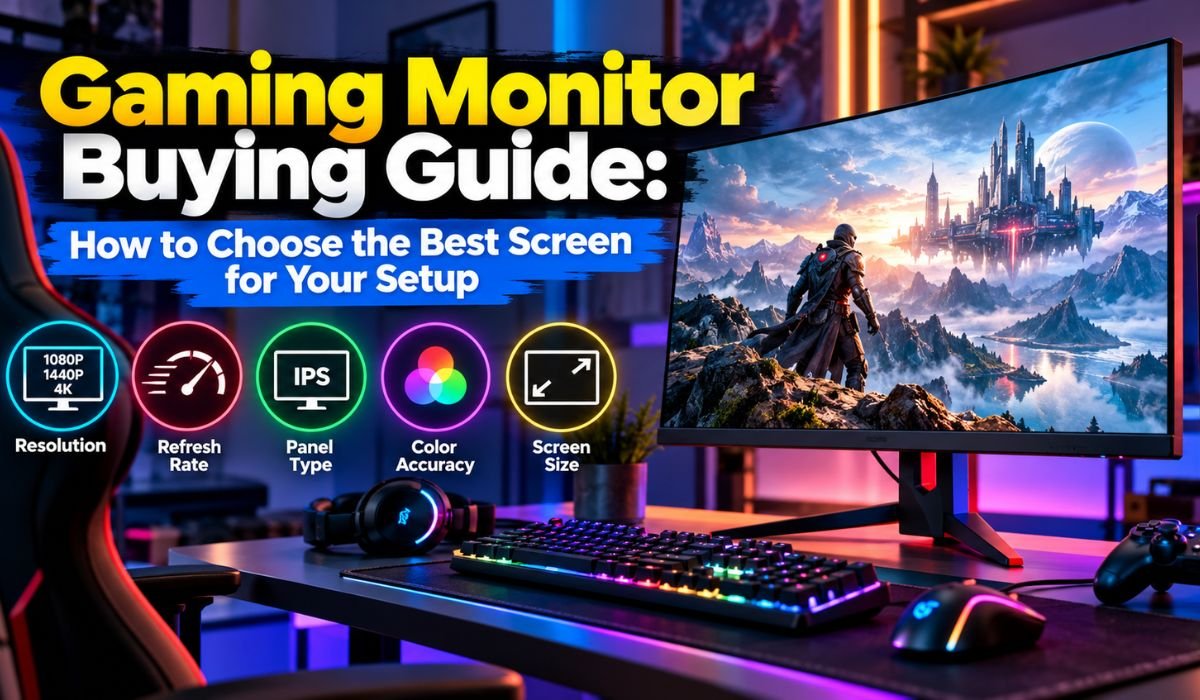
You can spend thousands on a powerful gaming PC, install the latest graphics card, and fine-tune every setting. But if your monitor can’t keep up, you’re missing a big part of the experience.
A good Gaming Monitor does more than display beautiful graphics. It makes fast-paced action easier to follow, brings greater detail to virtual worlds, and helps games feel more responsive. Whether you’re racing through city streets, exploring an open-world adventure, or competing in an online shooter, the screen in front of you plays an important role.
Finding the right one isn’t always straightforward, though. Manufacturers advertise features such as 144Hz refresh rates, 1ms response times, 4K resolution, and OLED technology. These specifications sound impressive, but they don’t always explain what you’ll actually notice while playing.
That’s where this Gaming Monitor Buying Guide comes in. We’ll explore the features that matter in 2026, explain what the technical terms mean, and help you choose a display that fits your gaming habits, hardware, and budget.
Quick Bio Information About Gaming Monitors
| Feature | Information |
|---|---|
| Product Category | Computer Display |
| Primary Purpose | Gaming And Visual Output |
| Popular Screen Sizes | 24, 27, And 32 Inches |
| Full HD Resolution | 1920 × 1080 |
| QHD Resolution | 2560 × 1440 |
| 4K UHD Resolution | 3840 × 2160 |
| Ultrawide QHD | 3440 × 1440 |
| Common Gaming Refresh Rates | 144Hz, 165Hz, And 240Hz |
| Competitive Gaming Options | 360Hz And Higher |
| Main LCD Panel Types | IPS, VA, And TN |
| Premium Display Technology | OLED And QD-OLED |
| Advanced LCD Backlighting | Mini-LED |
| Adaptive Sync | FreeSync, G-SYNC, And VRR |
| Popular Connections | HDMI, DisplayPort, And USB-C |
| Common Aspect Ratios | 16:9, 21:9, And 32:9 |
| HDR Technology | High Dynamic Range |
| Mounting Compatibility | VESA On Supported Models |
| Important Buying Factors | Resolution, Speed, Contrast, And Price |
What Is A Gaming Monitor And Why Does It Matter?
At its simplest, a Gaming Monitor is a computer display built with gaming performance in mind. While an ordinary office monitor focuses primarily on everyday tasks, gaming models often include faster refresh rates, improved motion handling, and technologies designed to reduce visual interruptions.
The difference becomes easier to appreciate when things start moving quickly. Imagine tracking another player across the screen in a competitive shooter. On a slower display, movement may appear less fluid, making fast action harder to follow. A capable gaming monitor can present that motion more clearly.
That doesn’t mean everyone needs a premium display. If you occasionally play puzzle games or relaxed adventures, a regular monitor might serve you perfectly well.
The real advantage comes from choosing features that match how you play. Competitive gamers often value responsiveness, while players who enjoy visually rich adventures may care more about contrast, color, and resolution.
How To Choose The Right Gaming Monitor For Your Needs
Before comparing models, ask yourself a simple question: What do I actually want from my gaming experience?
Someone who spends evenings playing competitive shooters will probably have different priorities from a person who enjoys story-driven games. The first player may want extremely smooth motion and minimal input delay. The second might prefer a larger screen with richer colors and more detailed images.
Your computer’s capabilities should influence the decision, too. A powerful graphics card can take advantage of higher resolutions and faster refresh rates. An entry-level gaming PC, meanwhile, may deliver a more enjoyable experience at 1080p.
Don’t overlook everyday practicalities. Think about how much space you have, how far you sit from the screen, and whether you’ll also use the monitor for work or studying.
A balanced setup is usually a better investment than buying an expensive display simply because it has the highest specifications.
Gaming Monitor Resolution: 1080p, 1440p, Or 4K?
Resolution is one of the first specifications you’ll encounter when shopping for a monitor. It describes the number of pixels used to create the image on your screen.
More pixels generally mean sharper details, although screen size and viewing distance also influence how clear everything looks.
A 1080p Gaming Monitor remains a practical option for budget-conscious buyers. It’s particularly appealing to competitive gamers who want high frame rates without placing excessive demands on their graphics cards.
Moving up to 1440p brings a noticeable improvement in image clarity. At 27 inches, this resolution offers an attractive balance between sharpness and performance, making it a popular choice for PC gaming.
Then there’s 4K. With four times as many pixels as 1080p, it can produce remarkably detailed images. Landscapes, textures, and smaller visual elements often look sharper, especially on larger screens.
The trade-off is performance. Rendering games at 4K requires considerably more graphics processing power.
Ultrawide displays provide another option. Their wider aspect ratios can make racing games, flight simulators, and supported adventure titles feel more immersive. However, not every game handles ultrawide resolutions equally well.
Gaming Monitor Refresh Rate: How Much Speed Do You Need?
If resolution determines how detailed a game looks, refresh rate plays a major role in how smoothly it appears to move.
Measured in hertz, or Hz, refresh rate tells you how many times a monitor can update its image each second. A 144Hz display, for example, can refresh 144 times per second.
Compared with a traditional 60Hz screen, the improvement can be immediately noticeable when your system produces enough frames. Camera movement looks smoother, scrolling feels more fluid, and fast-moving objects can be easier to follow.
For many gamers, 144Hz or 165Hz offers a sensible balance between price and performance. Competitive players may prefer 240Hz, 360Hz, or even faster monitors.
Still, higher numbers don’t always translate into dramatic improvements. The difference between 60Hz and 144Hz is generally much more noticeable than the jump from 240Hz to 360Hz.
It’s also important to understand that refresh rate isn’t the same as frames per second. Your graphics hardware renders the frames, while your monitor determines how frequently it can display them.
Response Time And Input Lag Explained
Two specifications that often appear together in gaming monitor advertisements are response time and input lag. They sound similar, but they describe different aspects of performance.
Response time refers to how quickly a pixel changes from one state to another. When those transitions are slow, moving objects may leave visible trails behind them. This effect is commonly known as ghosting.
Input lag is different. It measures the delay between an action being sent to the display system and the corresponding change appearing on the screen.
Both matter, particularly in games where timing and movement are important.
You’ll often see monitors advertised with a 1ms response time. However, that figure doesn’t tell the whole story. Manufacturers may use different testing methods, including gray-to-gray measurements and moving picture response time.
Some monitors also achieve their fastest advertised results only with aggressive overdrive settings, which can introduce unwanted visual artifacts.
That’s why independent performance reviews are valuable. They reveal how a monitor behaves under realistic conditions rather than relying entirely on marketing figures.
IPS, VA, TN, And OLED Gaming Monitor Panels
The technology behind a monitor’s screen has a major influence on how games look and feel.
IPS panels are known for their wide viewing angles and generally consistent colors. They’re a versatile choice for people who use the same monitor for gaming, entertainment, and everyday computer tasks.
VA panels typically provide stronger native contrast, which can make dark scenes appear deeper. However, some VA monitors struggle with slower transitions between dark shades, producing visible smearing during movement.
TN panels were once especially popular among competitive gamers because of their fast response characteristics. Modern IPS and OLED displays have narrowed that advantage, although TN monitors still exist in performance-focused categories.
OLED technology takes a different approach. Instead of relying on a conventional backlight, individual pixels produce their own light. This allows OLED monitors to display exceptionally deep blacks and respond extremely quickly to image changes.
QD-OLED combines OLED technology with quantum dots to achieve particular color and brightness characteristics.
The main concerns with OLED are its typically higher price and the possibility of permanent burn-in after prolonged exposure to static images.
Mini-LED monitors offer another route to improved picture quality. They use numerous small backlight zones behind an LCD panel, allowing more precise brightness control. Although blooming can still occur, capable Mini-LED displays can deliver impressive HDR performance.
Choosing The Best Gaming Monitor Size And Shape
A larger monitor might seem like an obvious upgrade, but bigger isn’t always better.
A 24-inch display works well for compact desks and competitive gaming setups. Because the screen occupies a smaller area, players can often see most of the action without moving their eyes as far.
A 27-inch Gaming Monitor offers more room without feeling overwhelming. Paired with 1440p resolution, it provides a comfortable balance between sharpness, screen space, and everyday usability.
For players who enjoy cinematic adventures or want a larger workspace, a 32-inch display can be particularly appealing. At this size, 4K resolution helps maintain fine image detail.
Screen shape matters as well. Curved monitors can create a stronger sense of immersion, especially when using ultrawide formats. Flat monitors remain excellent for traditional gaming, office work, and creative projects.
Before deciding, consider your desk depth and normal viewing distance. A screen should feel comfortable to use, not simply impressive in a product photograph.
G-SYNC, FreeSync, And Adaptive Sync Technology
Even a powerful gaming computer doesn’t always produce frames at perfectly consistent intervals.
When the graphics card and monitor operate out of sync, you may notice screen tearing. This happens when parts of different frames appear together during a display refresh.
Uneven frame delivery can also make movement look less smooth.
Adaptive sync technologies help address these problems by allowing compatible monitors to adjust their refresh timing to match the graphics output.
AMD FreeSync and NVIDIA G-SYNC are two familiar examples. HDMI Variable Refresh Rate and VESA Adaptive-Sync provide additional standards-based approaches.
However, compatibility isn’t identical across every monitor. Supported refresh ranges, connection types, and certification levels can vary.
Before purchasing, check whether the display supports the features available on your graphics card or console. This small step can prevent disappointing compatibility problems later.
HDR, Brightness, And Color Quality
A game can run smoothly and still look disappointing if the monitor struggles with contrast, brightness, or color reproduction.
High Dynamic Range, better known as HDR, aims to produce a wider range of brightness and color information. When implemented well, it can make sunlight appear more striking, preserve details in shadows, and give scenes a greater sense of depth.
Unfortunately, an HDR label doesn’t automatically guarantee impressive results.
Some monitors accept HDR signals but lack the brightness or contrast needed to display them convincingly.
OLED screens excel at producing deep blacks because individual pixels can switch off completely. Meanwhile, capable Mini-LED monitors can deliver strong brightness and improved contrast through local dimming.
VESA DisplayHDR certifications provide useful information about tested capabilities, but independent reviews remain important.
Color accuracy also deserves attention. If you edit photos, create videos, or simply appreciate natural-looking images, look for monitors with reliable color performance rather than judging quality by wide color-gamut claims alone.
Gaming Monitor Connectivity And Compatibility
A monitor’s ports might not be the most exciting part of its specification sheet, but they can determine whether you actually get the performance you’re paying for.
HDMI and DisplayPort are the most common connections found on gaming monitors. USB-C is also available on some models, particularly those designed for use with laptops.
For PlayStation 5 and Xbox Series X users, compatibility with supported 120Hz modes is particularly important. If you’re aiming for 4K at 120Hz, check the monitor’s HDMI capabilities and supported display modes.
PC gamers should make similar checks when using high resolutions and refresh rates.
One detail worth remembering is that connector labels alone don’t tell the whole story. Supported bandwidth and features can differ between devices, even when they use the same broad connection standard.
Extra conveniences such as USB hubs, KVM switches, and headphone outputs can also make a monitor easier to live with, especially if you regularly switch between multiple devices.
Best Gaming Monitor Features For PC And Console Gaming
PC and console gamers often need slightly different things from their displays.
PC players generally have greater control over graphics settings. They can lower certain visual effects to improve frame rates or increase image quality when performance allows.
For many gaming PCs, a high-refresh 1440p monitor offers an appealing middle ground. Competitive players may choose even faster displays, while enthusiasts with powerful graphics cards may prefer 4K.
Console gamers should focus on supported output modes, reliable HDMI connectivity, and variable refresh rate compatibility.
If you’re using one monitor for both a computer and console, having multiple suitable inputs becomes especially useful.
Audio deserves a quick check, too. Some gaming monitors include speakers, but others don’t. Even when speakers are present, a dedicated headset or external audio system may provide a better experience.
Gaming Monitor Ergonomics And Eye Comfort
Picture quality and gaming performance are important, but comfort can make just as much difference during a long session.
A monitor with height, tilt, and swivel adjustments allows you to position the screen more naturally. This is especially useful when several people share the same desk or gaming setup.
VESA mounting support provides additional flexibility. A compatible monitor arm can free up desk space and make positioning easier.
Room lighting matters as well. Excessive brightness in a dark room may feel uncomfortable, while glare from nearby windows can make details difficult to see.
Taking regular breaks, maintaining a comfortable viewing distance, and adjusting the display to suit your surroundings are sensible habits.
Some monitors also offer low-blue-light or flicker-reduction features. These may suit individual comfort preferences, although they shouldn’t be treated as guaranteed protection against eye strain.
Gaming Monitor Prices And Popular Brands In 2026
There’s no single price that defines a good Gaming Monitor. Costs vary depending on resolution, refresh rate, panel technology, HDR performance, and additional features.
Affordable models often focus on the essentials, such as Full HD resolution and high refresh rates. Mid-range options may offer sharper 1440p panels, improved motion performance, and better connectivity.
Premium displays can include OLED technology, advanced Mini-LED backlighting, 4K resolution, or exceptionally high refresh rates.
Well-known manufacturers include Dell Alienware, ASUS, LG, Samsung, MSI, Gigabyte, and Acer.
Still, buying from a recognizable brand doesn’t guarantee that every model performs equally well. One monitor might offer excellent motion clarity but average contrast, while another delivers beautiful images with slower pixel transitions.
Instead of relying on brand names alone, compare individual models using independent measurements, warranty coverage, and current prices.
Common Gaming Monitor Buying Mistakes And Setup Tips
One of the easiest mistakes to make is choosing a monitor based on impressive specifications without considering how those features work together.
A 4K display, for instance, may offer beautiful image quality, but a less powerful graphics card could struggle to maintain the frame rates you want.
Likewise, a monitor advertised with a 1ms response time isn’t necessarily faster in real-world gaming than every competing model.
It’s also worth looking beyond headline features. Check HDR performance, connection capabilities, physical dimensions, and return conditions before ordering.
Dell’s US return policy, for example, generally calculates its standard 30-day return period from the invoice date, with exclusions and other conditions applying.
Once your monitor arrives, spend a little time setting it up properly. Confirm that the operating system is using the intended refresh rate, enable compatible adaptive sync, and adjust brightness to match your room.
Experiment with overdrive settings rather than automatically selecting the fastest option. You should also inspect the screen for defects while it’s still within the applicable return period.
These small steps can make a noticeable difference to the experience you get from your purchase.
Final Thoughts
Choosing a Gaming Monitor in 2026 is less about finding the biggest numbers and more about understanding what those numbers mean for you.
A competitive player chasing every possible advantage may benefit from an exceptionally fast display. Someone who loves atmospheric adventures might get more enjoyment from stronger contrast, richer colors, and higher resolution.
For many people, a 27-inch 1440p monitor with a refresh rate of 144Hz or higher offers an excellent balance of sharpness, smoothness, and versatility.
But there isn’t one perfect monitor for every gamer.
The smartest purchase is the display that suits your hardware, fits comfortably into your space, and improves the games you actually play. Take the time to compare real-world performance, understand the trade-offs, and choose features you’ll appreciate long after the excitement of unboxing has faded.
FAQs About Gaming Monitors
What Is The Best Gaming Monitor For Beginners?
For most beginners, a 1080p or 1440p monitor with a refresh rate around 144Hz or 165Hz is a sensible starting point. These displays can provide smooth gameplay without the cost of more specialized premium models.
The ideal choice depends on your graphics hardware, budget, and favorite games. A well-reviewed mid-range monitor is often a better investment than an expensive model with features you won’t regularly use.
Is A 144Hz Gaming Monitor Good Enough?
Absolutely. A 144Hz Gaming Monitor delivers noticeably smoother motion than a traditional 60Hz display when paired with suitable hardware.
Although faster monitors can offer advantages in competitive gaming, 144Hz remains an excellent choice for casual players, enthusiasts, and many competitive gamers.
Is 1440p Better Than 1080p For Gaming?
1440p offers greater image detail because it displays more pixels. The difference is particularly noticeable on 27-inch screens, where text, textures, and smaller objects can appear sharper.
However, 1440p also requires more graphics processing power. If maintaining high frame rates is your priority and your hardware is limited, 1080p may still be the better choice.
Do You Need A 4K Gaming Monitor?
Not everyone needs 4K. While it provides excellent image clarity, particularly on larger displays, it also places greater demands on your graphics card.
If you enjoy detailed, cinematic games and have powerful hardware, 4K can be worthwhile. Otherwise, 1440p often provides a more practical balance between visual quality and performance.
Is An OLED Gaming Monitor Worth Buying?
OLED monitors can deliver outstanding picture quality thanks to their deep blacks, excellent contrast, and extremely fast pixel response.
They’re particularly attractive for immersive gaming and high-quality HDR experiences. However, their higher prices and potential burn-in risk mean you should consider warranty coverage, maintenance features, and how you’ll use the display.
Does A Gaming Monitor Increase FPS?
No. Your graphics card and other system components determine how many frames a game can render.
A higher-refresh monitor can display more of those frames, which may make movement look smoother and improve perceived responsiveness. However, simply replacing your monitor won’t increase the number of frames your computer produces.
Can A Gaming Monitor Be Used For Work?
Yes. Gaming monitors can be excellent for office tasks, browsing, studying, and content creation.
If you’ll use the screen for both gaming and productivity, prioritize comfortable ergonomics, sharp text, suitable connectivity, and accurate colors.
OLED models deserve additional consideration when displaying static desktop elements for extended periods.
How Long Does A Gaming Monitor Usually Last?
A well-built gaming monitor can remain useful for several years, although its lifespan depends on manufacturing quality, panel technology, operating conditions, and daily usage.
LCD backlights and electronic components can wear over time, while OLED panels experience gradual aging and may develop burn-in under certain usage patterns.
Choosing a reputable model, maintaining proper ventilation, using sensible brightness settings, and reviewing warranty coverage can help protect your investment.