

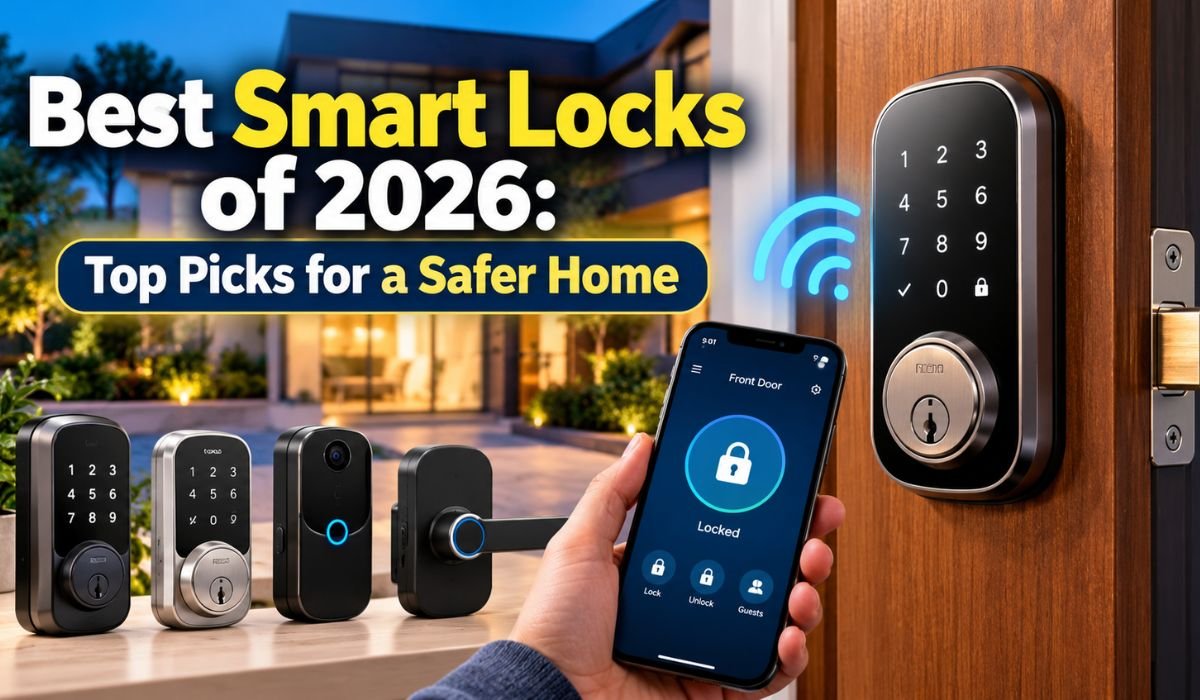
Picture this: You’ve just returned home after a long day, your hands are full of shopping bags, and your house keys are buried somewhere in your pocket. Instead of putting everything down and searching for them, you simply enter a code or touch a fingerprint sensor. Within seconds, your door unlocks.
That’s the everyday convenience modern Smart Lock bring to homeowners. But there’s more to these devices than opening doors without traditional keys. Today’s models can help you manage guest access, monitor locking activity, and check your door’s status from almost anywhere.
The Best Smart Locks of 2026 combine practical security features with technology that makes daily life easier. Some are designed for families who need several access codes, while others suit renters who can’t replace their existing door hardware. Premium options even support hands-free unlocking and advanced smart home connections.
Of course, not every smart lock delivers the same experience. Battery performance, compatibility, installation, and physical security all deserve attention before you buy.
This guide explores the leading options, their strengths and limitations, and the features that genuinely matter when choosing a safer, more convenient way to secure your home.
Quick Information About Smart Locks
| Feature | Details |
|---|---|
| Product Category | Smart Home Security |
| Main Purpose | Electronic Door Access |
| Popular Brands | Yale, Schlage, August, Ultraloq |
| Unlocking Methods | Fingerprint, PIN, Smartphone, Digital Key |
| Wireless Connectivity | Wi-Fi, Bluetooth, Thread |
| Smart Home Support | Apple Home, Google Home, Alexa |
| Installation Options | Retrofit and Full Replacement |
| Remote Access | Available With Compatible Connectivity |
| Guest Management | Temporary and Scheduled Access |
| Automatic Locking | Available on Selected Models |
| Power Source | Replaceable or Rechargeable Batteries |
| Emergency Access | Depends on Model |
| Security Standards | ANSI/BHMA Hardware Ratings |
| Matter Compatibility | Available on Selected Models |
| Weather Resistance | Varies by Product |
| Suitable Properties | Houses, Apartments, Rental Homes |
| Maintenance Needs | Battery Changes and Software Updates |
| Main Buying Consideration | Security and Door Compatibility |
What Are Smart Locks and How Do They Work?
A smart lock is essentially a traditional locking mechanism with electronic controls that make access more flexible. Instead of depending entirely on a metal key, you can unlock your door using a PIN, fingerprint, smartphone, or compatible digital credential. Some models still include a physical keyhole, giving homeowners an additional way to enter when technology isn’t cooperating.
Behind the scenes, an electronic controller verifies your credentials and activates the locking mechanism. Bluetooth allows nearby smartphone communication, while Wi-Fi enables remote features on supported models. Thread, a low-power wireless networking technology, helps compatible locks communicate with smart home devices. These connections also make features such as automatic locking, activity notifications, and temporary guest access possible.
The biggest advantage is control. You can give a visitor access without handing over a spare key, remove permissions when they’re no longer needed, or check whether someone has locked the door. Still, the electronic features don’t replace the basics of home security. A strong deadbolt, correctly installed strike plate, and sturdy door frame remain just as important.
Best Smart Lock of 2026: Quick Comparison
Finding the right smart lock isn’t necessarily about choosing the most expensive model. It’s about matching the product’s capabilities to your home and the way you use it. Some households need fingerprint entry, while others care more about guest codes, smart home compatibility, or keeping their existing keys.
| Smart Lock | Best For | Standout Feature |
|---|---|---|
| Yale Assure Lock 2 | Overall Convenience | Flexible Unlocking Options |
| Ultraloq U-Bolt | Budget Buyers | Affordable Keypad and Fingerprint Options |
| August Wi-Fi Smart Lock | Retrofit Installation | Keeps Existing Exterior Hardware |
| Schlage Encode Smart Wi-Fi Lever | Smart Door Handles | Built-In Keypad and Lever |
| Level Lock Pro | Discreet Design | Hidden Smart Technology |
| Schlage Sense Pro | Premium Technology | Ultra-Wideband Unlocking |
| Yale Smart Lock With Matter | Google Home Users | Matter-Over-Thread Connectivity |
Each model serves a slightly different purpose, so these categories are more useful than treating every product as a direct competitor. Prices, connectivity, and unlocking features can also change between configurations. Checking the exact model number before purchasing is essential.
Yale Assure Lock 2: Best Overall Smart Lock
The Yale Assure Lock 2 earns its place among the most appealing all-around options because it balances everyday convenience with a clean, compact design. It doesn’t overwhelm the front door with oversized hardware, yet it offers several ways to manage household access.
Depending on the version, homeowners can unlock their doors through a keypad, smartphone, fingerprint reader, or supported digital key. This flexibility makes the Assure Lock 2 particularly attractive for families. Children can use a PIN, adults can choose their preferred method, and visitors can receive temporary credentials without needing physical keys.
There’s an important distinction between models, though. The Assure Lock 2 Touch offers fingerprint access, while the Assure Lock 2 Plus supports Apple Home Key. These capabilities aren’t included in every configuration, and Wi-Fi connectivity also depends on the version purchased.
Yale indicates that certain Wi-Fi configurations may deliver approximately three months of battery life under typical conditions. Actual performance depends on usage and connectivity. For homeowners who want a capable smart lock without an unnecessarily complicated design, the Assure Lock 2 is a strong starting point.
Ultraloq U-Bolt: Best Budget Smart Lock
You don’t need to spend a fortune to enjoy keyless entry. The Ultraloq U-Bolt family demonstrates how useful smart home features can be offered at relatively accessible prices, making it worth considering for budget-conscious homeowners.
Depending on the configuration, Ultraloq locks can provide keypad access, fingerprint recognition, smartphone controls, and temporary guest credentials. Fingerprint entry is particularly convenient when you’re carrying groceries or returning home in bad weather. A keypad, meanwhile, gives family members a simple way to enter without relying on their phones.
The main thing to remember is that the U-Bolt product family includes several versions. The standard U-Bolt, U-Bolt Pro, and Wi-Fi configurations don’t necessarily offer identical connectivity or biometric features. Apple Home compatibility may also be limited, depending on the model.
Weather resistance deserves attention if your entrance is exposed to the elements. Check the exact product’s environmental rating rather than assuming every Ultraloq lock provides the same protection. For buyers who want practical access features at a reasonable price, Ultraloq offers considerable appeal.
August Wi-Fi Smart Lock: Best Retrofit Smart Lock
Replacing an entire deadbolt isn’t always practical, particularly if you’re renting or simply like your existing door hardware. That’s where the August Wi-Fi Smart Lock comes in. Instead of changing the exterior lock, it attaches to the inside of a compatible single-cylinder deadbolt, allowing you to keep your existing keys.
This design makes August an appealing choice for people who want smart features without dramatically changing their entrance. Built-in Wi-Fi supports remote controls without a separate Wi-Fi bridge, while the companion app provides activity monitoring, guest management, and automatic locking options.
Another useful feature is DoorSense, which can help determine whether the door itself is closed. That’s an important distinction because an extended deadbolt doesn’t necessarily mean a door is properly shut.
August states that the lock uses two CR123 batteries and may provide approximately three months of operation under typical conditions. Battery life will vary with usage. Its relatively bulky interior housing is a drawback, and compatibility must be checked carefully. Even so, August remains a practical retrofit option, especially where preserving existing exterior hardware matters.
Schlage Encode Smart Wi-Fi Lever: Best Smart Door Handle
Not every door uses a traditional deadbolt. Some entrances rely on locking handles, which makes the Schlage Encode Smart Wi-Fi Lever a useful alternative to conventional smart deadbolts.
Schlage designed this model for compatible residential doors, including certain side entrances, home offices, guest suites, and garage entryways. It combines a lever handle with electronic keypad access, allowing users to enter without carrying physical keys.
Built-in Wi-Fi enables remote management through the Schlage Home app. Homeowners can create individual access codes, review supported activity information, and manage access permissions. Compatible Alexa and Google Assistant functions add another layer of convenience for connected households.
There are limitations. The Encode Lever doesn’t include fingerprint recognition, and its design won’t fit every door. More importantly, a locking lever shouldn’t automatically be considered an equivalent replacement for a dedicated exterior deadbolt. Hardware requirements depend on the entrance and its security needs.
For suitable doors, however, the Encode Lever brings modern access control to a familiar handle design.
Level Lock Pro: Best Invisible Smart Lock
Some homeowners love the convenience of connected technology but don’t want their front door to look like a collection of electronic gadgets. The Level Lock Pro addresses that preference with a discreet design that closely resembles conventional deadbolt hardware.
Much of its technology is concealed within the locking assembly, allowing it to maintain a traditional appearance. Despite that understated design, the lock supports modern connectivity features, including Bluetooth Low Energy, Matter-over-Thread, NFC, and Apple Home Key.
Level’s published specifications indicate that the lock uses a CR2 lithium battery, with an estimated life of up to one year under typical conditions. The company also lists BHMA AAA certification and applicable Grade 1/A hardware performance information, which makes its physical security specifications worth examining.
There are compromises. The lock doesn’t include an integrated fingerprint reader, and remote access requires compatible Matter-over-Thread controller hardware. Its premium price may also be difficult to justify for buyers who simply need a basic keypad.
Still, for homeowners who value traditional appearance alongside modern access features, the Level Lock Pro offers a distinctive approach.
Schlage Sense Pro: Best Premium Smart Lock
The Schlage Sense Pro takes connected door security into more advanced territory. Rather than focusing only on keypad entry or smartphone controls, it introduces technologies intended to make unlocking feel more natural.
One of its standout features is ultra-wideband technology, commonly known as UWB. Schlage’s Converge system uses compatible device proximity and movement information to help recognize when an authorized person approaches the door. With supported Apple devices and the necessary settings, this can enable hands-free unlocking.
The Sense Pro also supports Apple Home Key, keypad credentials, Matter-over-Thread connectivity, and compatible remote management features. Schlage states that users can manage up to 250 custom access codes through its application, offering considerable flexibility for households that regularly welcome visitors.
However, premium technology comes with additional considerations. Certain functions depend on compatible smartphones, controllers, and software configurations. The lock also costs considerably more than basic models and doesn’t include an integrated fingerprint reader.
For buyers interested in newer access technologies, the Sense Pro offers capabilities that go beyond ordinary keyless entry.
Yale Smart Lock With Matter: Best for Google Home
Smart home compatibility can become confusing when devices from different manufacturers don’t communicate easily. The Yale Smart Lock with Matter aims to simplify that experience by supporting a common smart home standard.
Matter is designed to improve interoperability between compatible devices and platforms. Yale’s Matter-enabled lock works with supported ecosystems, including Google Home, Apple Home, Alexa, and SmartThings.
For homeowners already using Google Home, this can make the lock easier to incorporate into existing connected routines. Available features include access code management, automatic locking, and compatible smart home controls.
There’s one detail buyers shouldn’t overlook: Matter support doesn’t eliminate the need for suitable network hardware. Yale specifies that Matter connectivity and remote access require compatible hub and Thread border router equipment.
Additionally, certain advanced features may remain specific to individual platforms or manufacturer applications. If your home already has the required equipment, Yale’s Matter-compatible option can provide a straightforward way to bring connected access into your smart home.
Important Features to Consider Before Buying Smart Locks
A long list of features might look impressive, but the best Smart Lock are those that make everyday access easier without creating unnecessary complications. Start with unlocking methods. Keypads work well for families and visitors, fingerprint sensors offer quick personal access, and smartphone controls are useful when you need to manage the door remotely.
Connectivity deserves just as much attention. Bluetooth generally handles nearby communication, while remote access requires an internet-connected lock or compatible bridge. Matter and Thread can simplify integration, but only when the surrounding devices support the required technologies.
Don’t overlook backup access. A physical key, emergency power connection, or another supported entry method can make a major difference when batteries run out. Door dimensions also matter, including thickness, backset, and existing hardware openings.
Weather exposure, warranty coverage, firmware support, and replacement battery availability should influence your decision. It’s also worth looking for door-position detection, since a lock can report an extended bolt even when the door isn’t fully closed. Finally, calculate the complete cost, including optional hubs, keypads, and accessories.
Are Smart Locks Safe and Secure?
One of the biggest questions surrounding Smart Lock is whether electronic technology makes a home safer or introduces additional risks. The answer depends largely on hardware quality, installation, and how responsibly the connected features are managed.
A reputable smart lock can provide dependable residential security, but physical strength remains essential. ANSI/BHMA ratings help buyers understand tested hardware performance. Grade 1 represents demanding security and durability requirements, while Grade 2 is commonly suitable for residential exterior doors. These grades shouldn’t be confused with cybersecurity certifications.
Digital protection requires a different approach. Strong account passwords, two-factor authentication where available, and regular firmware updates can reduce the risk of unauthorized access. Individual access codes are preferable to sharing one permanent code with everyone, while temporary credentials should expire when guests leave.
Physical installation matters just as much. A strong door frame, reinforced strike plate, and properly aligned deadbolt can improve resistance to forced entry. No connected device can guarantee complete protection, but combining dependable hardware with sensible digital security practices provides a stronger overall approach.
Smart Lock Installation, Battery Life, and Maintenance
Installing a smart lock is often easier than homeowners expect, particularly when replacing a standard residential deadbolt. Many models are designed for DIY installation and require little more than a screwdriver, careful measurements, and patience.
Before purchasing, confirm the door’s thickness, backset, borehole dimensions, and existing lock configuration. Retrofit models generally require fewer hardware changes, while full replacements involve removing the old assembly and installing new components.
Once installed, test the mechanism while the door is open. The deadbolt should move smoothly without scraping or resistance. Poor alignment can strain the motor, shorten battery life, and cause unreliable locking.
Battery performance varies significantly. Wi-Fi activity, frequent unlocking, cold weather, and mechanical resistance can all affect power consumption. Some models use standard replaceable batteries, while others rely on rechargeable packs or specialized cells.
Routine maintenance doesn’t need to be complicated. Replace batteries when warnings appear, keep firmware updated, clean exposed components, and inspect the strike plate periodically. These simple habits can help prevent unexpected problems and keep the lock working reliably.
How to Choose the Right Smart Lock for Your Home
Choosing the right Smart Lock starts with understanding your household rather than comparing technology alone. A family with children may appreciate individual keypad codes, while someone who travels frequently might prioritize remote access and activity notifications.
Renters often benefit from retrofit designs that preserve existing keys, although lease agreements and property rules should be checked before installation. Vacation rental owners may prefer models that support scheduled guest credentials, making it easier to provide access without distributing physical keys.
Your existing smart home ecosystem should also influence the decision. Apple households may value Home Key compatibility, while Google Home users might prefer Matter-enabled models. Alexa users should confirm that their chosen lock supports the specific voice controls and automation features they expect.
Budget is important, but it shouldn’t be the only factor. Consider ongoing expenses, replacement batteries, additional hubs, and the manufacturer’s software support history. A dependable lock with fewer features may ultimately offer better value than an expensive model whose advanced functions rarely get used.
What Happens During Internet or Power Outages?
A smart lock’s everyday convenience is appealing, but what happens when the internet goes down or the electricity stops working? It’s a question worth answering before installation, not during an emergency.
Fortunately, many battery-powered Smart Lock continue supporting local access even without an internet connection. Depending on the model, you may still be able to use a PIN, fingerprint, Bluetooth connection, or traditional key.
Remote controls and cloud-based notifications are more likely to become unavailable during an outage. Likewise, a household power failure may disable Wi-Fi routers and smart home hubs, even while the lock itself continues operating on batteries.
A completely drained lock battery presents a different problem. Some models include mechanical key backups, while others provide emergency power contacts or alternative recovery methods.
The safest approach is to understand your lock’s backup options before relying on it. Test available entry methods, follow the manufacturer’s instructions, and make sure trusted household members know how to enter if connected features become unavailable.
Final Thoughts
The Best Smart Lock of 2026 show how much home access technology has evolved. What once seemed like a luxury feature is now available in everything from affordable keypad deadbolts to sophisticated systems capable of recognizing compatible devices as their owners approach.
Yale Assure Lock 2 stands out for its flexible everyday features, while Ultraloq makes keyless entry more accessible to budget-conscious buyers. August offers a practical solution for upgrading existing hardware, and Schlage Sense Pro brings newer access technology to premium homes. For those who prefer traditional-looking doors, Level Lock Pro provides a more discreet alternative.
Still, the smartest purchase isn’t necessarily the model with the most advanced features or highest price. It’s the one that fits your door correctly, supports the access methods your household needs, and provides dependable backup options when technology doesn’t work as expected.
Before buying, check compatibility, security specifications, battery requirements, and ongoing software support. These details may seem less exciting than fingerprint readers or hands-free unlocking, but they often make the biggest difference over time.
Ultimately, a good smart lock should do something surprisingly simple: make your home easier to enter for the people you trust while helping keep everyone else out.
Frequently Asked Questions About Smart Locks
Are Smart Locks Better Than Traditional Locks?
Smart Lock provide conveniences that ordinary locks can’t easily match, including temporary access credentials, remote controls, and activity monitoring. However, physical security depends on hardware quality, proper installation, and door construction. A well-made traditional deadbolt can still provide excellent protection.
Can Smart Locks Work Without Wi-Fi?
Yes. Many models continue supporting local keypad entry, fingerprint recognition, Bluetooth communication, or mechanical keys without internet access. However, remote management, cloud notifications, and some automation features may stop working until connectivity returns.
What Happens When Smart Lock Batteries Die?
The result depends on the product. Some locks include physical key backups, while others provide emergency power connections or manufacturer-specific recovery options. Paying attention to low-battery notifications and understanding backup entry procedures can help prevent lockouts.
Can Smart Locks Be Hacked?
Like other connected devices, Smart Lock can face cybersecurity threats. Compromised accounts, outdated software, and weak authentication practices may create vulnerabilities. Choosing reputable manufacturers, enabling strong account protection, and installing security updates can help reduce these risks.
Do Smart Locks Require Monthly Subscriptions?
Many Smart Lock provide essential locking, unlocking, and access management features without monthly fees. However, certain advanced services or integrations may require additional payments. Check the manufacturer’s current pricing and feature policies before purchasing.
Can I Install a Smart Lock Myself?
Many residential Smart Lock are designed for DIY installation and can be fitted using basic tools. However, unusual door dimensions, damaged hardware, multipoint locking systems, or complicated configurations may require professional assistance.
Are Fingerprint Smart Locks Reliable?
Modern fingerprint sensors can offer quick, convenient access, particularly for households that prefer not to carry keys. However, wet fingers, dirt, sensor conditions, and individual fingerprint characteristics may occasionally affect recognition. Having another unlocking option is always sensible.
Which Smart Lock Is Best for Home Security?
There’s no single model that’s ideal for every household. The Yale Assure Lock 2 offers versatile everyday access, while Schlage Sense Pro provides advanced technology and Level Lock Pro emphasizes discreet design with documented hardware performance. The best choice depends on physical security, compatibility, backup access, and installation quality.
Learn more and explore exciting content on: Who Is Brace Rice? Meet Josh Segarra’s Wife and Mother of Three
 MUNJAL BLOG