

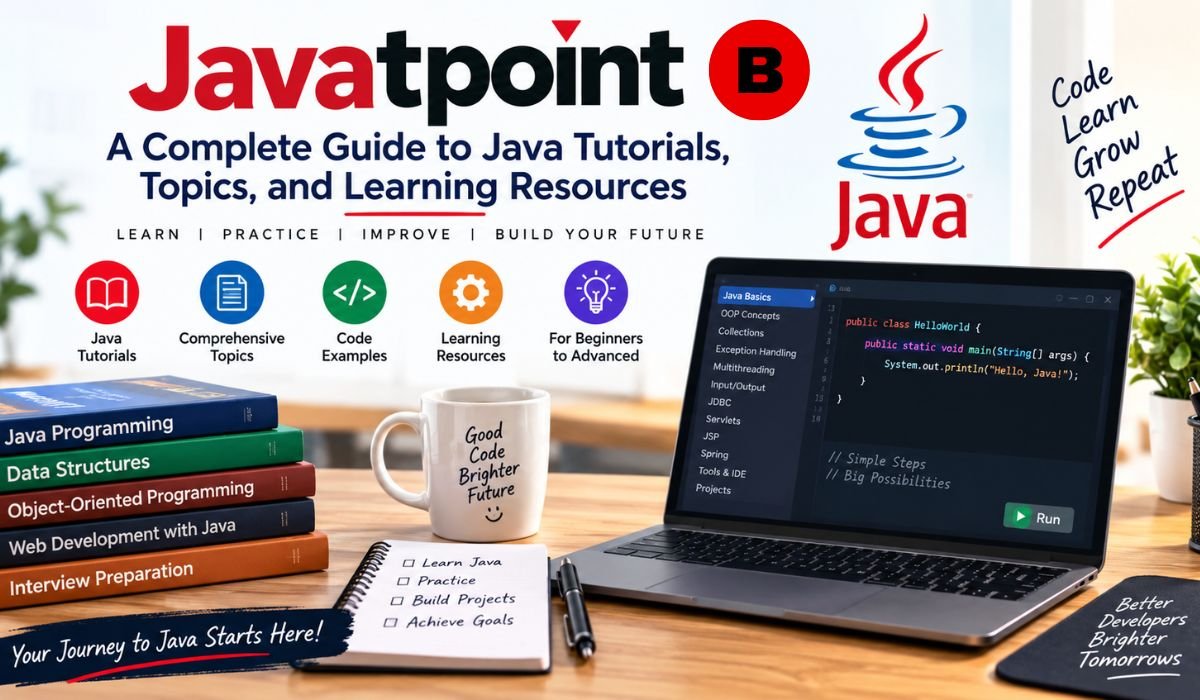
Learning Java is one thing. Figuring out what to learn first, which concepts actually matter, and where to find a clear explanation when you get stuck is another. That’s one reason Javatpoint continues to be a familiar name among students, beginners, and self-taught developers looking for Java tutorials online.
The platform covers a wide range of subjects, starting with basic programming and Object-Oriented Programming and moving into Collections, Exception Handling, Multithreading, JDBC, Servlets, Hibernate, Spring, and Spring Boot. For someone exploring Java for the first time, that breadth can be useful.
Still, there’s an important distinction to keep in mind. Finding an explanation for a Java concept isn’t the same as becoming a capable Java developer. Reading about inheritance won’t teach you how to design a maintainable application, and studying a Spring Boot example won’t automatically prepare you for building, testing, securing, and deploying a real API.
That’s why this guide takes a broader look at Javatpoint. We’ll explore what its Java tutorials cover, where they fit into a modern learning path, how to use them effectively, and what skills you should add if your ultimate goal is professional Java development.
What Is Javatpoint?
Javatpoint is an online programming and technology tutorial platform that’s particularly well known for its extensive Java material. Instead of presenting everything as one long course, it generally organizes information around individual topics, making it easy to look up a particular concept when you need it.
That approach can be especially convenient when you’re studying for an exam, preparing for an interview, or revisiting something you learned months ago. If you need to refresh your understanding of Java Classes, Inheritance, HashMap, Exception Handling, or Lambda Expressions, a topic-focused tutorial can save time.
For beginners, Javatpoint can also serve as an introduction to programming concepts. But it works best when it’s treated as one part of a larger learning process. Modern Java development involves much more than syntax and definitions. Developers also need to understand databases, version control, build tools, testing, APIs, frameworks, security, and deployment.
In other words, Javatpoint can help answer “What does this Java concept mean?” Your own practice and projects have to answer “Can I actually use it?”
Why Do Students Use Javatpoint For Java?
Convenience is a major part of Javatpoint’s appeal. Its topic-based format means you don’t necessarily have to work through an entire course just to find an explanation for one problem.
That can be useful in everyday learning. A student might read about OOP before an examination, revisit Collections while preparing for an interview, or look up a particular String method while writing a program. Someone with more experience can use the same material as a quick refresher.
The interview material is another reason Java learners may turn to the platform. Topics such as OOP, Collections, Strings, Exception Handling, Multithreading, and Java 8 features appear frequently in Java interview preparation.
There is a catch, though. Interview questions are most useful when they come after understanding the underlying concepts. Memorizing a definition of polymorphism, for example, won’t help much if you can’t recognize or implement it in code. The strongest preparation combines explanations, coding exercises, debugging, and project experience.
Javatpoint Java Tutorial: What Can You Learn?
The Javatpoint Java Tutorial covers many of the subjects learners typically encounter while studying the language. The journey can begin with Variables, Data Types, Operators, Expressions, Conditions, Loops, Methods, Arrays, and basic program structure.
From there, the focus naturally shifts toward Object-Oriented Programming. Classes, Objects, Constructors, Inheritance, Polymorphism, Abstraction, Interfaces, and Encapsulation form the foundation for writing larger Java programs.
Once those fundamentals are comfortable, learners can move into Collections, Generics, Exception Handling, Multithreading, File I/O, and functional programming features such as Lambda Expressions and Streams.
However, Java hasn’t stood still. Learners studying in 2026 should also understand that the language and platform continue to evolve. Oracle’s current documentation includes JDK 26, with documentation covering language updates, APIs, tools, security, migration, and the JVM.
That makes it wise to use older tutorials for concepts that haven’t changed while checking current official documentation whenever a feature, API, or version-specific behavior matters.
Core Java Topics Covered
Core Java is the foundation on which everything else is built. Beginners first need to understand Variables, Primitive Data Types, Operators, Expressions, Statements, and Control Flow. These may sound basic, but they’re the building blocks behind practically every Java application.
Object-Oriented Programming comes next. Classes, Objects, Constructors, Inheritance, Polymorphism, Abstraction, Interfaces, and Encapsulation deserve careful attention because they’re central to how Java applications are structured.
Then there are the everyday concepts that make Java programming more practical. These include Strings, StringBuilder, StringBuffer, Arrays, Packages, Access Modifiers, Static Members, Wrapper Classes, Autoboxing, and Unboxing.
Exception Handling is equally important because real programs don’t always behave as expected. Developers need to know how to handle failures responsibly rather than simply allowing an application to crash.
The Collections Framework is another major part of Core Java. ArrayList, LinkedList, HashSet, TreeSet, HashMap, TreeMap, Queue, and Deque are common data structures, while Iterators, Comparable, Comparator, and Generics help developers work with those structures more effectively.
As learners progress, Multithreading, Synchronization, File I/O, Serialization, and broader concurrency concepts become increasingly relevant. These topics take Java beyond simple console programs and into more realistic application development.
Java 8 And Modern Java Features
Java 8 remains important because it introduced several features that fundamentally changed how developers write Java code. Lambda Expressions made certain operations more concise, Functional Interfaces provided a foundation for functional-style programming, and the Stream API introduced a powerful way to process collections and data.
Optional, Method References, Default Interface Methods, and the modern Date and Time API are also worth learning. These features remain relevant in existing applications and are still common in interviews and professional codebases.
But stopping at Java 8 isn’t enough for someone learning Java today. Later releases introduced features such as Local Variable Type Inference, Text Blocks, Records, Sealed Classes, Pattern Matching, and other language and library improvements.
The platform is still moving forward. Oracle’s current Java SE documentation lists JDK 26 and JDK 25 among the current Java SE versions, while JDK 25 is an LTS release. JDK 26 was released in March 2026.
The practical lesson is simple: don’t judge modern Java solely by what an older tutorial happens to cover. Use tutorials to understand concepts, then consult current specifications and API documentation when working with newer releases.
Advanced Java Topics
“Advanced Java” is a broad term that has traditionally been used for technologies that extend Java into database programming, web applications, and enterprise development.
Javatpoint’s wider Java material includes subjects such as JDBC, Servlets, JSP, Hibernate, Spring, Spring MVC, Spring Boot, Web Services, Networking, Java NIO, Regular Expressions, and Design Patterns.
It’s important, however, not to assume that every item on an Advanced Java syllabus deserves equal attention in 2026. JDBC remains valuable because it teaches database connectivity. Hibernate and JPA are important for persistence and ORM-based applications. Spring Boot is particularly relevant for modern Java backend development.
Other technologies have more historical value. JSP scriptlets, Java Applets, and some older enterprise frameworks can still matter when maintaining legacy applications, but they’re not necessarily where a beginner should spend most of their time when preparing for a new backend career.
Seen this way, the Javatpoint Advanced Java material is best treated as a map of the Java ecosystem. Your career goal should determine which parts you study most deeply.
JDBC, Servlets, And JSP
JDBC is one of the most useful subjects to understand because it shows what happens when a Java application communicates with a relational database. Through JDBC, learners encounter Connections, Statements, PreparedStatements, ResultSets, CRUD Operations, Transactions, and database error handling.
Servlets provide another important piece of the picture. They help explain how traditional Java web applications receive HTTP requests, process them, and return responses. That knowledge can be useful when working with older enterprise systems or trying to understand the foundations behind Java web development.
JSP was widely used with Servlets to generate dynamic web pages. It’s still relevant in some legacy applications, but it isn’t the usual starting point for a new Java web application today.
For someone beginning a modern backend career, the more practical progression is usually to understand the fundamentals and then move toward Spring Boot, REST APIs, JPA or Hibernate, Testing, Security, and Deployment.
Hibernate And Spring Framework
Hibernate introduces Object-Relational Mapping, commonly known as ORM. Instead of treating every database operation as a completely separate SQL exercise, developers can map Java objects to database structures and work with relationships between entities.
Important Hibernate concepts include Entities, Identifiers, Relationships, Transactions, HQL, Fetching Strategies, and Caching. These ideas become much easier to understand when they’re used inside a real application rather than studied only as isolated definitions.
Spring tackles a different challenge. Its Inversion of Control and Dependency Injection features help developers organize application components and their relationships. The framework also provides support for areas such as web development, transactions, and data access.
Understanding the reason behind these technologies is more valuable than memorizing annotations. Once you understand what a database layer, dependency injection, transaction, and HTTP request are actually doing, Spring Boot becomes much easier to learn.
Javatpoint Spring Boot Tutorials
For anyone interested in Java backend development, Spring Boot is one of the most important areas to study after Core Java. Introductory tutorials can help learners understand @SpringBootApplication, REST Controllers, Request Mapping, configuration, Spring Data JPA, and database connectivity.
That’s only the beginning, though.
A developer working on real Spring Boot applications needs to understand DTOs, Validation, Exception Handling, REST API Design, Database Relationships, Testing, Logging, Authentication, Authorization, and application configuration.
Security deserves particular attention. Depending on the application, developers may need Spring Security, password hashing, role-based authorization, token-based authentication, and JWT.
Version compatibility matters, too. The current Spring Boot documentation provides version-specific system requirements, which is a good reminder that framework tutorials can become outdated as the ecosystem changes. Developers should check the official Spring documentation before starting a project based on a particular release.
Javatpoint Java Interview Questions
Javatpoint can be useful when it’s time to revise Java Interview Questions, particularly for familiar categories such as OOP, Collections, Strings, Exception Handling, Multithreading, Java 8, JDBC, and Spring.
Still, interview preparation is much stronger when it involves understanding rather than memorization.
Suppose you’re asked how HashMap works. A prepared definition might get you through the first few seconds, but a deeper understanding allows you to discuss its purpose, behavior, relevant implementation details, and appropriate use cases.
The same principle applies to OOP. You should be able to explain inheritance or polymorphism and also demonstrate the concept through code. If Spring Boot appears on your resume, you should be comfortable discussing an application you’ve actually built with it.
Use interview questions to identify gaps. Then go back, write code, solve problems, and fill those gaps.
Is Javatpoint Good For Beginners?
For someone just starting out, Javatpoint can be a useful place to get comfortable with Java terminology and basic programming ideas. Its topic-based structure makes it relatively easy to move from Variables and Data Types to Conditions, Loops, Methods, Arrays, and eventually Object-Oriented Programming.
The bigger challenge is avoiding passive learning.
After reading about a concept, write a small program that uses it. Change the example. Try something that isn’t shown in the tutorial. Introduce an error and work out why it fails. Then explain the solution in your own words.
That process is where much of the real learning happens.
It’s also worth pairing tutorial material with current official resources. Dev.java provides modern learning material for Java, while Oracle’s documentation provides specifications, API documentation, release information, and other authoritative technical material.
Is Javatpoint Enough To Learn Java For A Job?
Not on its own. That’s less a criticism of Javatpoint than a reflection of what professional development actually involves.
A developer needs to do more than understand Java syntax. Depending on the role, they’ll likely need SQL, Git, Maven or Gradle, REST APIs, testing, debugging, database design, Spring Boot, security, Docker, and deployment experience.
Projects are particularly valuable because they force you to bring those skills together. A learner who can explain why they chose a particular design, describe a bug they fixed, show their Git history, and demonstrate a working application has something far more meaningful to discuss in an interview than a list of tutorials they’ve completed.
Javatpoint can help build the knowledge base. The practical work has to come from you.
Strengths And Limitations Of Javatpoint
Javatpoint’s biggest strength is its breadth. A learner can explore a wide range of programming and Java topics without having to search for a completely different resource every time a new question comes up.
Its topic-focused approach also makes it useful for revision. If you need to refresh a concept quickly before an exam or interview, a focused explanation can be more practical than sitting through an entire course.
The limitation is that tutorials, by themselves, don’t provide the full experience of software development. You still have to write programs, troubleshoot failures, use development tools, work with source control, connect applications to databases, write tests, and eventually deploy software.
Content freshness is another consideration. Java and its surrounding ecosystem continue to change, so version-specific information should be checked against primary documentation. Oracle’s current Java documentation provides release notes, migration guides, language updates, APIs, tools, and specifications for JDK 26.
That makes a mixed-resource approach more reliable than depending on any single tutorial site.
How To Use Javatpoint Effectively
The most useful way to approach Javatpoint is to make it part of an active study routine.
Read about a concept, open your IDE, and run the example yourself. Then change it. Add another condition. Try different inputs. Rewrite the program without looking back at the tutorial. If something breaks, resist the urge to immediately search for the answer; spend some time figuring out what went wrong.
The same approach works as you move into larger subjects. Use Collections in a small application. Connect JDBC code to an actual database. Build a REST API after learning Spring Boot. Add validation and exception handling when you’re ready for the next step.
And when you’re dealing with a version-sensitive question, go to the official documentation. Oracle’s JDK 26 documentation includes language updates, Core Libraries, APIs, tools, security guidance, migration information, and troubleshooting resources.
That combination makes Javatpoint much more valuable than simply reading one page after another.
Best Java Learning Resources To Use Alongside Javatpoint
There’s no reason one resource has to do every job. In fact, learning usually becomes easier when different resources are used for different purposes.
Javatpoint can be helpful for accessible explanations and quick reference. Official Java documentation is the better choice when you need authoritative information about the language, APIs, specifications, release changes, or version compatibility.
Dev.java is another useful companion for modern Java learning. Oracle’s own Java documentation directs learners toward current resources while maintaining older tutorials for historical and JDK 8-oriented material.
For practical development, add an IDE, Git and GitHub, coding exercises, framework documentation, and hands-on projects to the mix.
The point isn’t to collect as many tutorials as possible. It’s to give every resource a job. One explains the concept, another verifies the technical details, and your own project proves that you’ve learned it.
What Should You Build After Learning Java?
Projects are where Java knowledge starts to feel real.
A beginner can start with something small, such as a Calculator, Student Management System, Library Management System, or Banking Simulation. These projects provide opportunities to practice Classes, Objects, Methods, Collections, Conditions, and Exception Handling without introducing too many technologies at once.
Once those fundamentals are comfortable, move into database-backed applications. A JDBC project introduces SQL, CRUD operations, database connections, transactions, and error handling.
The next step could be a Spring Boot REST API connected to a relational database. From there, you can add authentication, validation, testing, logging, and deployment.
An E-Commerce Backend, Inventory Management System, Authentication Service, or Employee Management API can make a strong portfolio project. But don’t worry about making a project enormous. A smaller application that’s complete, documented, tested, and deployed is often more valuable than an ambitious project that never gets finished.
What To Learn After Completing The Javatpoint Java Tutorial
Once Core Java is under control, a practical 2026 learning path can move into SQL, Git, Maven or Gradle, JDBC fundamentals, Spring, Spring Boot, JPA or Hibernate, REST APIs, Security, Testing, Docker, and Deployment.
From there, developers can explore Microservices, Cloud Platforms, Messaging, Observability, and more advanced architecture when their fundamentals are strong enough to support them.
The order can vary depending on your career goal. Someone interested in Android, desktop applications, testing, or another Java specialization may need a different route. For aspiring backend developers, however, the progression from language fundamentals to databases, frameworks, APIs, testing, and deployment provides a solid foundation.
Most importantly, don’t let the framework become a substitute for understanding Java. Spring Boot can make development faster, but it doesn’t remove the need to understand classes, interfaces, collections, exceptions, concurrency, databases, HTTP, and good software design.
Final Thoughts
Javatpoint has a useful place in the Java learning ecosystem. Its broad collection of topic-based material can help beginners get started, students revise familiar concepts, and developers quickly look up something they don’t remember.
Its real value depends on how you use it.
If you read tutorial after tutorial without writing much code, you’ll probably remember far less than you expect. If you use each explanation as a starting point, test the examples yourself, build projects, troubleshoot errors, and verify modern details against official documentation, the experience becomes much more valuable.
Java itself continues to evolve. Oracle’s current documentation lists JDK 26 among the current Java SE versions, and the JDK 26 specification includes the latest language and platform specifications for that release.
So, rather than asking whether Javatpoint can teach you everything you need to become a Java developer, a better question is how you can use it effectively within a wider learning strategy.
Use it to understand the concept. Use official documentation to verify it. Use your IDE to practice it. And use real projects to prove that you can apply it.
That’s the point where learning Java stops being about reading tutorials and starts becoming software development.
FAQs About Javatpoint
What Is Javatpoint?
Javatpoint is an online programming and technology tutorial resource with extensive Java learning material. Its Java content covers beginner programming, Core Java, Advanced Java, examples, and interview-related subjects.
Is Javatpoint Good For Learning Java?
Javatpoint can be useful for learning and revising Java, particularly when you want a straightforward explanation of an individual topic. It works best alongside coding practice, projects, and current official documentation rather than as the only learning resource.
Is Javatpoint Enough To Become A Java Developer?
No single tutorial website should be treated as a complete professional-development program. Java developers need practical skills such as database usage, version control, testing, debugging, API development, framework knowledge, and project experience in addition to Core Java.
Does Javatpoint Cover Core Java?
Yes. Its Java learning material covers major Core Java subjects, including Variables, Control Flow, OOP, Strings, Arrays, Exceptions, Collections, Multithreading, File Handling, and Java 8 features.
Does Javatpoint Cover Advanced Java?
Javatpoint’s broader Java material includes Advanced Java subjects such as JDBC, Servlets, JSP, Hibernate, Spring, Spring MVC, Spring Boot, Web Services, Networking, and Design Patterns. The usefulness of individual technologies depends on your career goal, especially because some are more relevant to legacy systems than modern development.
Does Javatpoint Cover Spring Boot?
Javatpoint provides Spring Boot material covering fundamental concepts and common application-development topics. For professional development, learners should go further into REST API design, Validation, Security, Testing, Database Integration, Configuration, and Deployment. Current framework requirements should always be checked in the official Spring documentation.
What Should I Learn After Javatpoint?
After Core Java, consider learning SQL, Git, Maven or Gradle, JDBC, Spring, Spring Boot, JPA or Hibernate, REST APIs, Security, Testing, Docker, and Deployment. Your exact path should depend on whether you’re targeting backend development, Android, desktop applications, or another Java specialization.
Is Javatpoint Useful For Java Interviews?
Yes. Javatpoint can be useful for reviewing common Java interview subjects, particularly OOP, Collections, Exceptions, Strings, Multithreading, and Java 8. However, candidates should also solve coding problems and be prepared to explain projects they’ve actually built.
Learn more and explore exciting content on: Joani Harbaugh: Inside the Life of Tom Crean’s Wife and the Harbaugh Family